Actions
Bug #2476
closedDocument Upload : Client UI Issues
Status:
Closed
Priority:
Normal
Assignee:
-
Start date:
04/11/2024
Due date:
% Done:
100%
Estimated time:
(Total: 0.00 h)
Description
Steps :
- Login to Lauditor.
- Click on Menu
- Click on Document
- Click on Upload Tab
- Click on Client Tab
Issues :
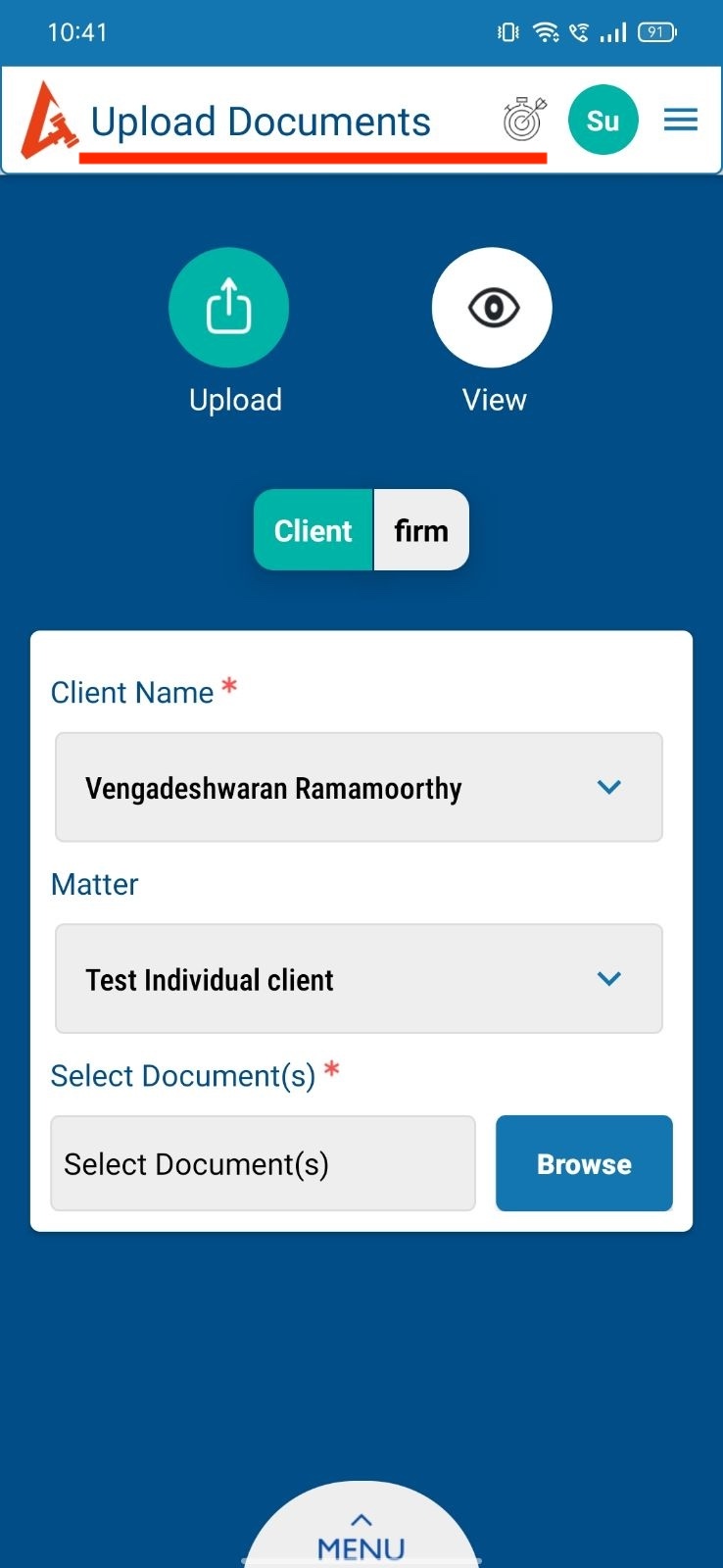
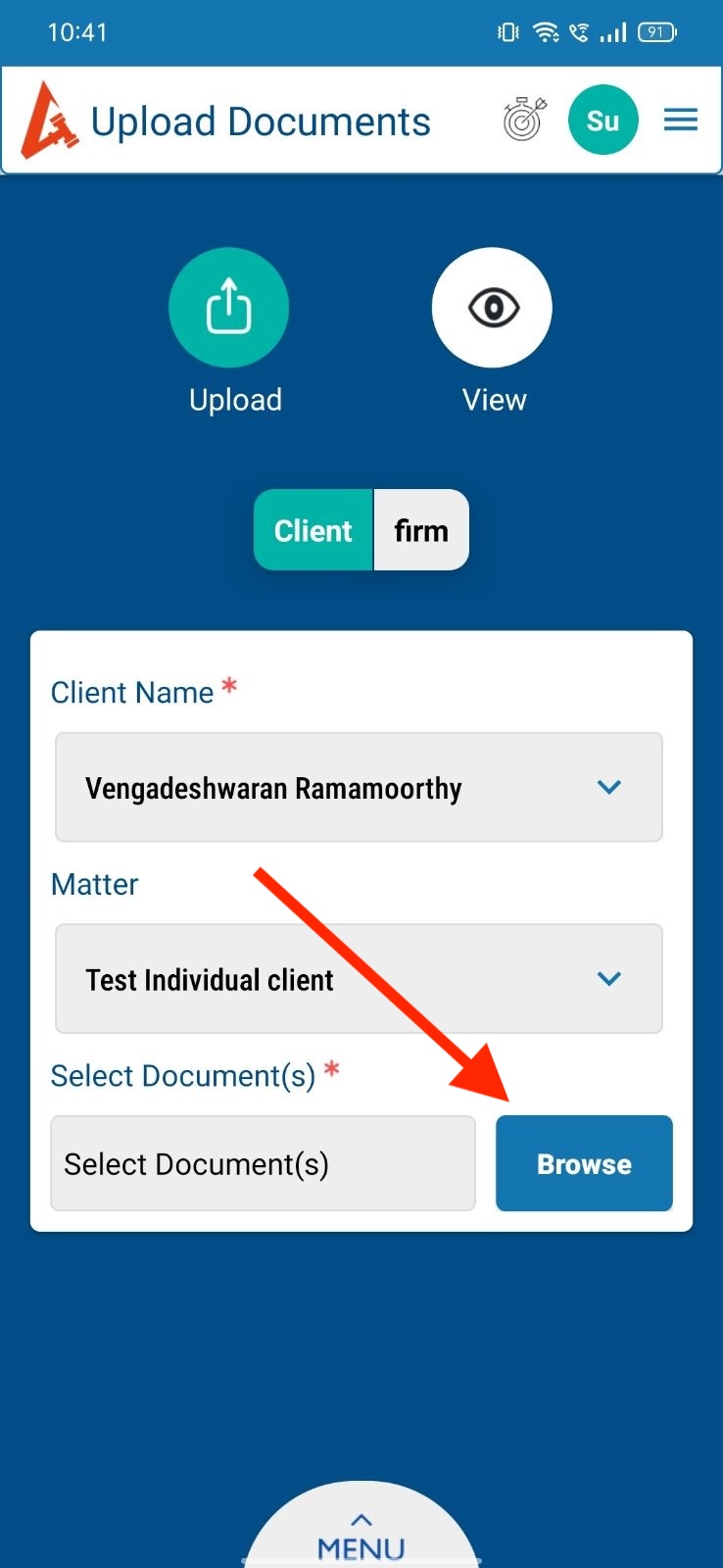
1. Change the heading text “Upload Documents” to “Document Upload”.
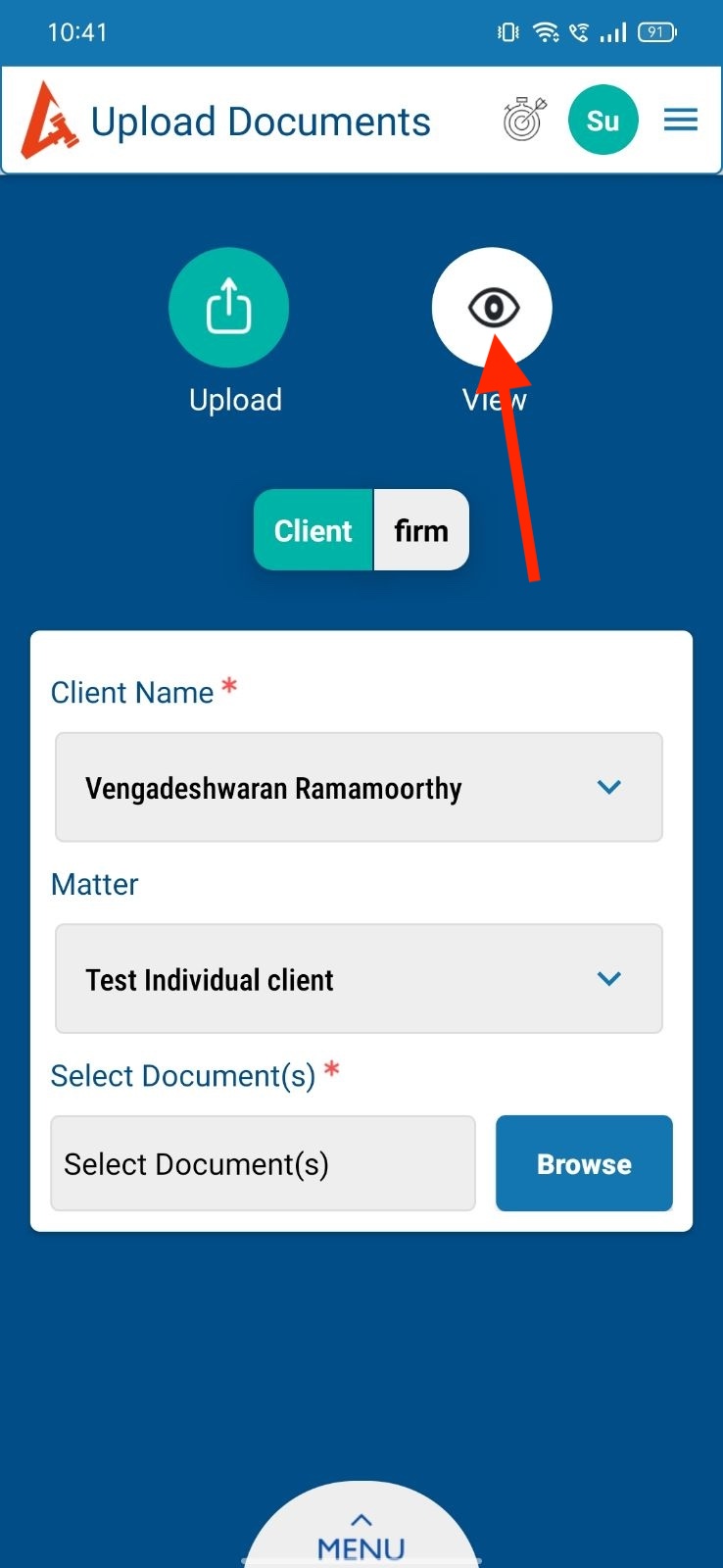
2. Increase the icon size for “Eye button” inside View.
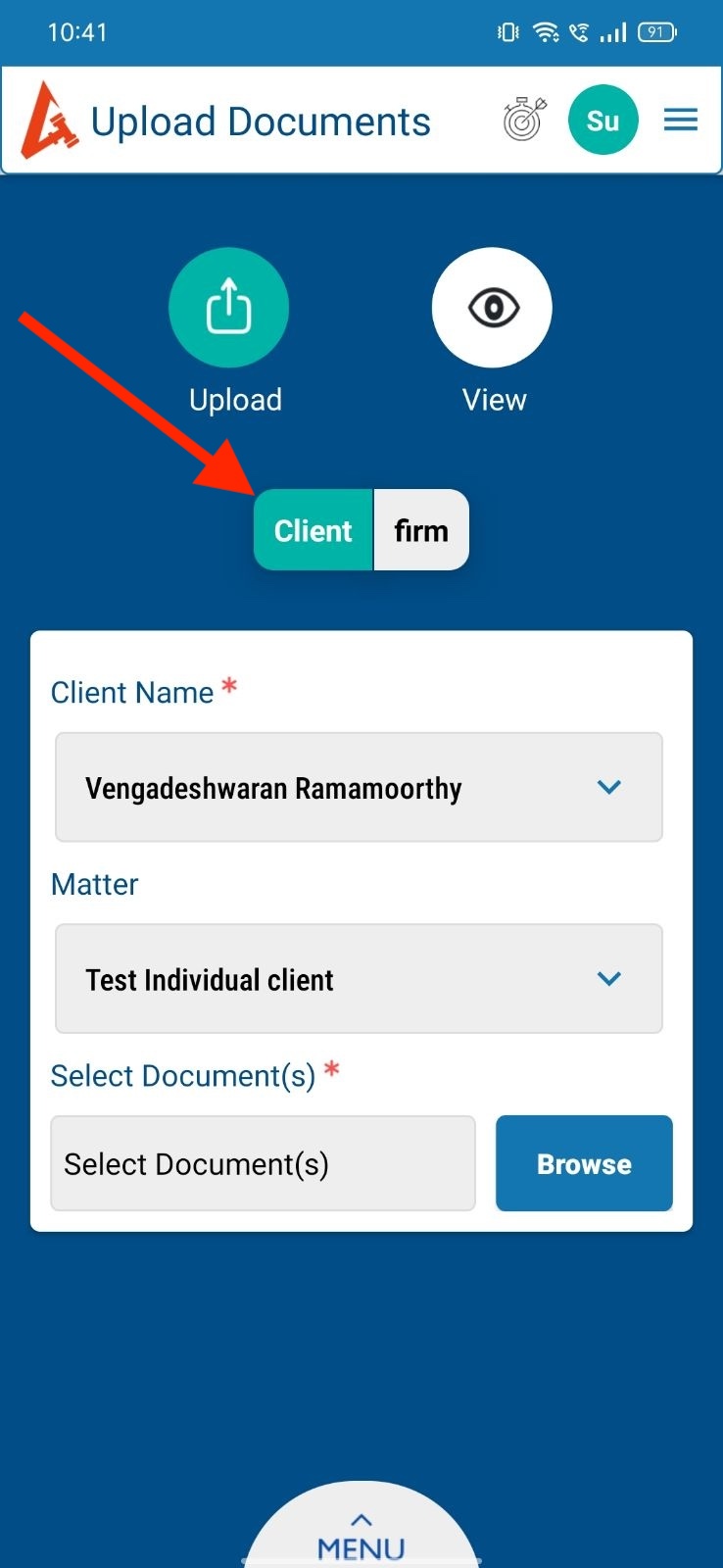
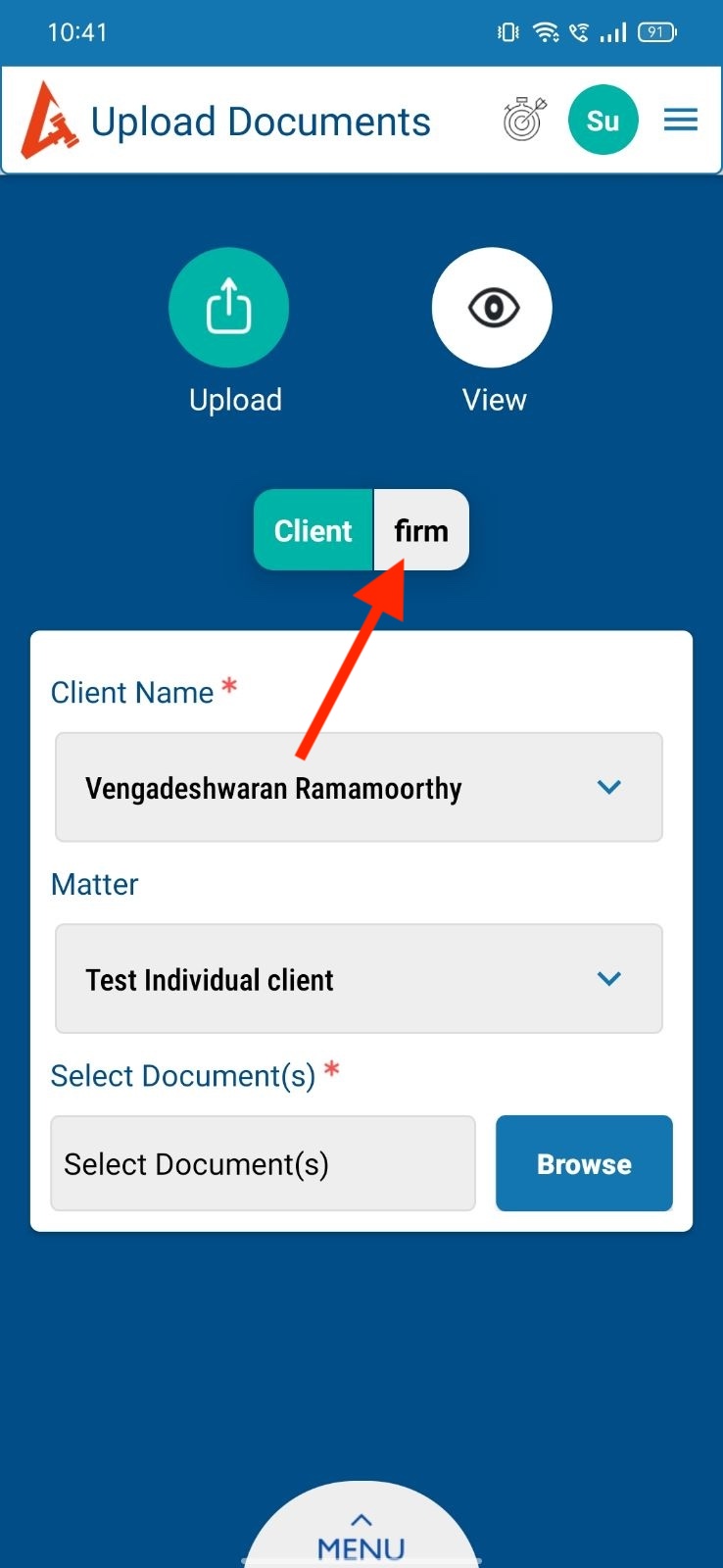
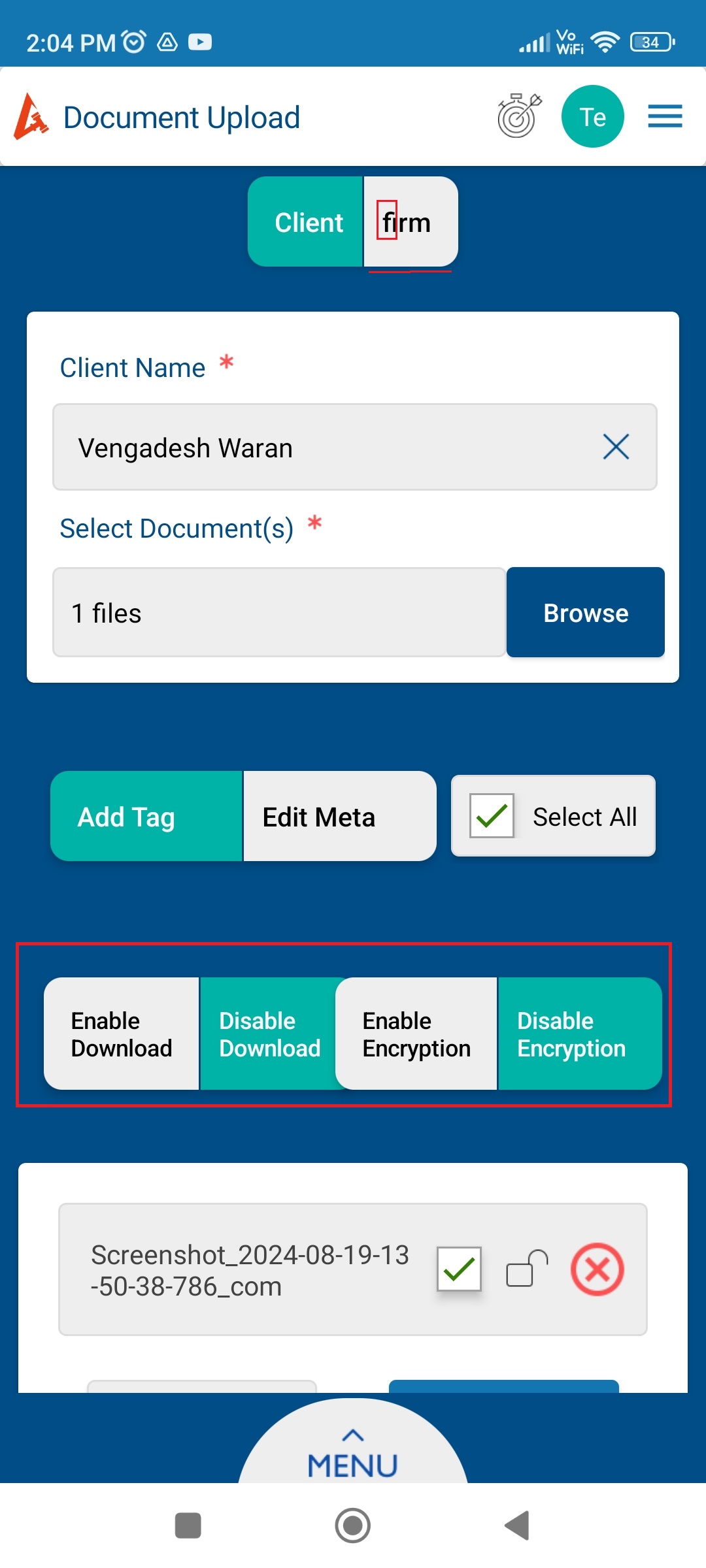
3. Increase the tab size for “Client” and “Firm”.
4. First letter should be capital for “Firm”.
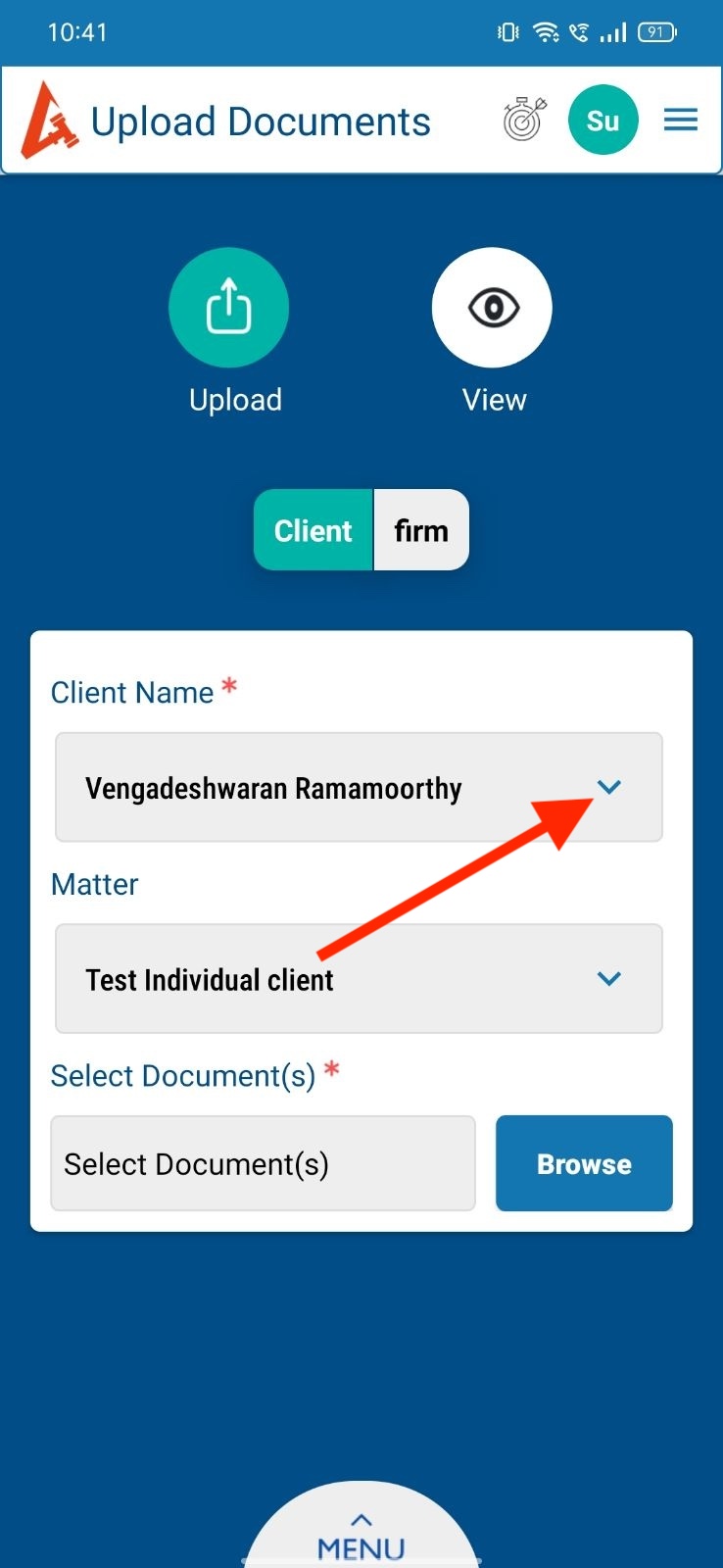
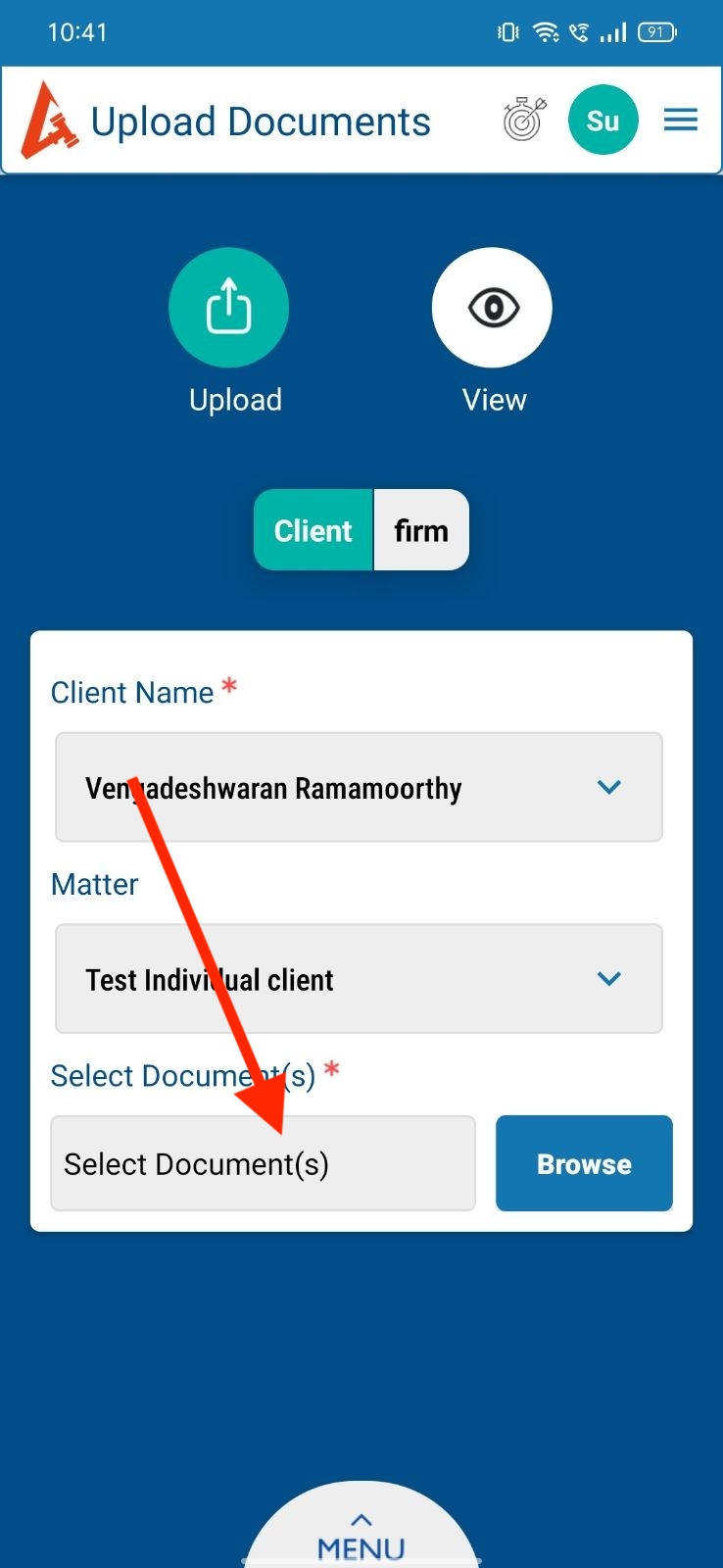
5. After selecting the client name , In the dropdown - Change the “V” to “X” symbol.
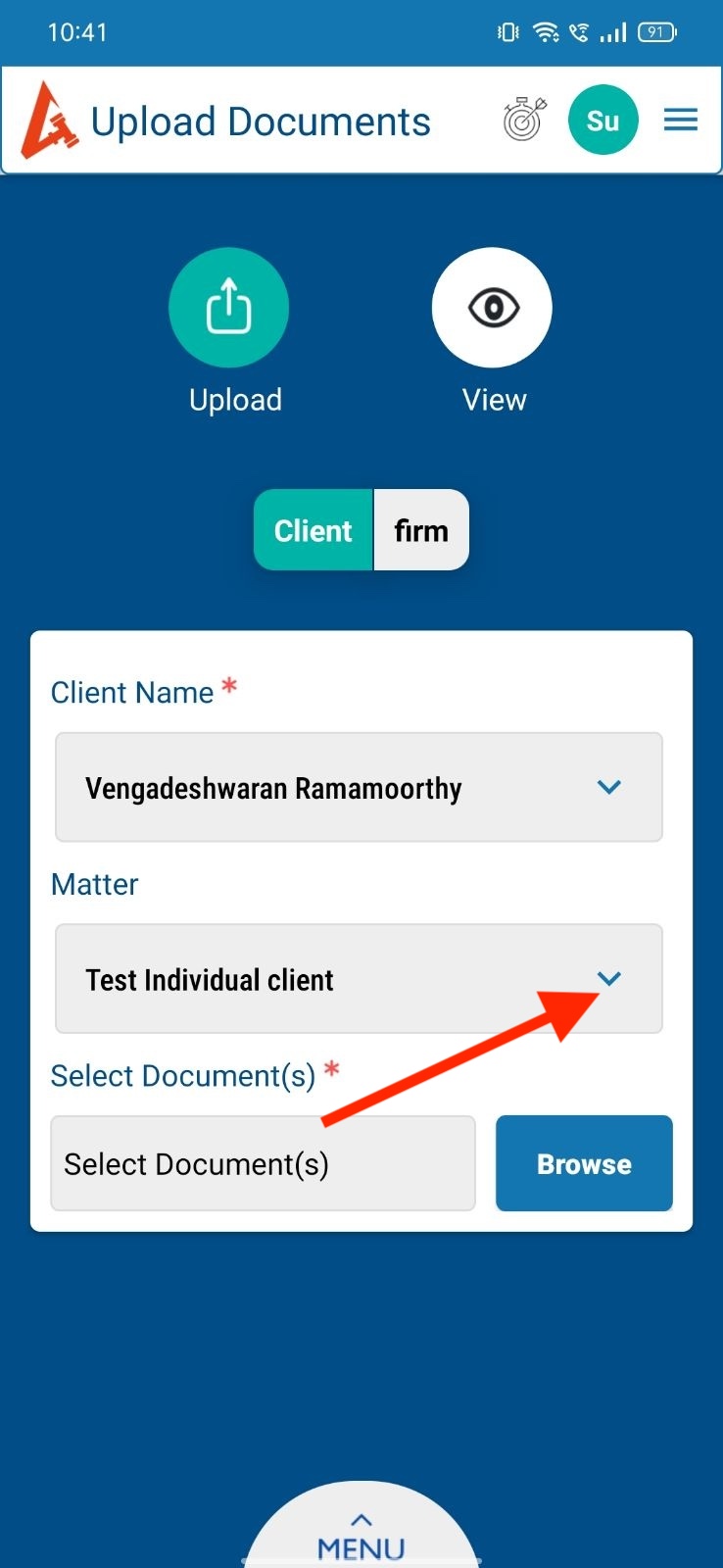
6. After selecting the Matter name , In the dropdown - Change the “V” to “X” symbol.
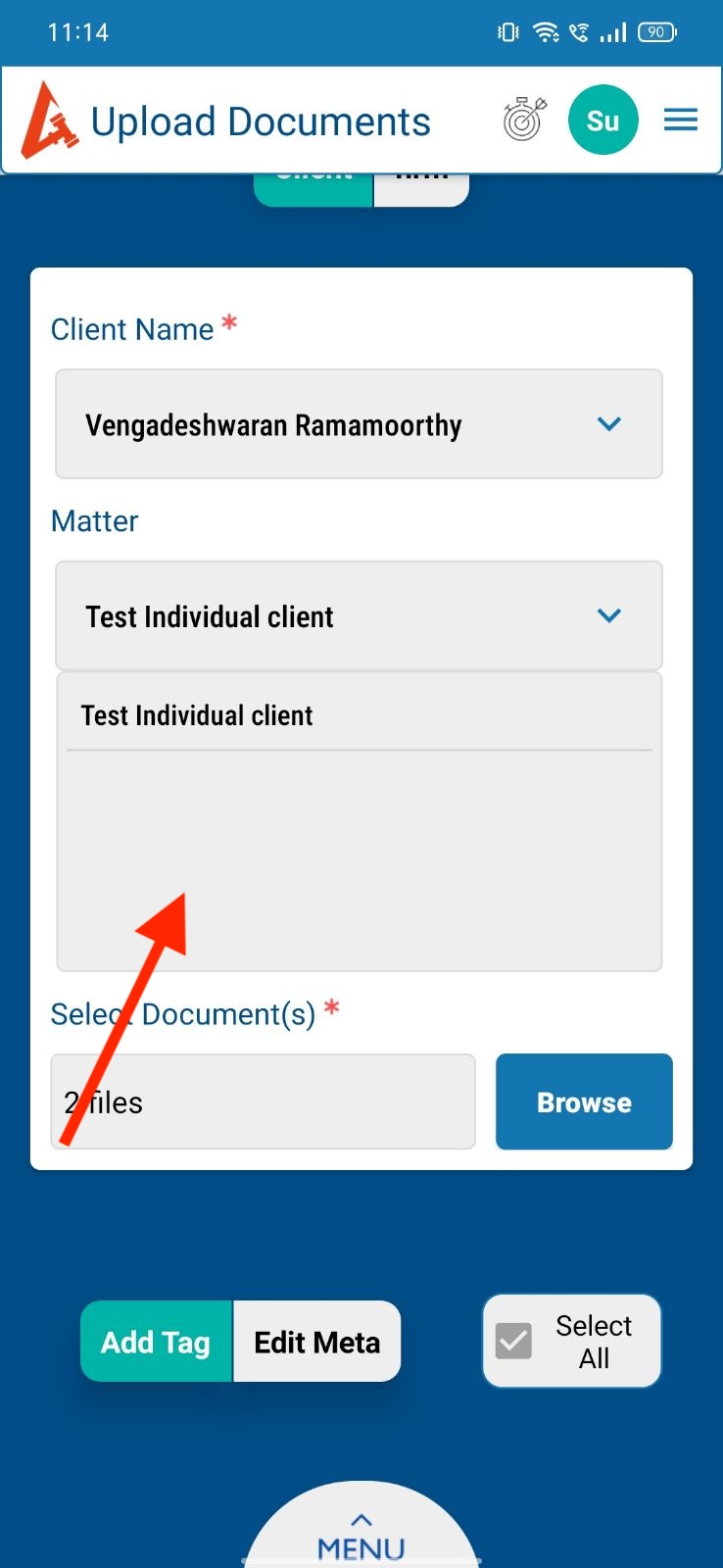
7. After clicking matter dropdown , Empty screen shouldn’t appear in the dropdown.
8. Change the hint text color.
9. Change the background color for Browse button.
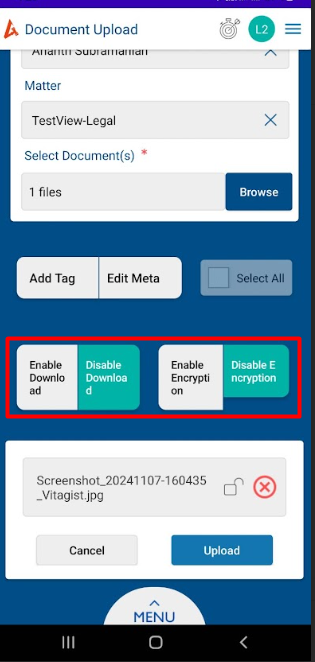
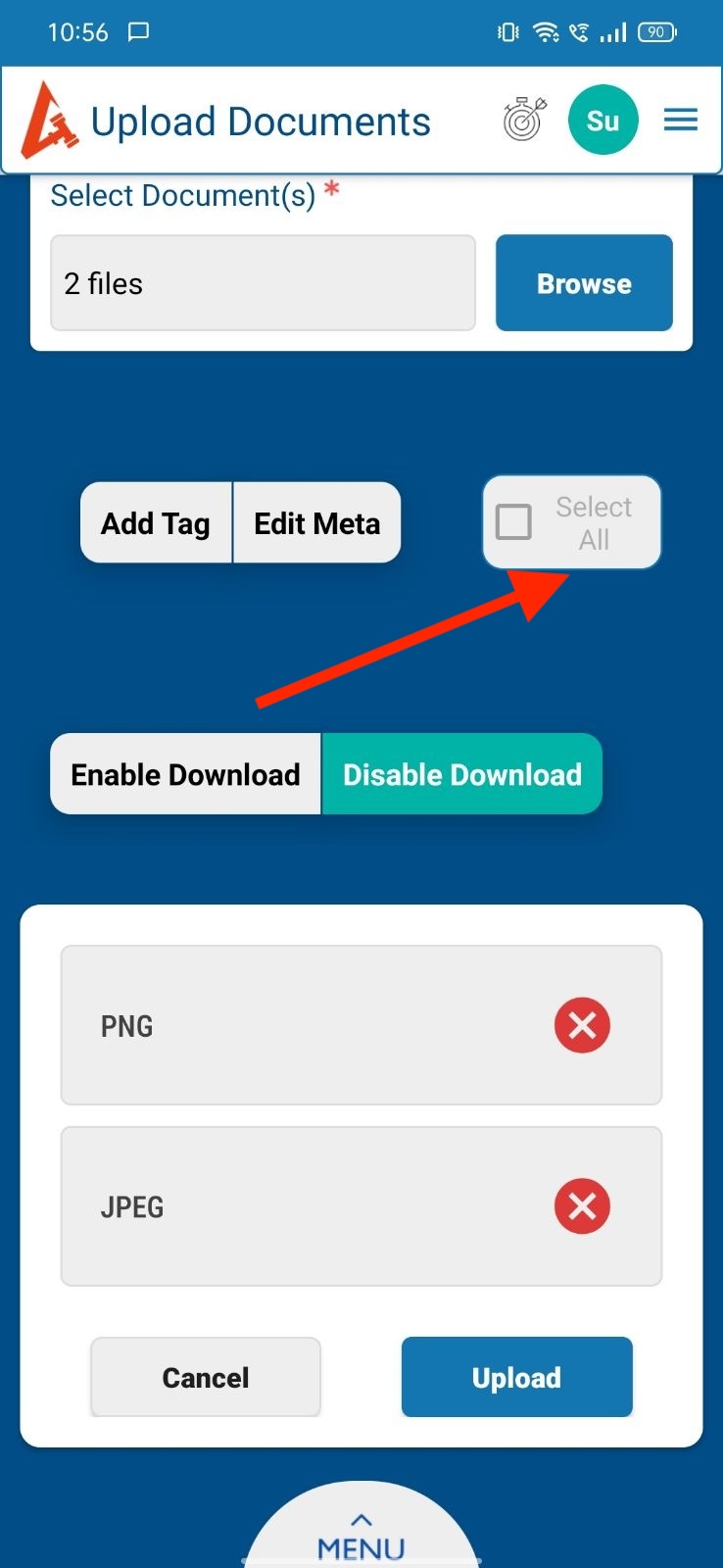
10. “Select All” display in the single line.
Files
| 1.jpeg (129 KB) 1.jpeg | |||
| 2.jpeg (128 KB) 2.jpeg | |||
| 3.jpeg (130 KB) 3.jpeg | |||
| 4.jpeg (129 KB) 4.jpeg | |||
| 5.jpeg (131 KB) 5.jpeg | |||
| 6.jpeg (130 KB) 6.jpeg | |||
| 7.jpg (136 KB) 7.jpg | |||
| 9.jpeg (132 KB) 9.jpeg | |||
| 8.jpeg (130 KB) 8.jpeg | |||
| 10.jpeg (140 KB) 10.jpeg | |||
| overlapTabs.jpg (256 KB) overlapTabs.jpg | |||
| clipboard-202411131636-n0kxz.png (113 KB) clipboard-202411131636-n0kxz.png |
Actions