Actions
Bug #6479
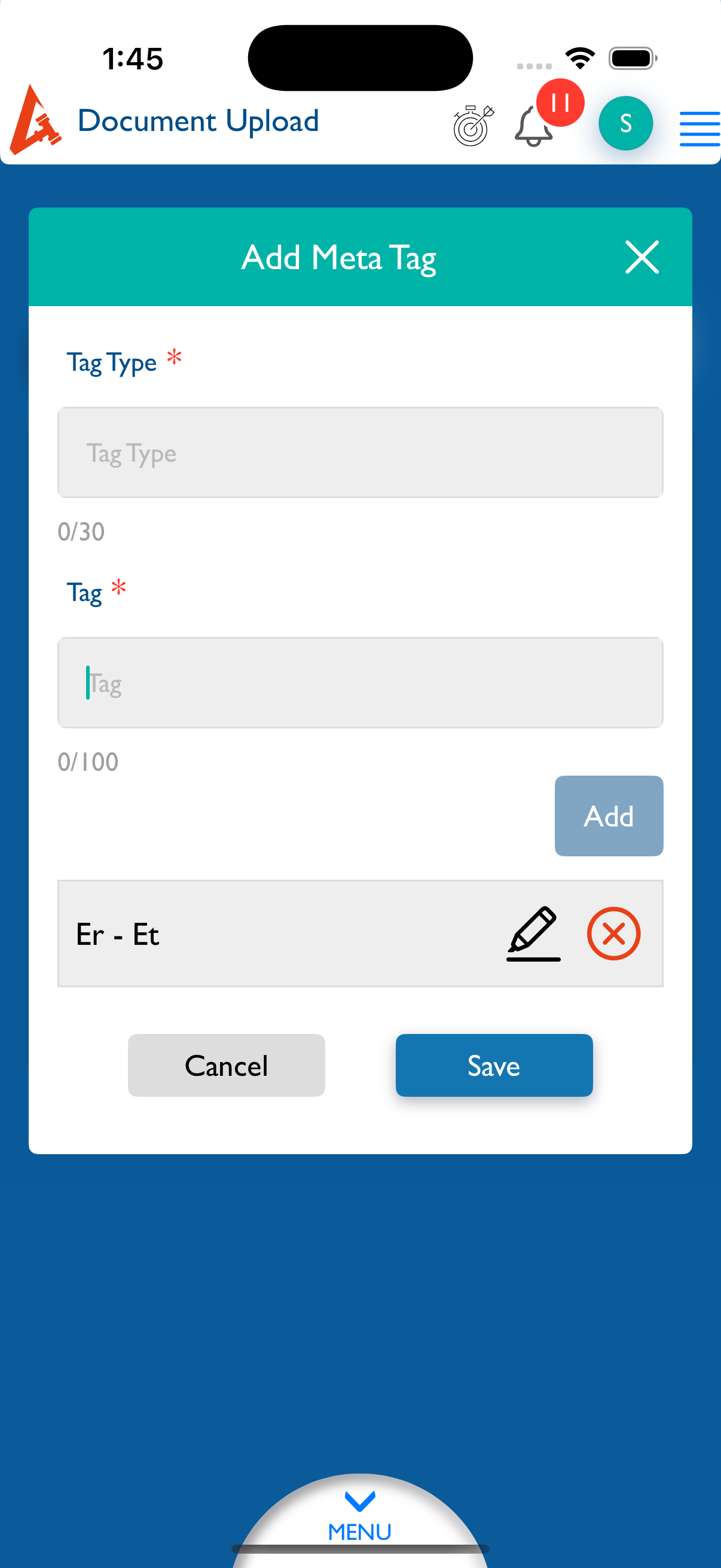
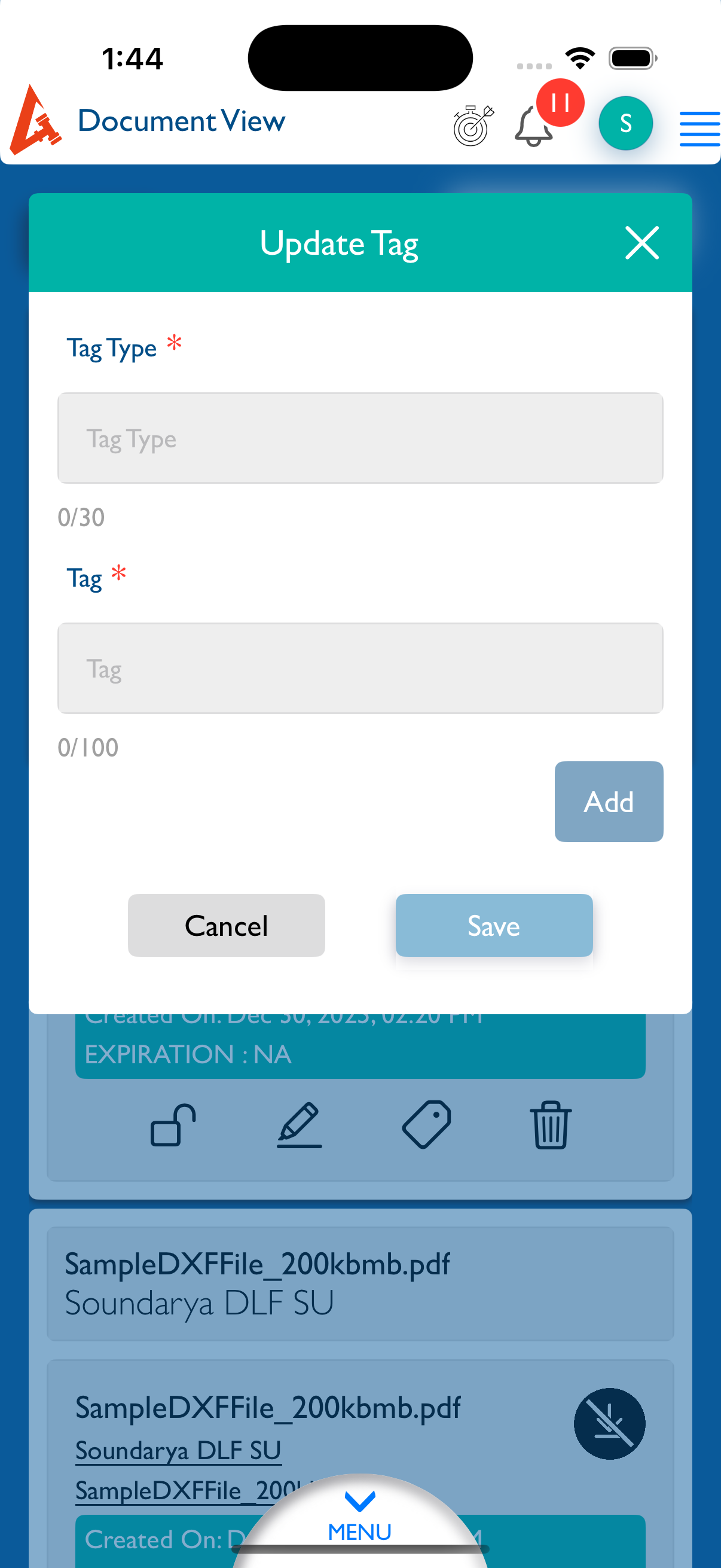
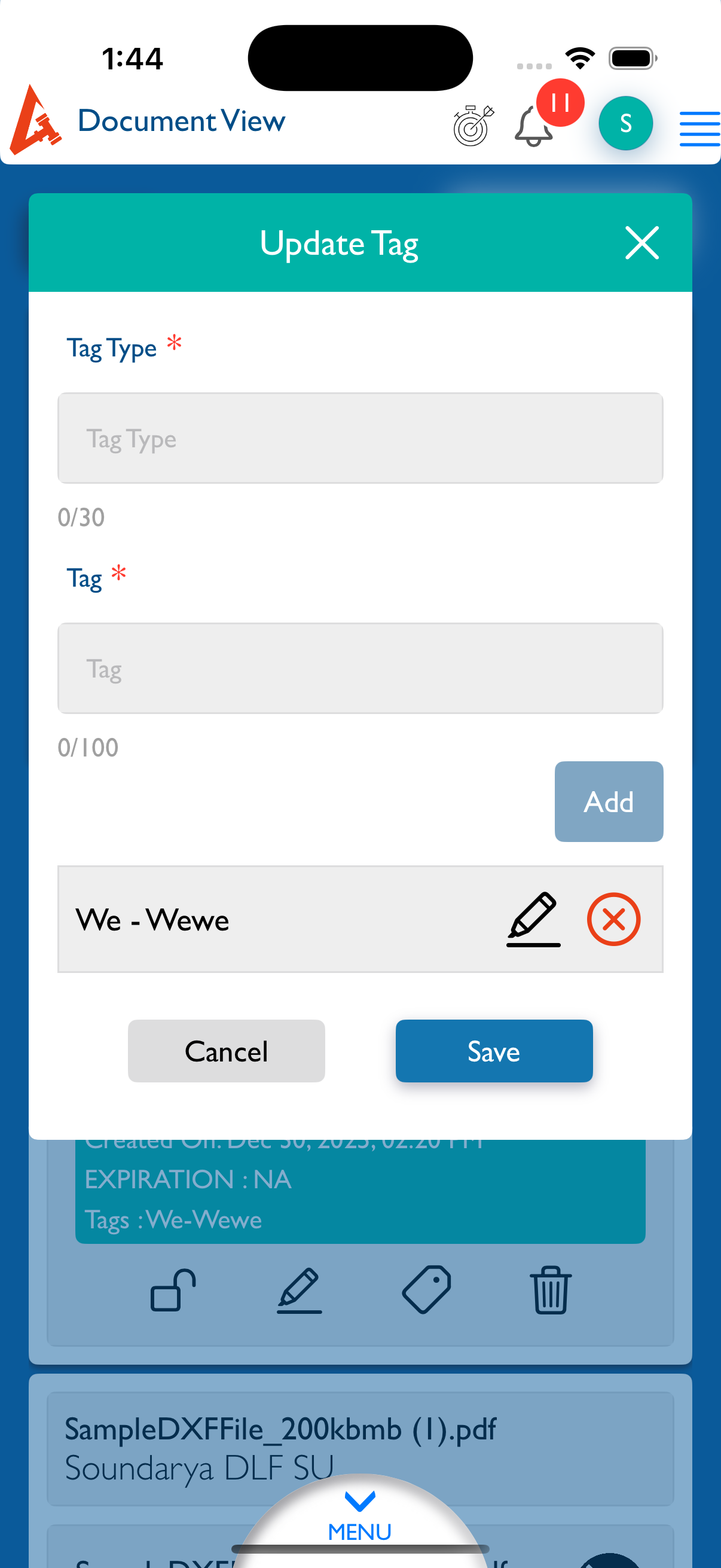
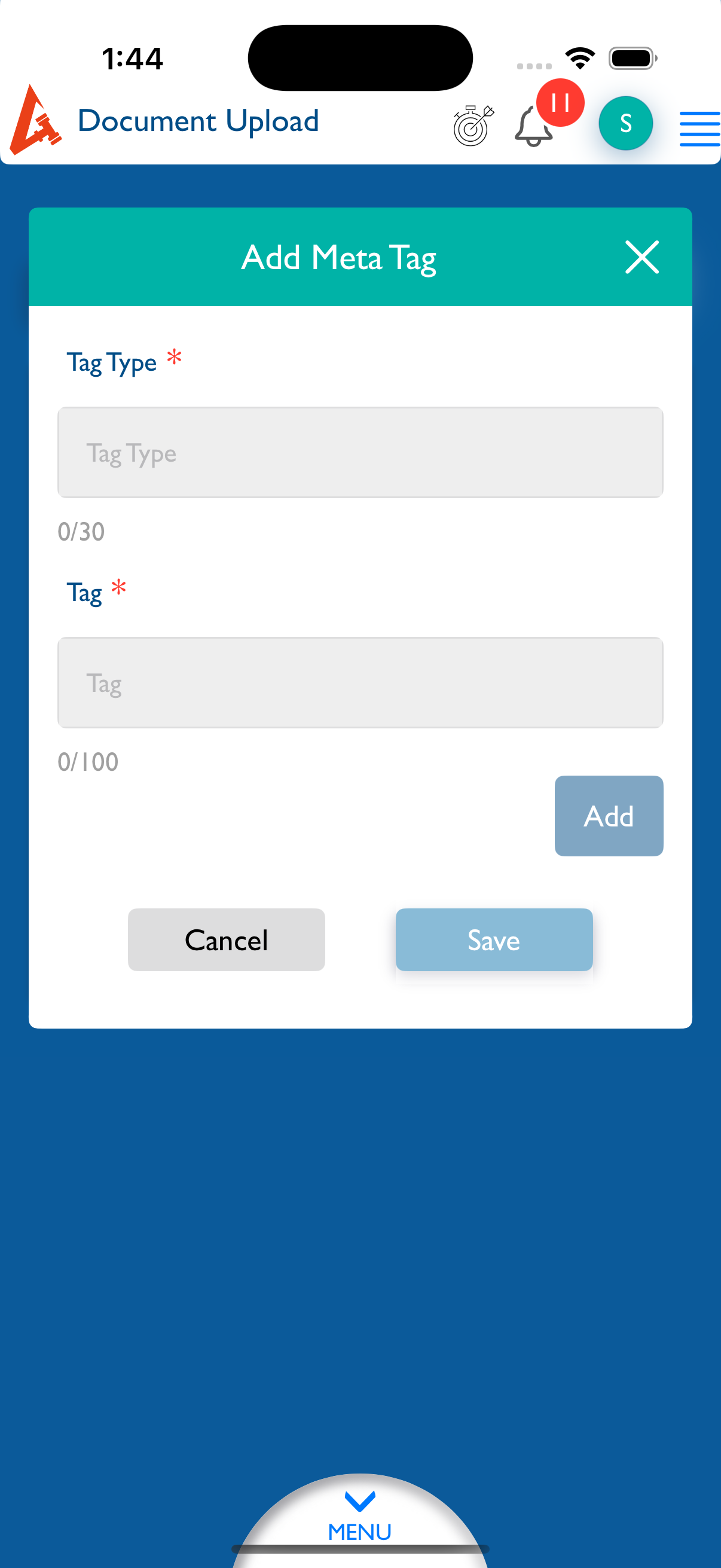
openDocument - Upload - Add Tags : The Save button should be disabled until text is entered in the Tags field.
Start date:
12/30/2025
Due date:
% Done:
0%
Estimated time:
Description
Steps to Reproduce:
- Log in to Lexiz.
- Click on the Menu and select the Document module.
- Click Upload New and select the Matter radio button.
- Click Browse, select any document, and then click Edit.
- Click Add Tags without entering any text.
Expected Result:
The Save button should be disabled until text is entered in the Tags field.
Actual Result:
The Save button remains enabled even when the Tags field is empty.
Notes:
Applicable to all user accounts.
Applicable for Matter, Firm, and Client documents.
Files

Actions