Actions
Bug #6466
openView Matter (Legal / General) : Selected corporate client name not displayed in view list of matters.
Start date:
12/26/2025
Due date:
% Done:
0%
Estimated time:
Description
Description:
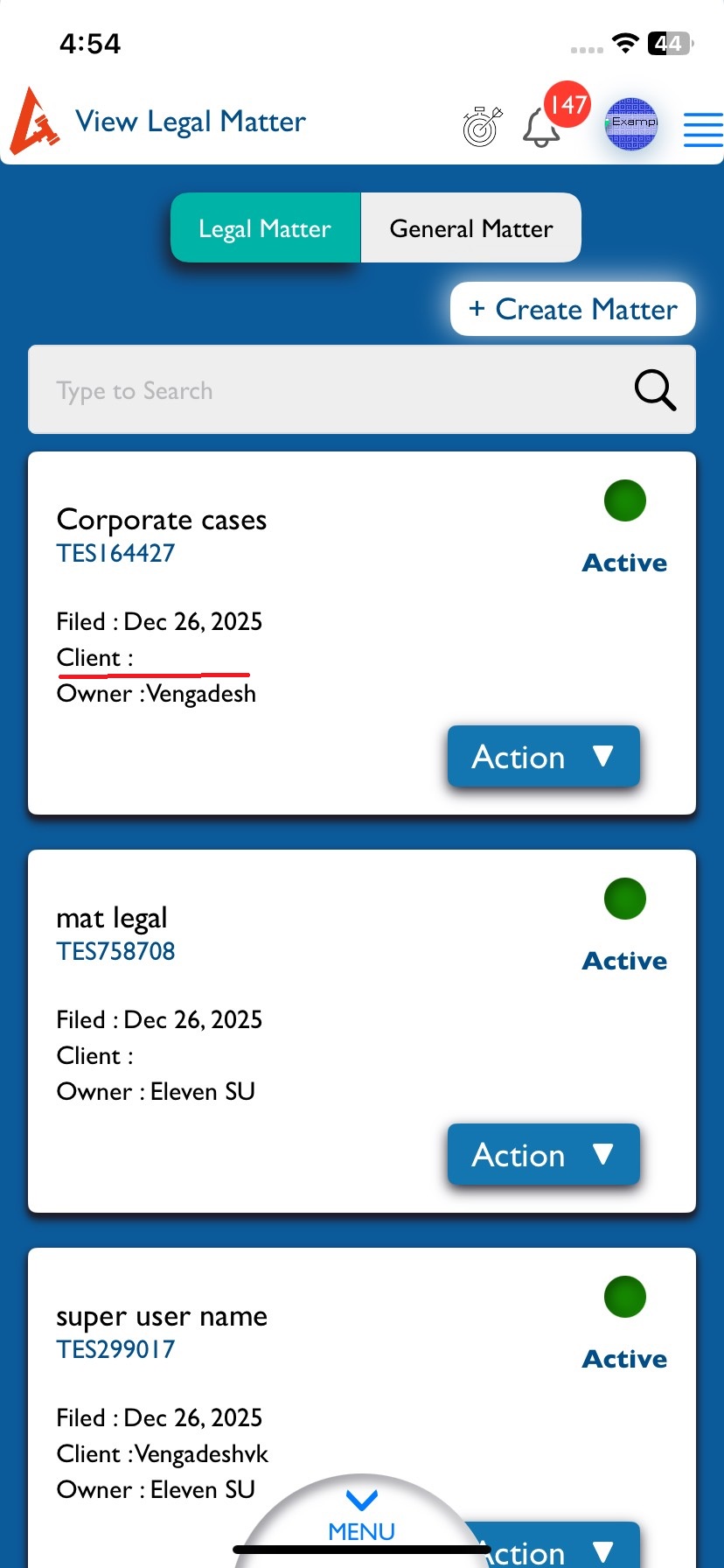
In the Matter list, the selected corporate client name is not displayed in the Client field for recently created matters.
- Log in to Lexiz.
- Click on the menu.
- Click on Matter.
- Open Legal Matter or General Matter.
- Scroll down to the list of matters.
- Check a recently created matter with a DGC client.
Actual Result:
The Client field is empty.
The selected corporate client name does not appear.
Expected Result:
The selected corporate client name should be displayed in the Client field.
Notes:
Applicable for all user accounts.
Applicable for both Legal and General matters.
Files
Actions