Actions
Bug #6425
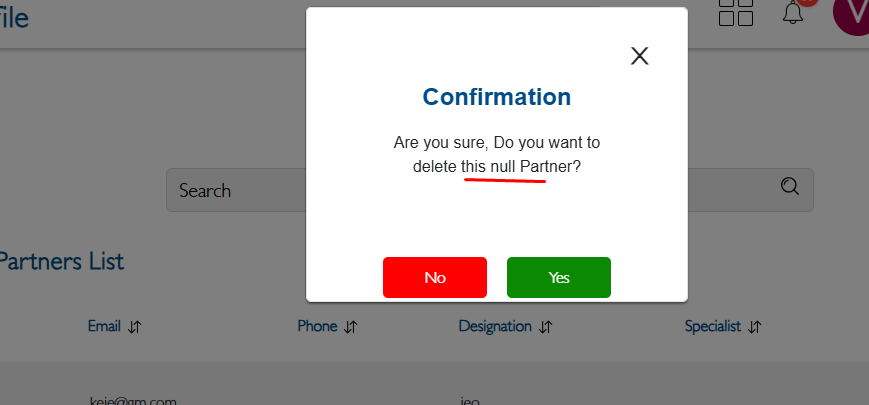
openFirm Profile – Delete Practice Partner Shows “Null” Instead of Username
Start date:
12/23/2025
Due date:
% Done:
0%
Estimated time:
Description
Steps to Reproduce:
- Login to Lexiz.
- Navigate to Team Member module.
- Click on View tab and select any team member.
- Click on Actions → Upgrade Practice Partner → click Yes.
- Go to Firm Profile → Practice Partner.
- Select any partner and click on Actions → Delete.
Expected Result:
The deleted partner’s username should be displayed in the confirmation popup.
Actual Result:
The text “Null” appears instead of the username.
Files
Actions