Actions
Bug #6387
openView Calendar : Alignment Issues
Start date:
12/09/2025
Due date:
% Done:
0%
Estimated time:
Description
Steps to Reproduce:
- Log in to VitaGist.
- Click the Calendar icon in the top-right corner.
- Click + to add an Event or Reminder.
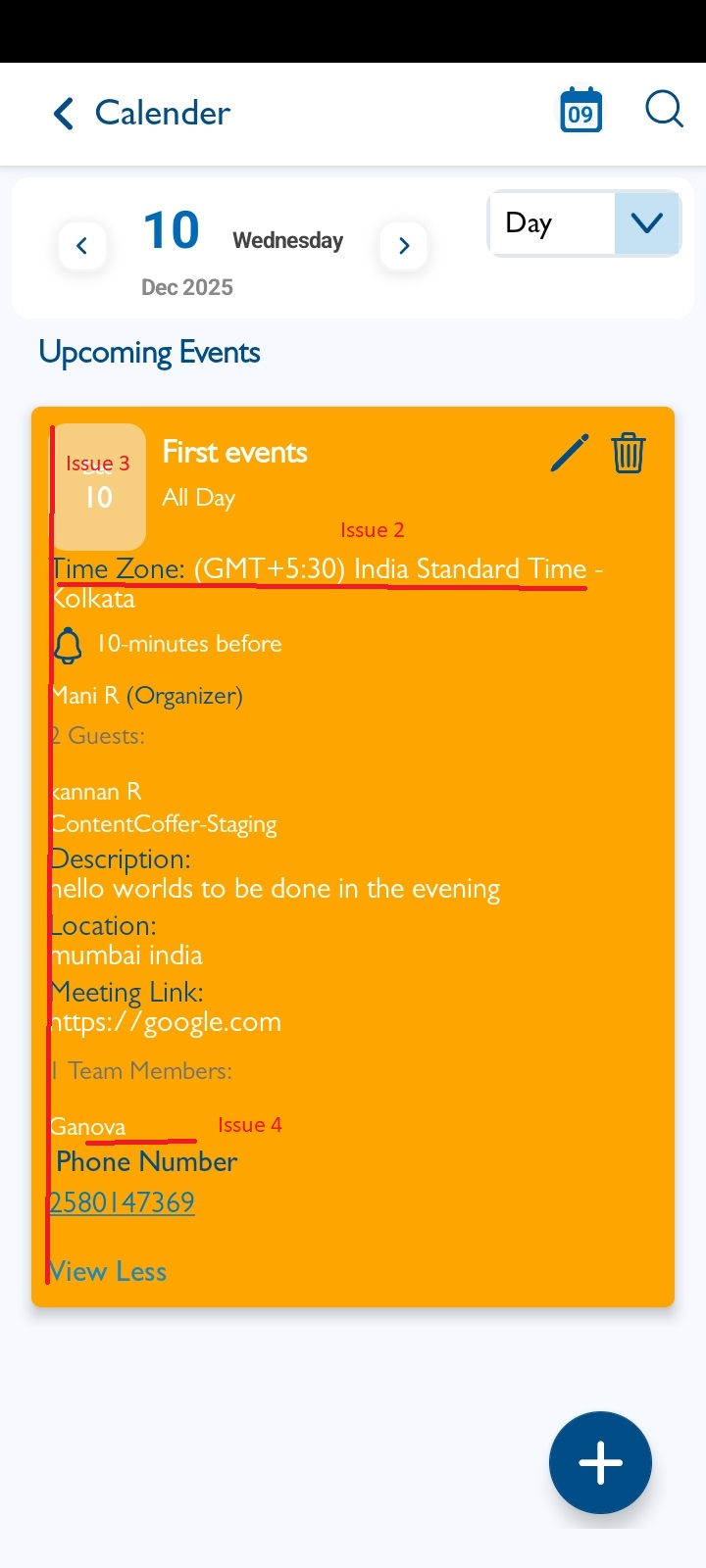
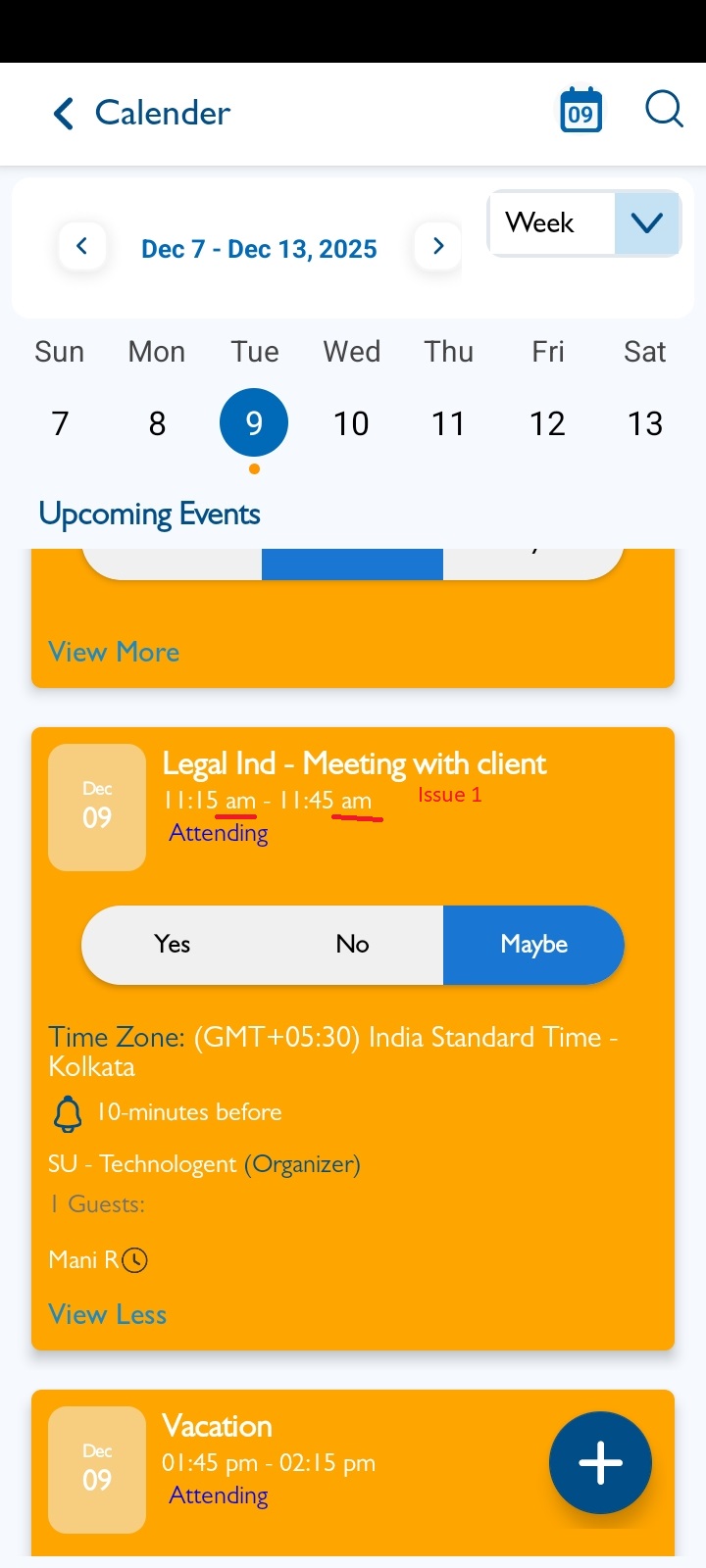
- Time and AM/PM should be in uppercase.
- Time color should follow iOS design standards.
- All lines should align properly on the left.
- The firm name suffix should be displayed.
Note : Applicable for Reminder events as well.
Files
| 1.jpg (138 KB) 1.jpg | |||
| 2.jpg (150 KB) 2.jpg | |||
| clipboard-202602251116-uzhlm.png (169 KB) clipboard-202602251116-uzhlm.png |
Updated by Shobhika K 7 months ago
- Status changed from New to Fixed - Pushed to Dev
- Assignee changed from Shobhika K to Neela Chinnappa
Updated by Shobhika K 7 months ago
- Status changed from Fixed - Pushed to Dev to Fixed - Pushed to Staging
- Assignee changed from Neela Chinnappa to Anantha kumar
Updated by Neela Chinnappa 7 months ago
- File clipboard-202602251116-uzhlm.png clipboard-202602251116-uzhlm.png added
- Status changed from Fixed - Pushed to Staging to New
- Assignee changed from Anantha kumar to Shobhika K
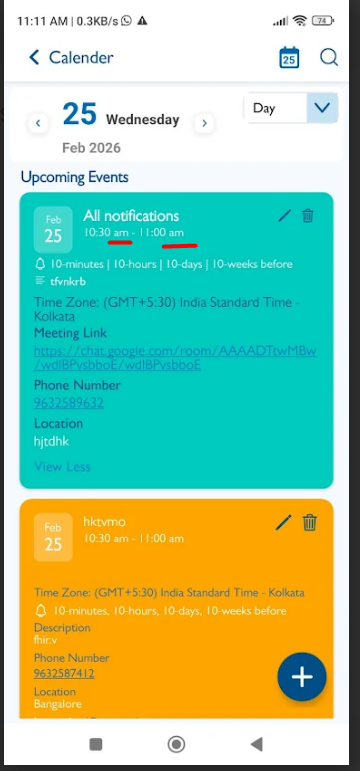
Time and AM/PM should be in uppercase - This issue is not fixed
Actions