Actions
Bug #6380
openView Calendar: Meeting Link Should Be Hyperlinked
Start date:
12/09/2025
Due date:
% Done:
0%
Estimated time:
Description
Steps to Reproduce:
- Log in to VitaGist.
- Click the Calendar icon at the top-right corner.
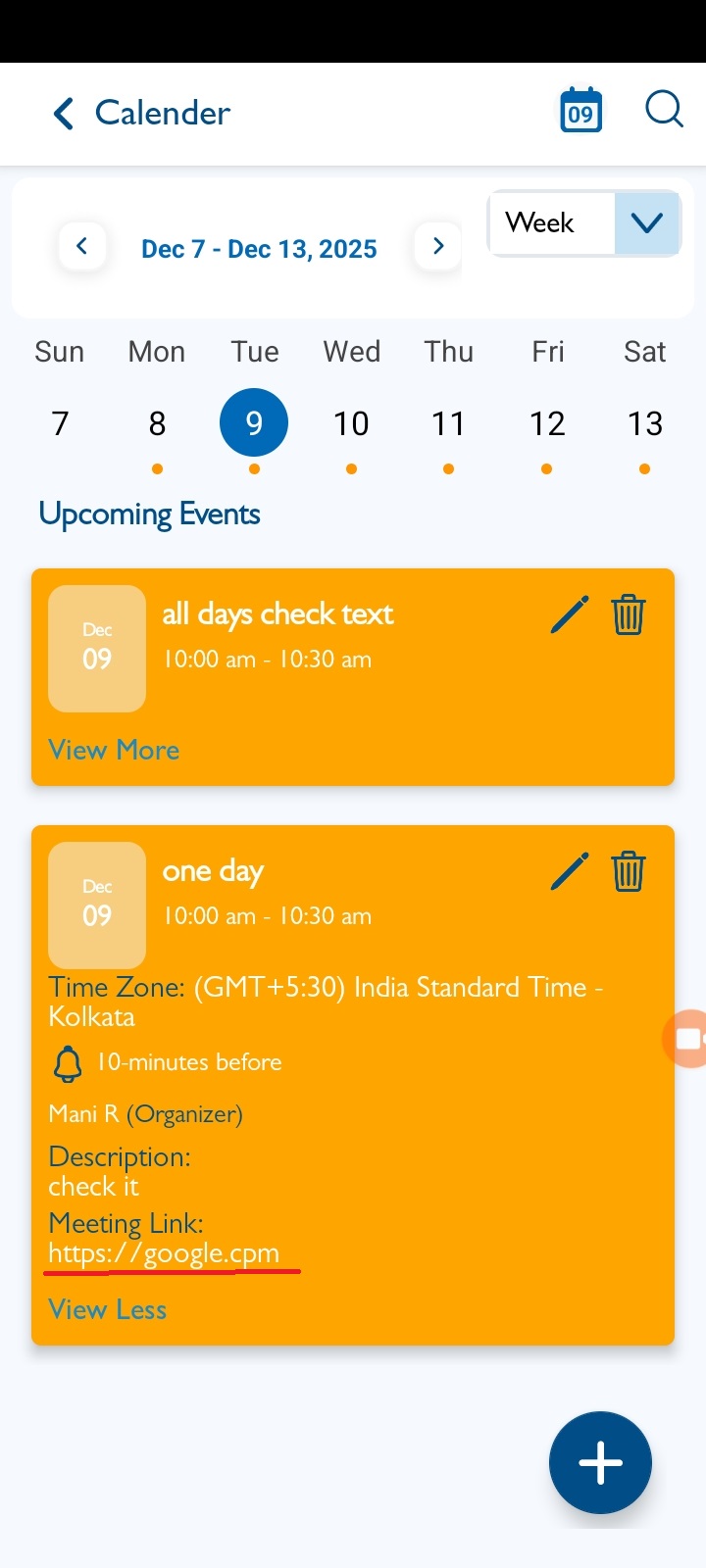
- Select any event on the View Calendar screen.
- Click the View More button.
- The meeting link displayed should be clickable (hyperlinked), but it is currently not hyperlinked.
Note : Applicable for Reminder event as well.
Files
Actions