Bug #6366
openView Calendar : UI Alignment and display issues.
0%
Description
Issues:
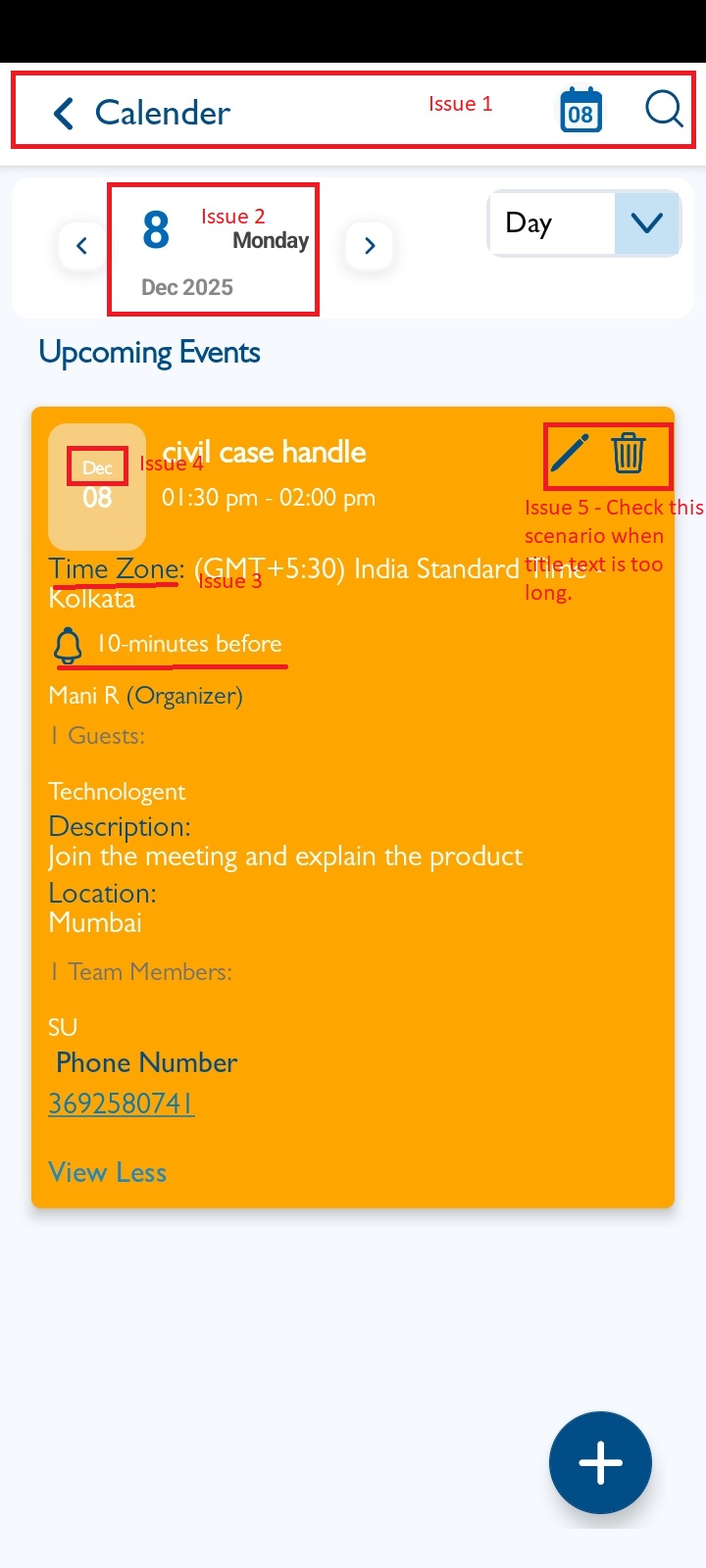
1. Top label is not properly aligned.
2. Date format is missing in the view screen.[Near by left and right arrow]
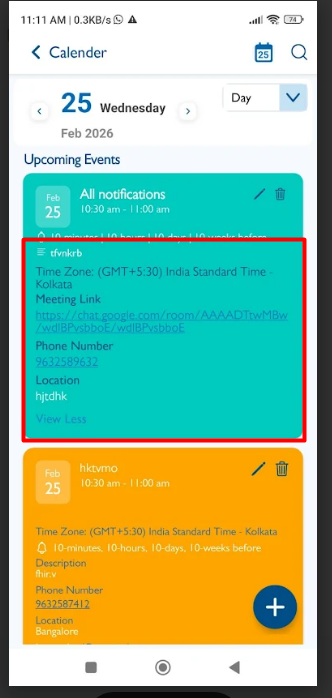
3. Information fields are not displayed in the correct order (expected order: Time zone, Description, Phone number, Location, Notifications, Organizer, Guests).
4. Input fields need proper spacing.
5. The "Month" text is too small and needs to be increased.
6. "Edit" and "Delete" buttons should appear on the right side.
Steps:
1. Login to VitaGist.
2. Click on the Calendar icon at the top-right corner.
3. Open any event in the Calendar view and observe the UI elements.
Expected Result :
- Top label aligned correctly.
- Date format visible.
- Fields displayed in the correct order with proper spacing.
- "Month" text size increased.
- "Edit" and "Delete" buttons displayed on the right side.
Actual Result: UI elements do not meet the expected alignment, order, or spacing.
Files
Updated by Shobhika K 7 months ago
- Status changed from New to Fixed - Pushed to Dev
- Assignee changed from Shobhika K to Neela Chinnappa
Updated by Shobhika K 7 months ago
- Status changed from Fixed - Pushed to Dev to Fixed - Pushed to Staging
- Assignee changed from Neela Chinnappa to Anantha kumar
Updated by Neela Chinnappa 7 months ago
- File clipboard-202602251112-uyj3o.png clipboard-202602251112-uyj3o.png added
- Status changed from Fixed - Pushed to Staging to New
- Assignee changed from Anantha kumar to Shobhika K
3. Information fields are not displayed in the correct order (expected order: Time zone, Description, Phone number, Location, Notifications, Organizer, Guests) - This issue is not working on Reminder event