Actions
Bug #6238
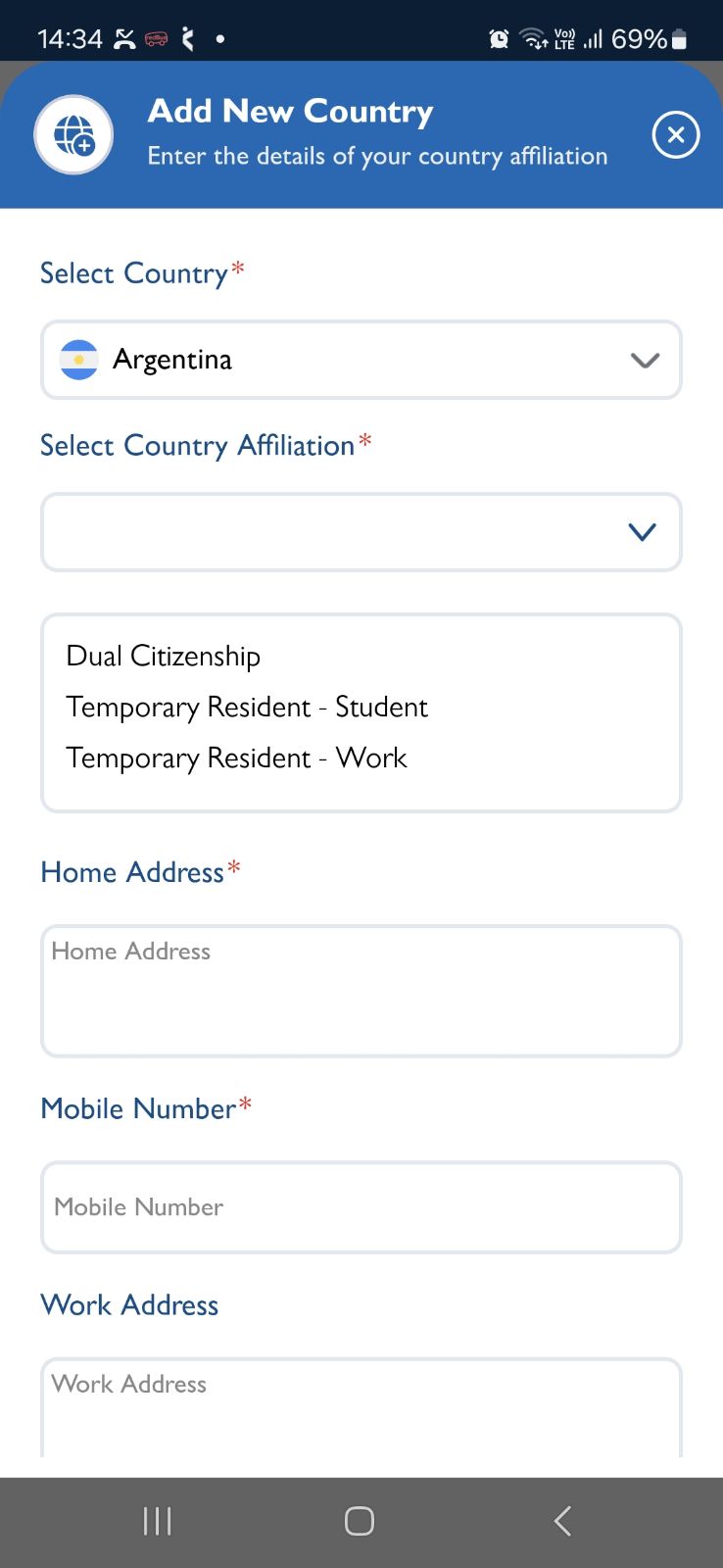
openCountry Affiliation - The Country Affiliation Type Dropdown - "Permanent Resident" option is missing
Start date:
11/05/2025
Due date:
% Done:
0%
Estimated time:
Description
Account details :
Email - yelono9040@keevle.com,
Password - Test@123
1. Login to VitaGist
2. Click on Profile icon
3. Click on Country Affiliation
4. Click on FAB icon to add country
5. Select any country
6. Click on Country Affiliation Type Dropdown
Observe , There will be no "Permanent Resident" option available [for all - Second, Third or Fourth countries]
Files
Actions