Bug #6126
closed
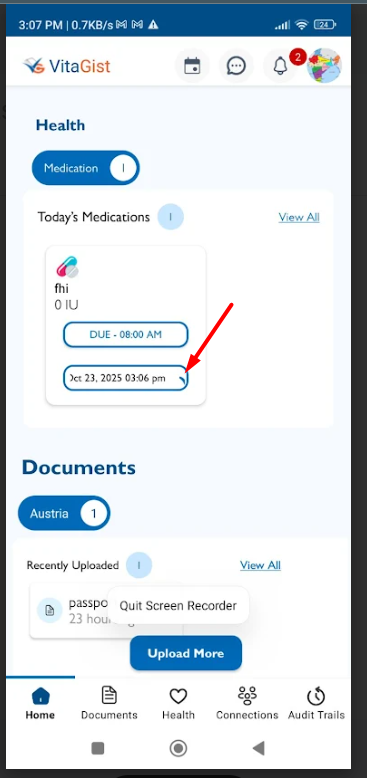
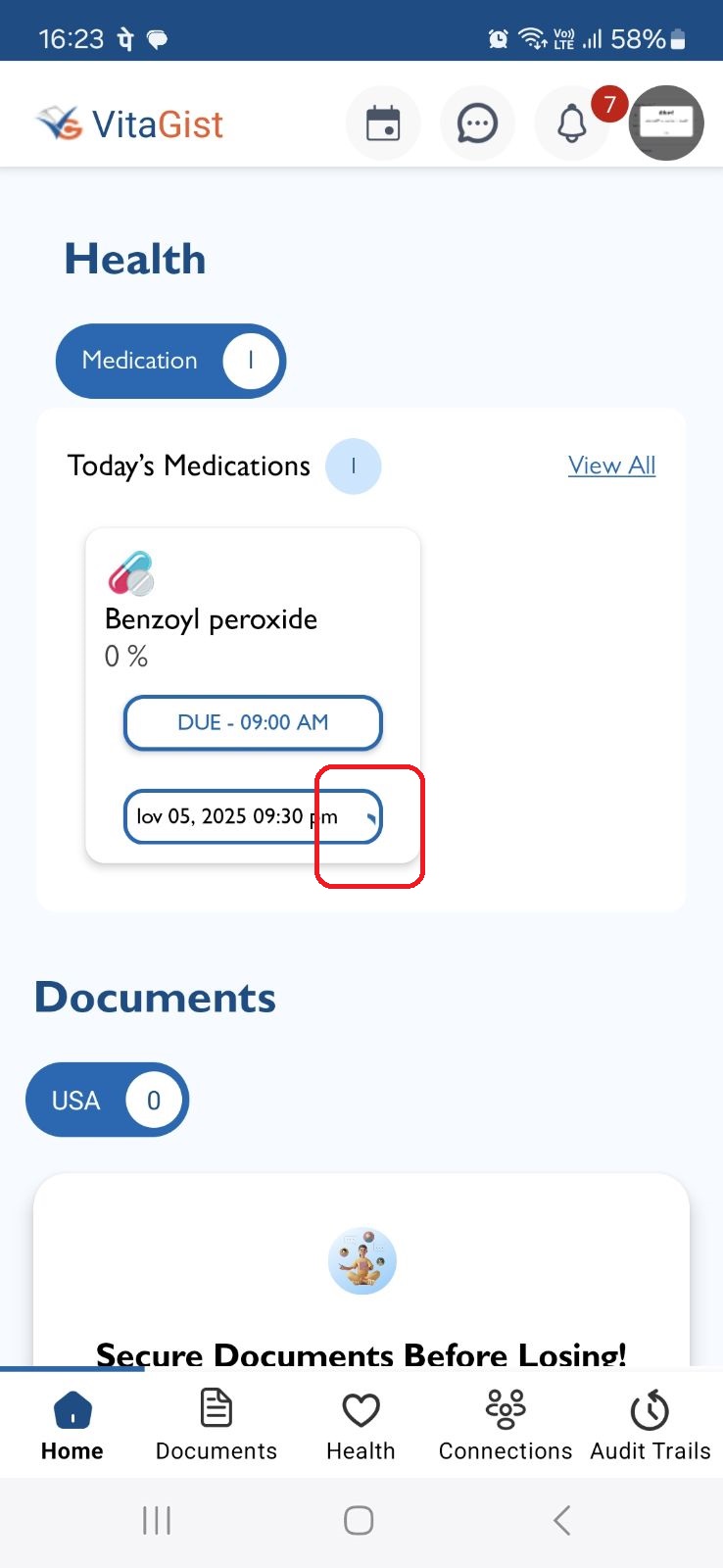
Dashboard - Medication card - Tick button not clearly visible after selecting time.
Added by Neela Chinnappa 9 months ago.
Updated 5 months ago.
Description
1. Login the VitaGist
2. Click on Health module
3. Click on Medication
4. Click on add button
5. Enter the mandatory fields
6. set frequency as Everyday
7. Select mulitple dosage [for ex: 4]
8. Click on save
9. Navigate to dashboard
10. Click on Manual entry
11. Select the time
In the Dashboard’s Medication card, after selecting a time for medication, the tick button is partially hidden and not clearly visible to the user.
Files
- Status changed from New to Resolved
- Assignee changed from Shobhika K to Neela Chinnappa
Still the tick button is not properly visible
- Status changed from Resolved to New
- Assignee changed from Neela Chinnappa to Shobhika K
- Status changed from New to Fixed - Pushed to Staging
- Assignee changed from Shobhika K to Neela Chinnappa
- Status changed from Fixed - Pushed to Staging to Resolved
Mentioned issue is not fixed, Still the tick button is not properly visible
please refer the Attachment
- Status changed from New to Fixed - Pushed to Dev
- Assignee changed from Shobhika K to Neela Chinnappa
- Status changed from Fixed - Pushed to Dev to Resolved
- Assignee changed from Neela Chinnappa to Anantha kumar
After selecting the time, Month name and tick is not properly visible.
- Status changed from New to Fixed - Pushed to Dev
- Assignee changed from Shobhika K to Anantha kumar
- Assignee changed from Anantha kumar to Neela Chinnappa
- Status changed from Fixed - Pushed to Dev to Fixed - Pushed to Staging
- Status changed from Fixed - Pushed to Staging to Closed
Also available in: Atom
PDF