Bug #6699
open
Matter:view Matter-view Details-client invite-Alert popup buttons needs to be updated
Added by Nandhini M 7 months ago.
Updated 7 months ago.
Description
Steps:
Login to lexiz
Select the Matter module
Click on view matter-view details
Navigate to client tab
Enter a new client name(client invite form opens)
Fill in all required fields
Click cancel
Actual Result:
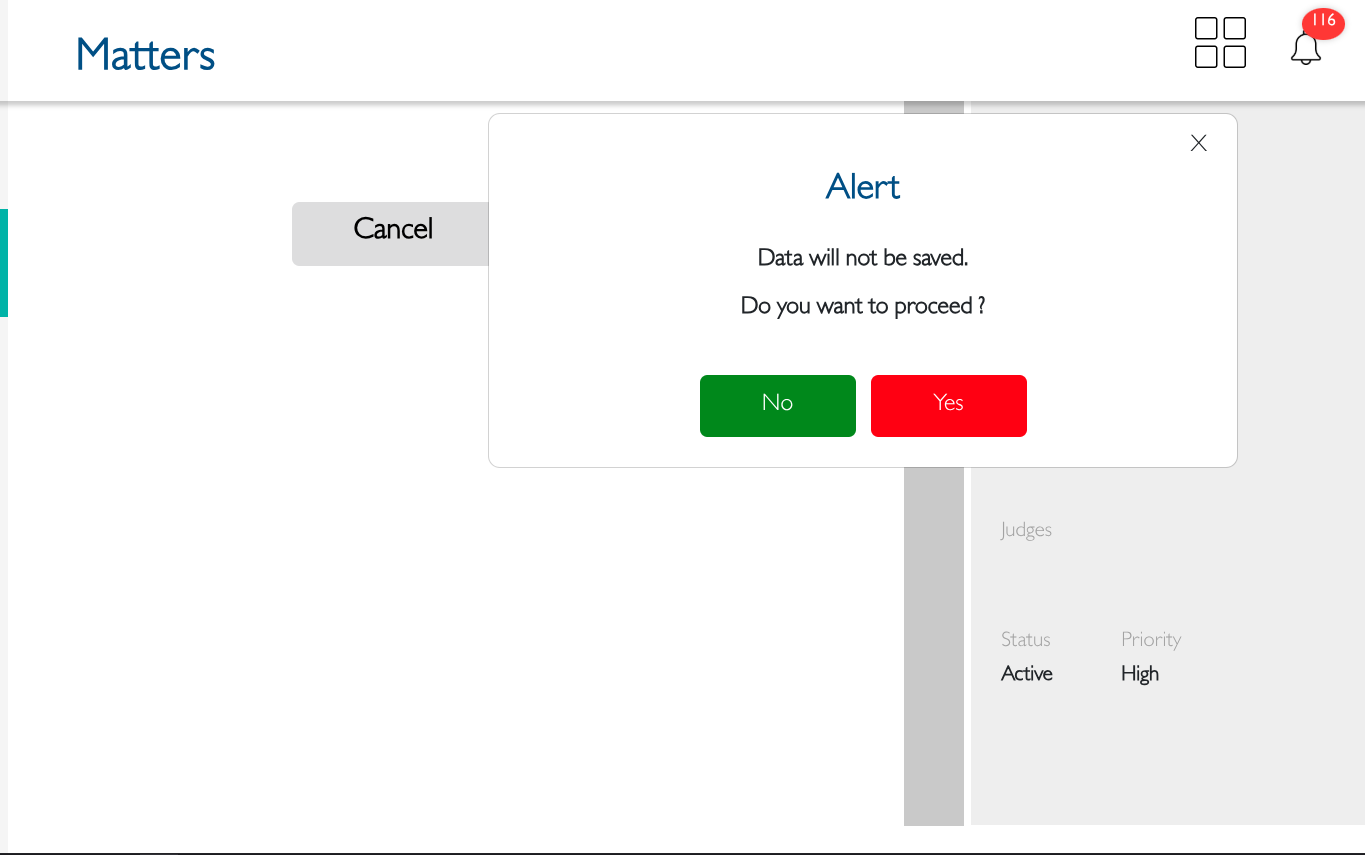
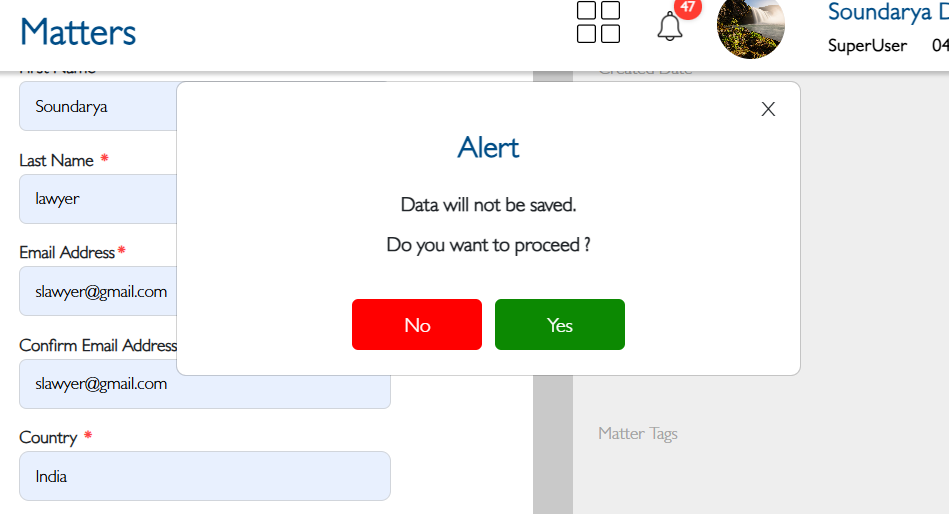
The confirmation alert popup appears
The yes/No button in the alert popup have inconsistent colours
Expected Result:
The button colours should be updated
Files
- Status changed from New to Fixed - Pushed to Dev
- Assignee changed from Soundarya Vembaiyan to Nandhini M
- Status changed from Fixed - Pushed to Dev to Fixed - Pushed to Staging
Unable to test
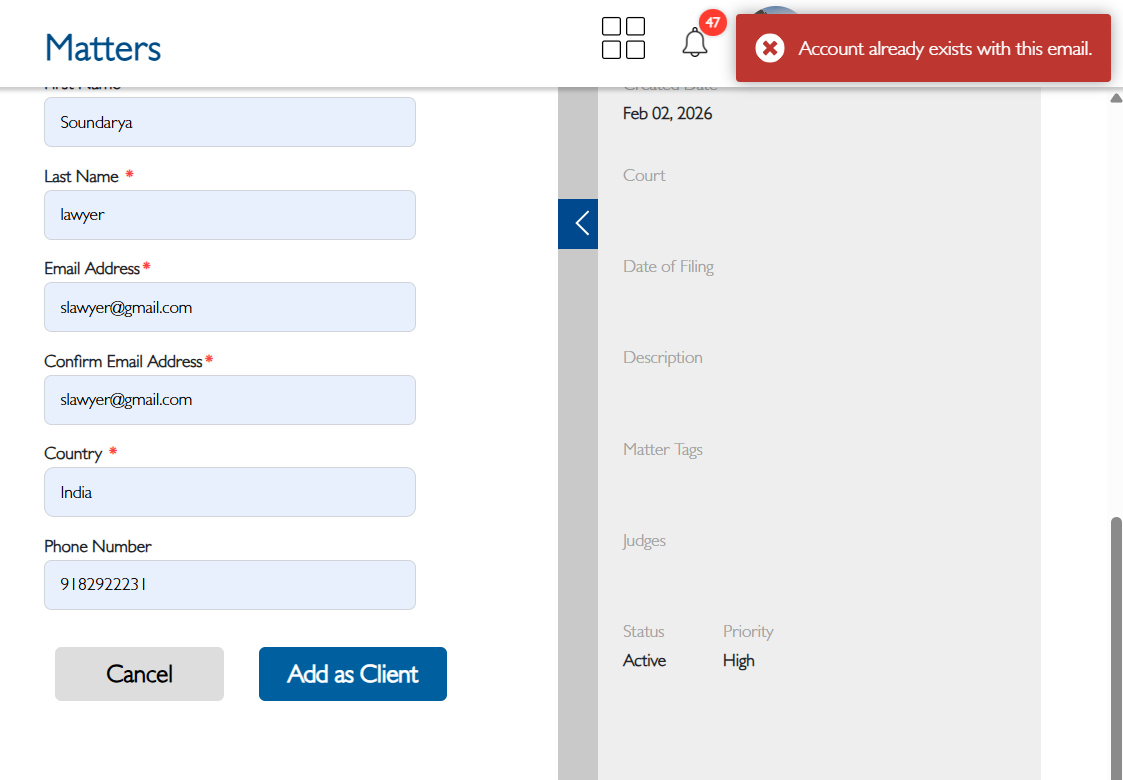
issue 1 - View details - client - Unable to send invite as "Add as client" is not working
issue 2 - "Cancel" button is not working
- Status changed from Fixed - Pushed to Dev to New
- Assignee changed from akhila bs to Soundarya Vembaiyan
issue 2 - "Cancel" button is not working
Steps:
Login to lexiz
Select the Matter module
Click on view matter-view details
Navigate to client tab
Enter a new client name(client invite form opens)
Fill in all required fields
Click cancel
Also available in: Atom
PDF