Actions
Bug #6559
openDocument:Deleted:Removal of text
Start date:
01/07/2026
Due date:
% Done:
0%
Estimated time:
Description
Steps:
- Login to Lexiz
- Select Document
- Click on the Deleted Tab
- Select a document
- Click on action and select delete
- Click yes to confirm
Expected Result:
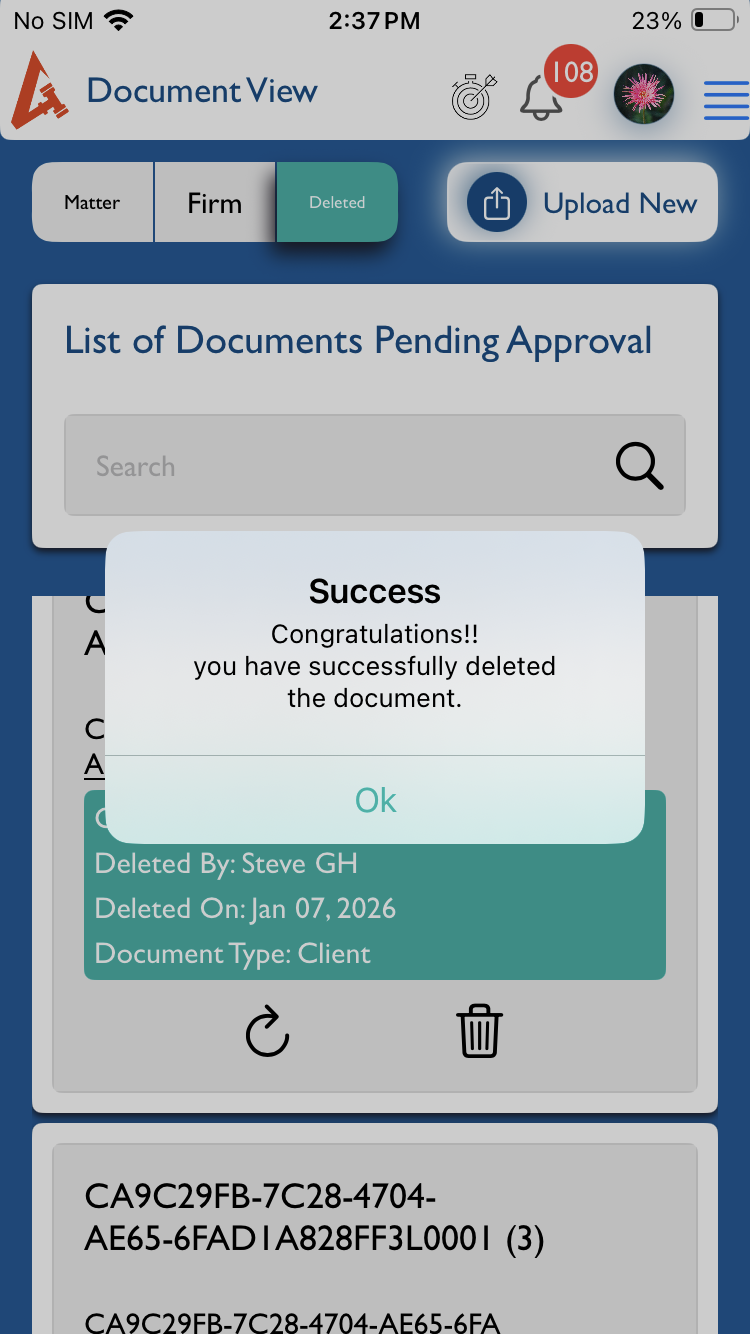
The Success Message text should be updated to “Document deleted Successfully”
Actual Result:
The Success message is displayed as “congratulations you have successfully deleted the document”
Files
%20-%202026-01-07%20at%2021.03.25.png)
Actions