Actions
Bug #6483
openView Document: “List of Documents not available!!” Message Not Displayed when select client or matter or Firm doesnot have any documents.
Start date:
12/30/2025
Due date:
12/31/2025 (2 days late)
% Done:
0%
Estimated time:
Description
Steps:
- Login to Lexiz.
- Click the hamburger menu on the right side.
- Click on Documents.
- Click on the Matter tab.
- Select a matter.
Issue:
When the selected matter has no documents, the message “List of Documents not available!!” is not displayed.
Expected Result:
If the selected matter (or client/group) has no documents, the message “List of Documents not available!!” should appear below.
Note : Applicable for matter , client and firm(groups).
Files
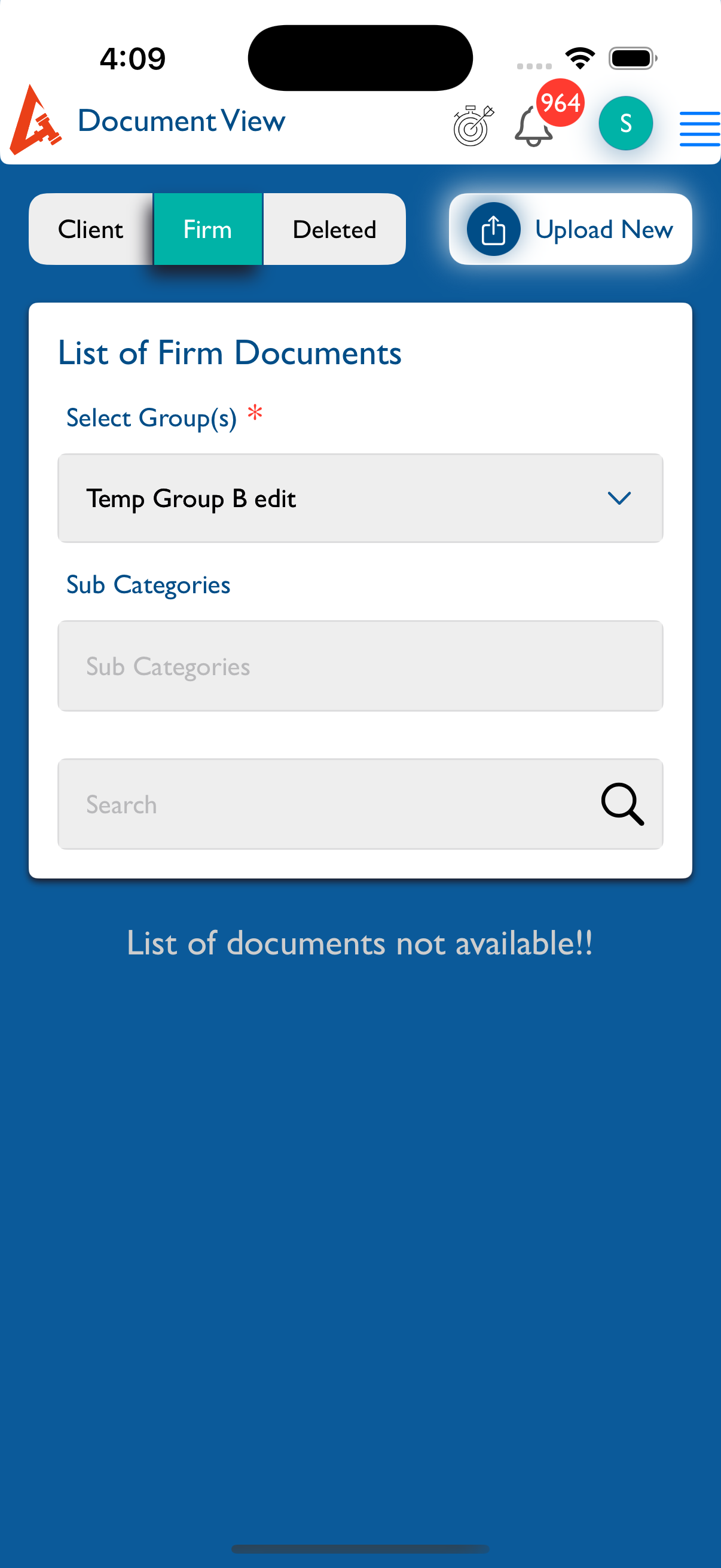
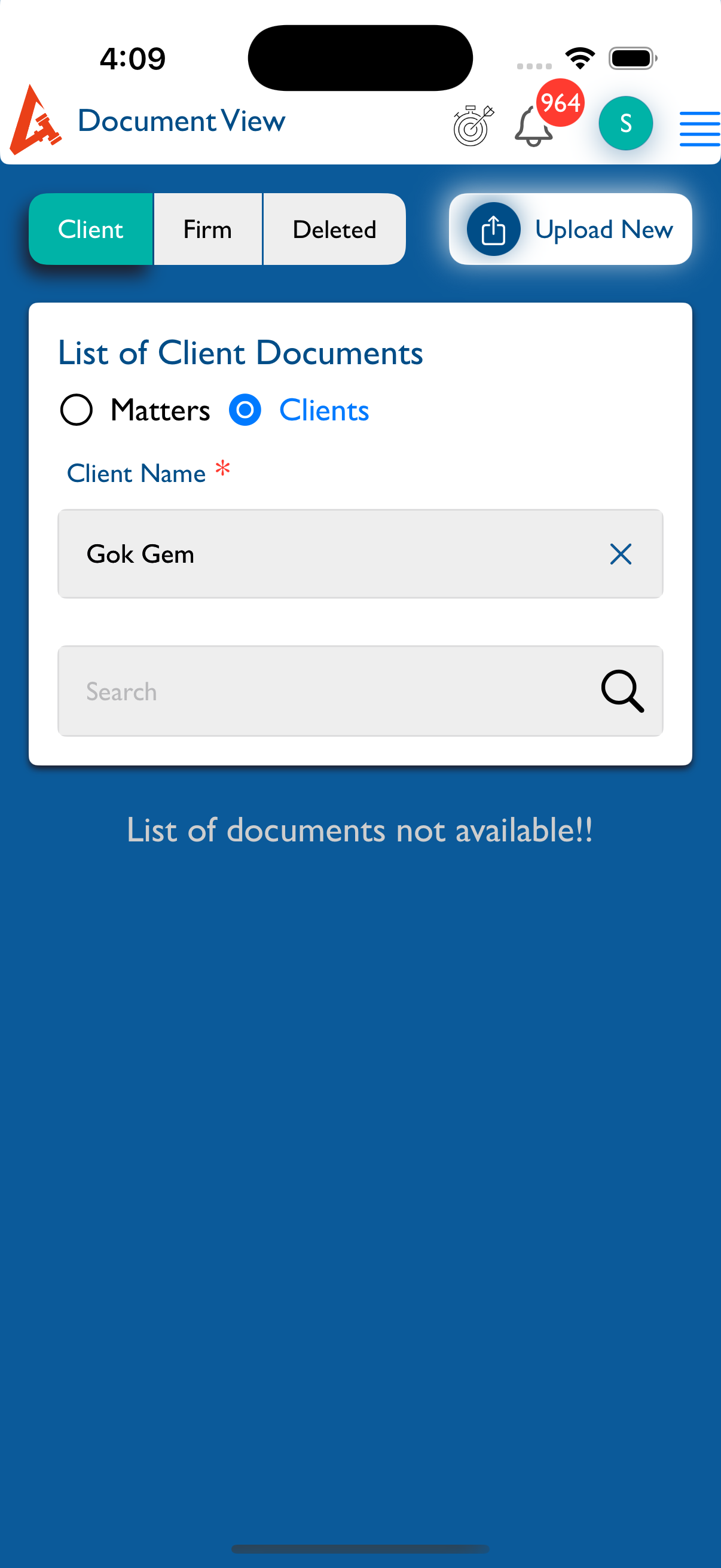
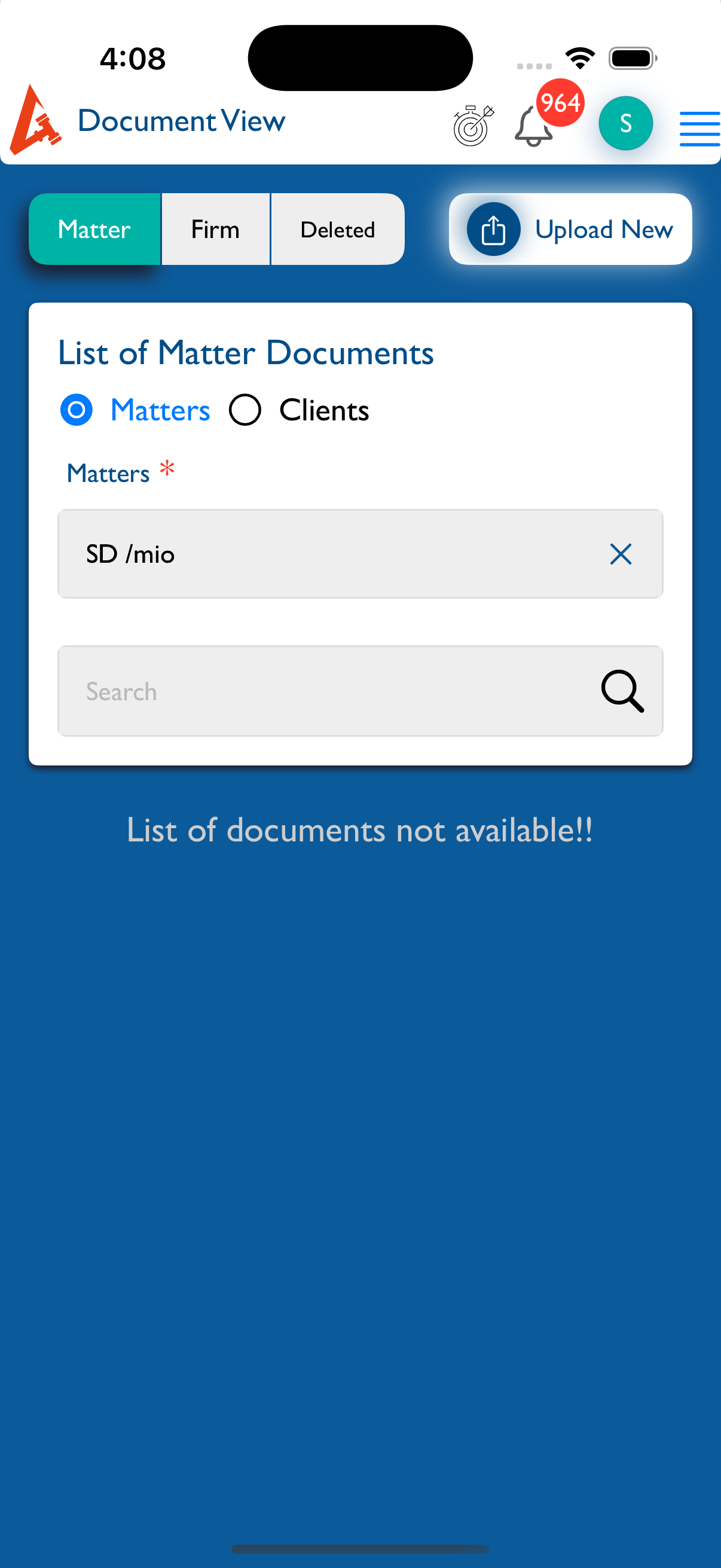
Updated by kumar r about 12 hours ago
- File Simulator Screenshot - iPhone 16 Pro - 2026-01-02 at 16.09.20.png Simulator Screenshot - iPhone 16 Pro - 2026-01-02 at 16.09.20.png added
- File Simulator Screenshot - iPhone 16 Pro - 2026-01-02 at 16.09.08.png Simulator Screenshot - iPhone 16 Pro - 2026-01-02 at 16.09.08.png added
- File Simulator Screenshot - iPhone 16 Pro - 2026-01-02 at 16.08.54.png Simulator Screenshot - iPhone 16 Pro - 2026-01-02 at 16.08.54.png added
- Due date set to 12/31/2025
- Status changed from New to Fixed - Pushed to Staging
- Assignee changed from kumar r to Vengadeshwaran R
Is updated in current test flight build.
Actions