Actions
Bug #6475
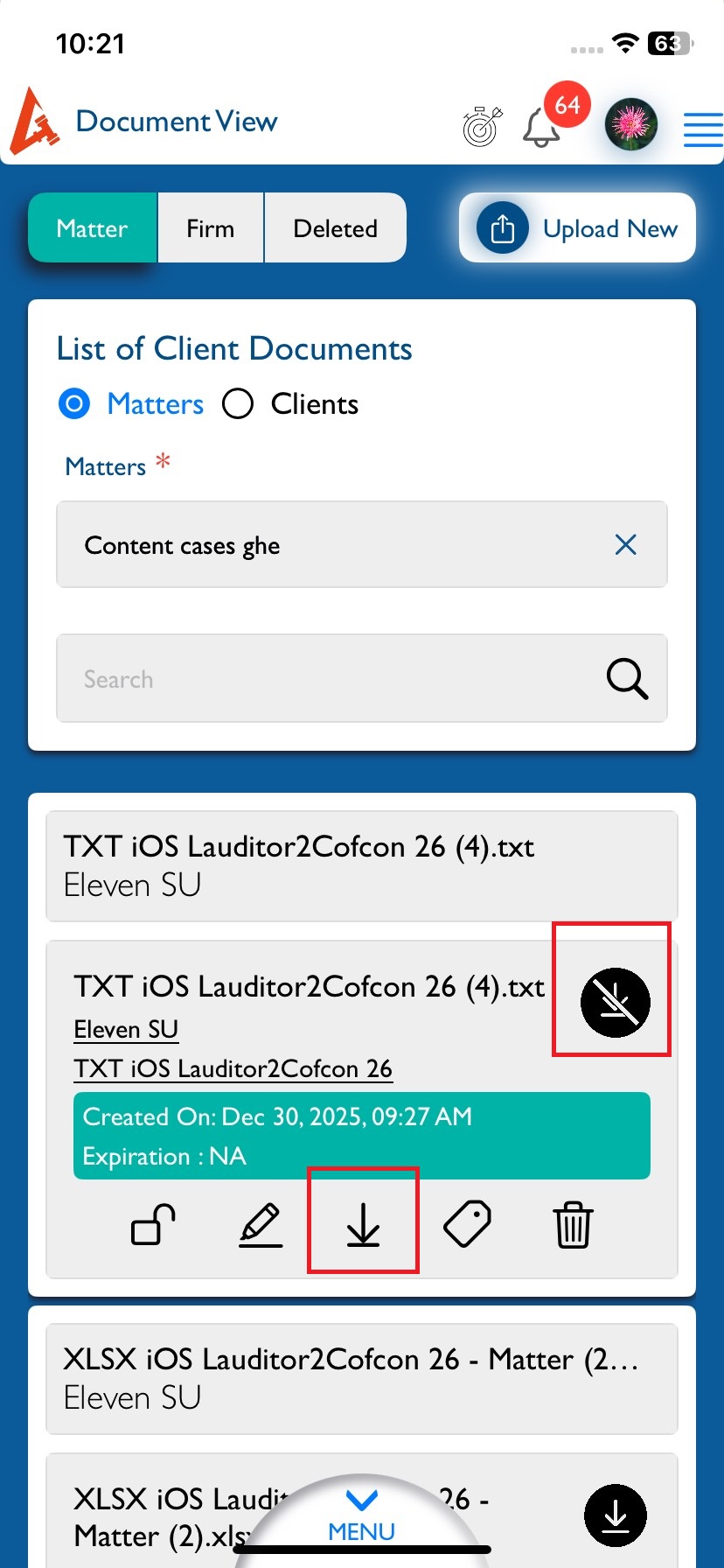
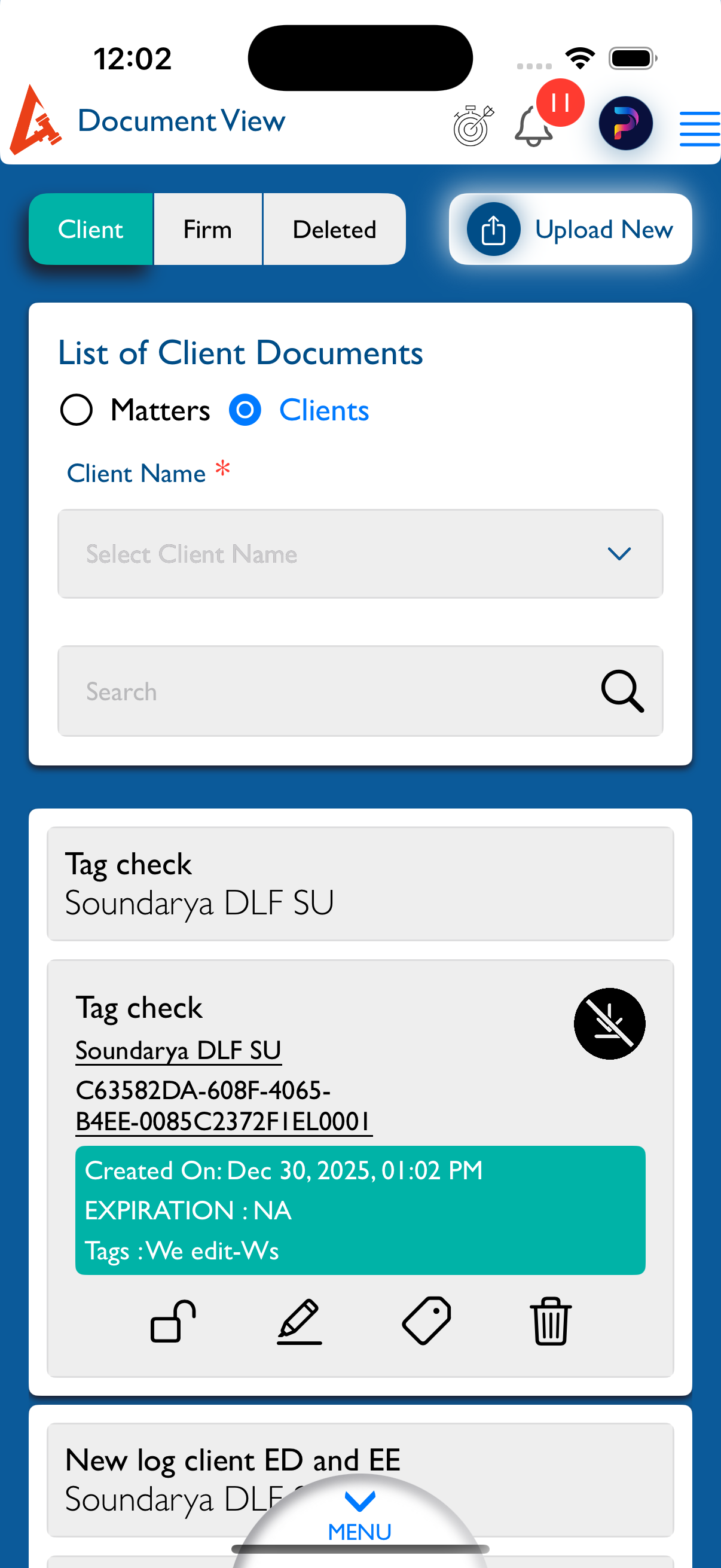
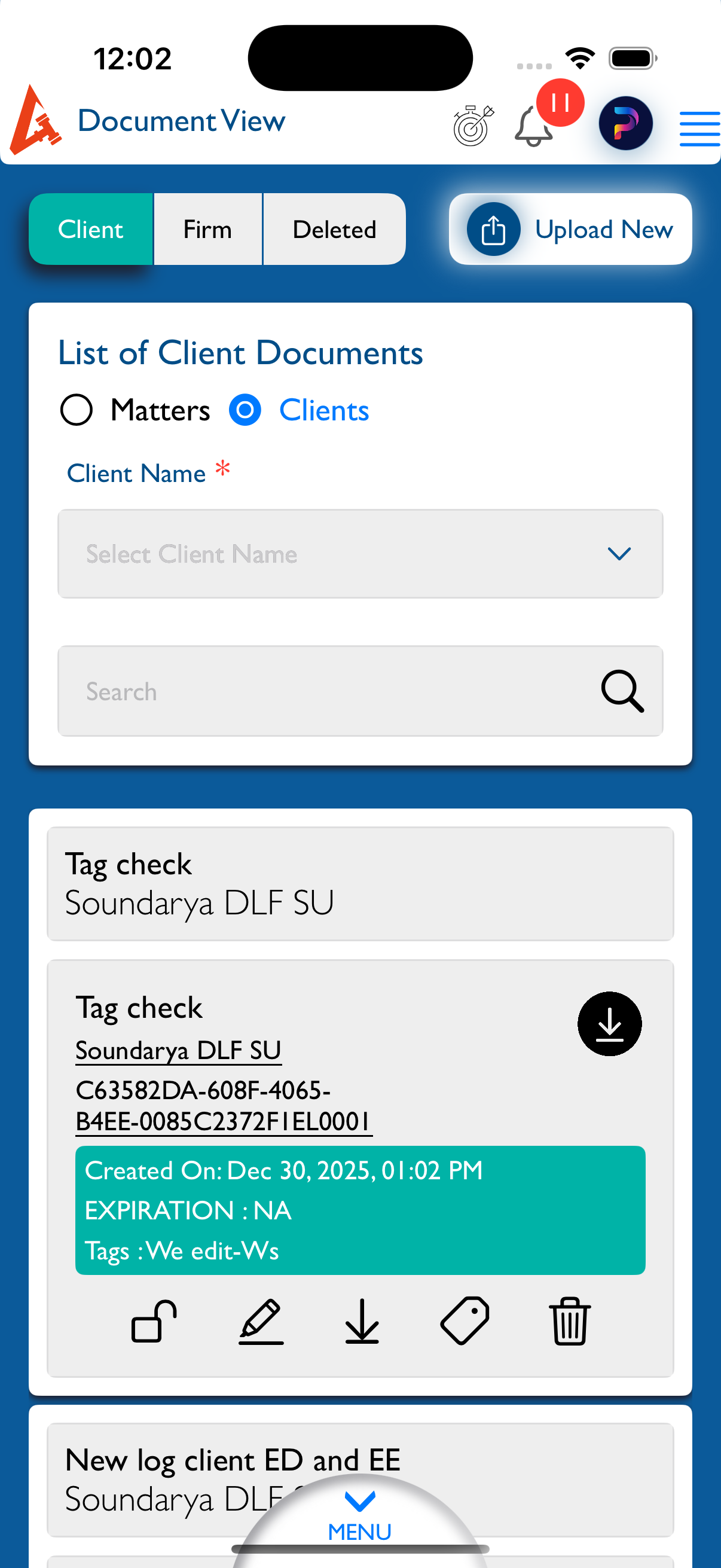
openView Document : Disabled download icon displayed for downloadable documents
Start date:
12/30/2025
Due date:
% Done:
0%
Estimated time:
Description
Steps to Reproduce:
- Login to Lexiz.
- Click on Menu.
- Click on Document Module.
- Open the View Document page.
- Click on the Matter radio button.
- Select any Matter.
- View the list of documents displayed below.
Actual Result:
The disabled download icon is displayed for documents that are enabled for download.
Expected Result:
The enabled download icon should be displayed for documents that are enabled for download.
Note:
Applicable for all user accounts.
Applicable for Matter, Firm, and Clients.
Files
Updated by kumar r 4 days ago
- File Simulator Screenshot - iPhone 16 Pro - 2025-12-30 at 12.02.37.png Simulator Screenshot - iPhone 16 Pro - 2025-12-30 at 12.02.37.png added
- File Simulator Screenshot - iPhone 16 Pro - 2025-12-30 at 12.02.25.png Simulator Screenshot - iPhone 16 Pro - 2025-12-30 at 12.02.25.png added
- Status changed from New to Fixed - Pushed to Staging
- Assignee changed from kumar r to Vengadeshwaran R
Updated.
Actions