Actions
Bug #6454
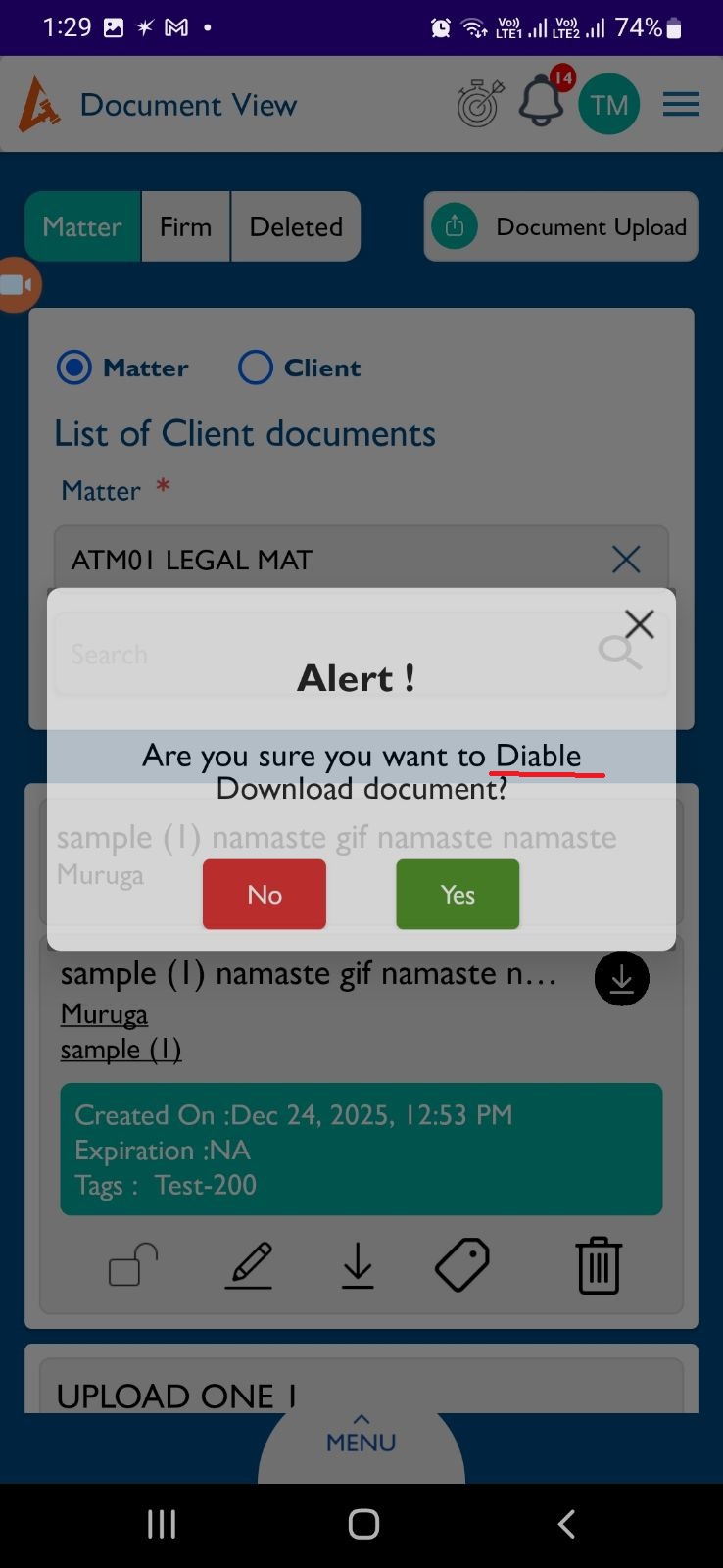
openView Document : The toast message shows incorrect text “Diable” instead of “Disabled” when a document is disabled.
Start date:
12/26/2025
Due date:
% Done:
0%
Estimated time:
Description
Steps to Reproduce:
- Log in to Lexiz.
- Click on the menu.
- Click on Documents.
- On the Document View page, choose Matter or Client.
- Select any document.
- Change the document status from Enable to Disable.
Actual Result:
Toast message displays “Diable”.
Expected Result:
Toast message should display “Disabled”.
Files
No data to display
Actions