Actions
Bug #6448
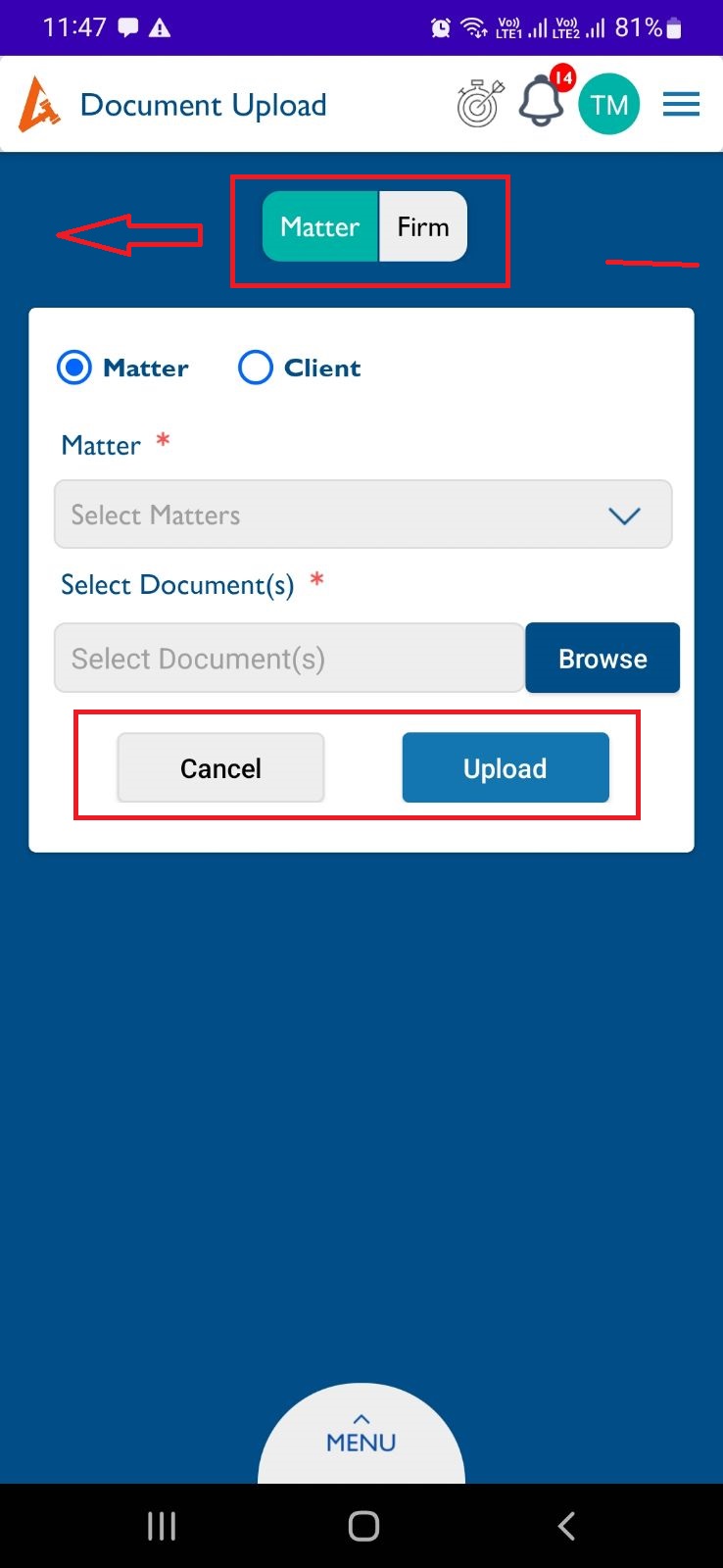
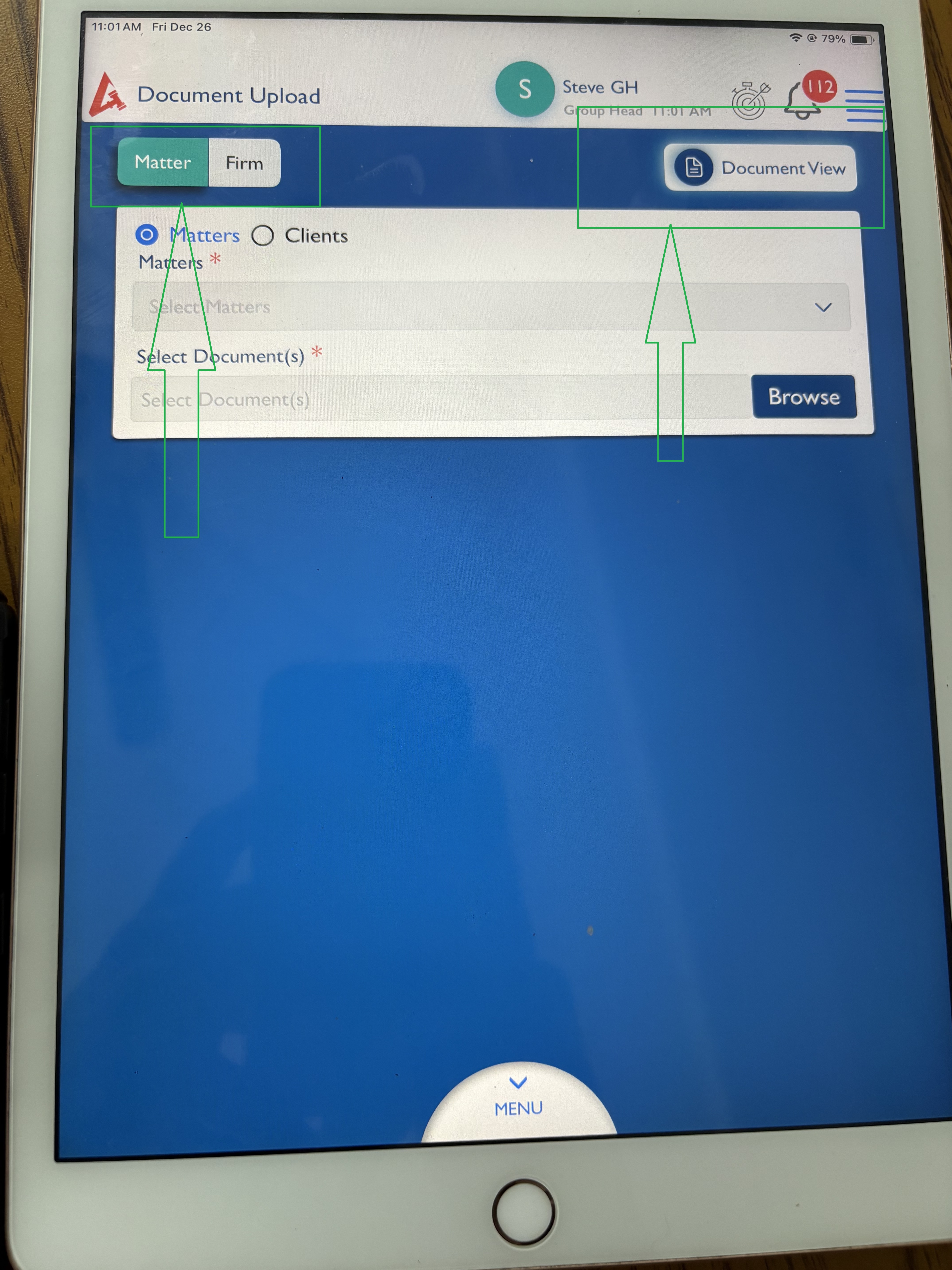
openDocument - Upload : The "Document View" button should appear on the right side.
Start date:
12/26/2025
Due date:
% Done:
0%
Estimated time:
Description
Steps to Reproduce:
- Log in to Lexiz.
- Click on the menu.
- Click on Document Modules.
- Navigate to the Document View page.
- Click "Document Upload" on the right side.
- The "Document View" button should appear on the right side.
- The Matter and Firm tab should be displayed on the left side.
- The Cancel and Upload buttons should not be visible until a document is uploaded.
Note : Applicable for All user accounts.
Files
No data to display
Actions