Actions
Bug #6438
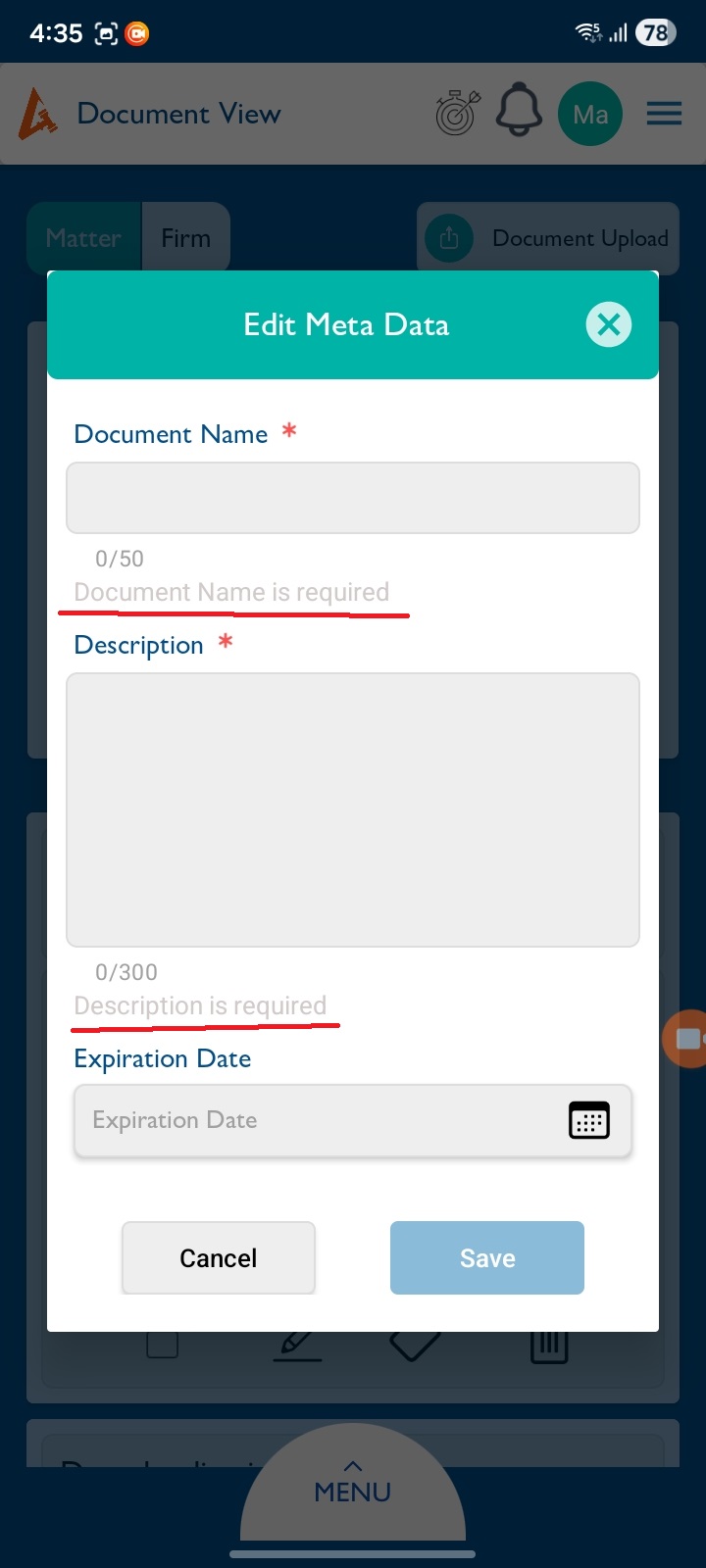
openView Document – Matter Tab: Alert Message Color Needs Update when document name and description field is empty.
Start date:
12/24/2025
Due date:
% Done:
0%
Estimated time:
Description
Steps:
- Login to Lexiz.
- Click the hamburger menu on the right side.
- Click on Documents and go to the Matter tab.
- Choose a matter, select any document, and click Edit.
- Remove the Document Name and Description.
- Click Save.
Issue:
The alert message appears, but its color needs to be changed.
Expected Result:
The alert message should display in the updated/correct color.
Note:
This issue is applicable for Client, Matter, and Firm.
Files
No data to display
Actions