Actions
Bug #6383
openCreate / Edit Calendar : Alignment issues.
Start date:
12/09/2025
Due date:
% Done:
0%
Estimated time:
Description
Steps to Reproduce:
- Log in to VitaGist.
- Click the Calendar icon at the top-right corner.
- Click + to add an Event or Reminder.
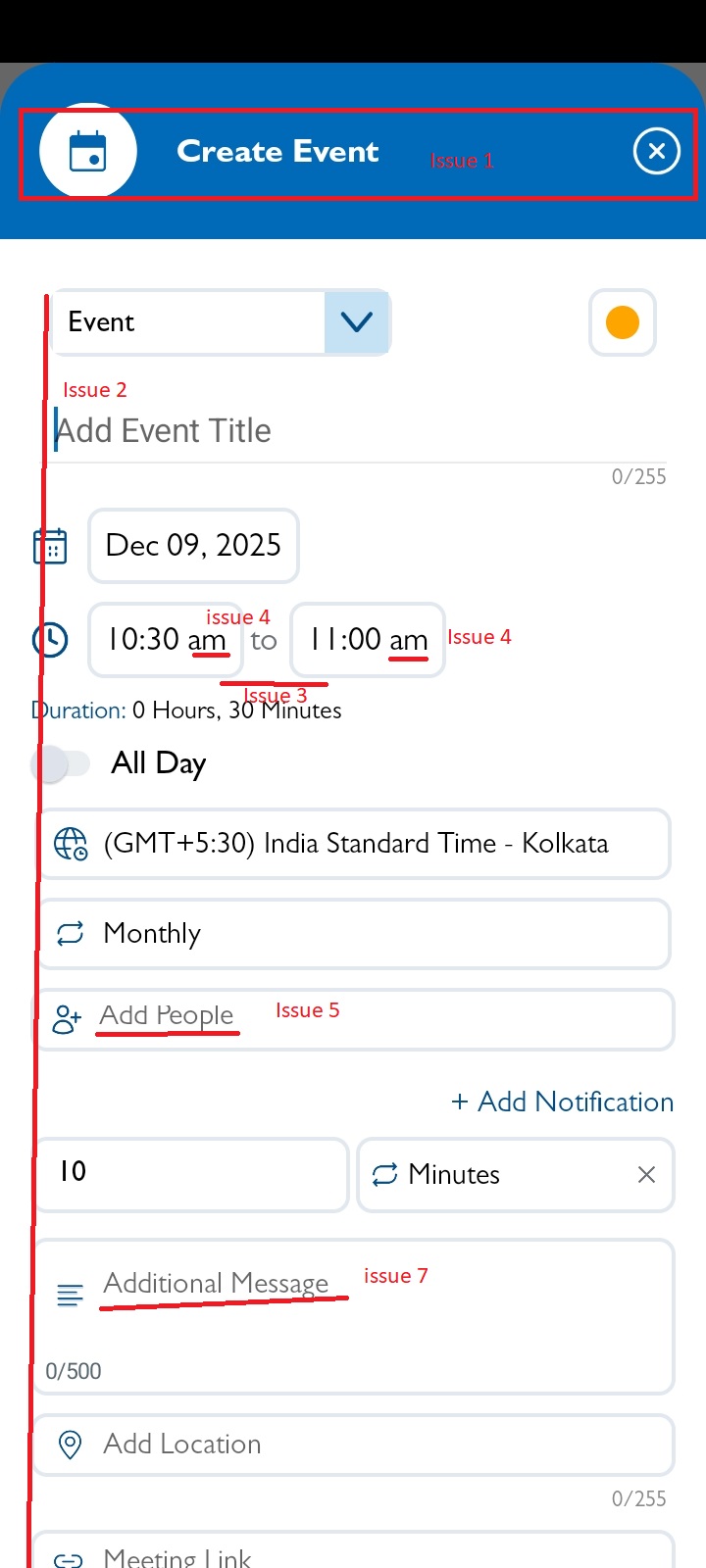
- The heading “Create Event” and the “X” button should have larger text and be centered.
- All fields should be aligned on the left side.
- Time field: Add space around the “to” text between the two time inputs.
- Time field: The “AM” label should be in uppercase.
- The hint text in the “Add people” field should display correctly.
- Change the hint text “Add Team Members” to “Add Members.”
- Change “Additional message” to “Add description” (Event only).
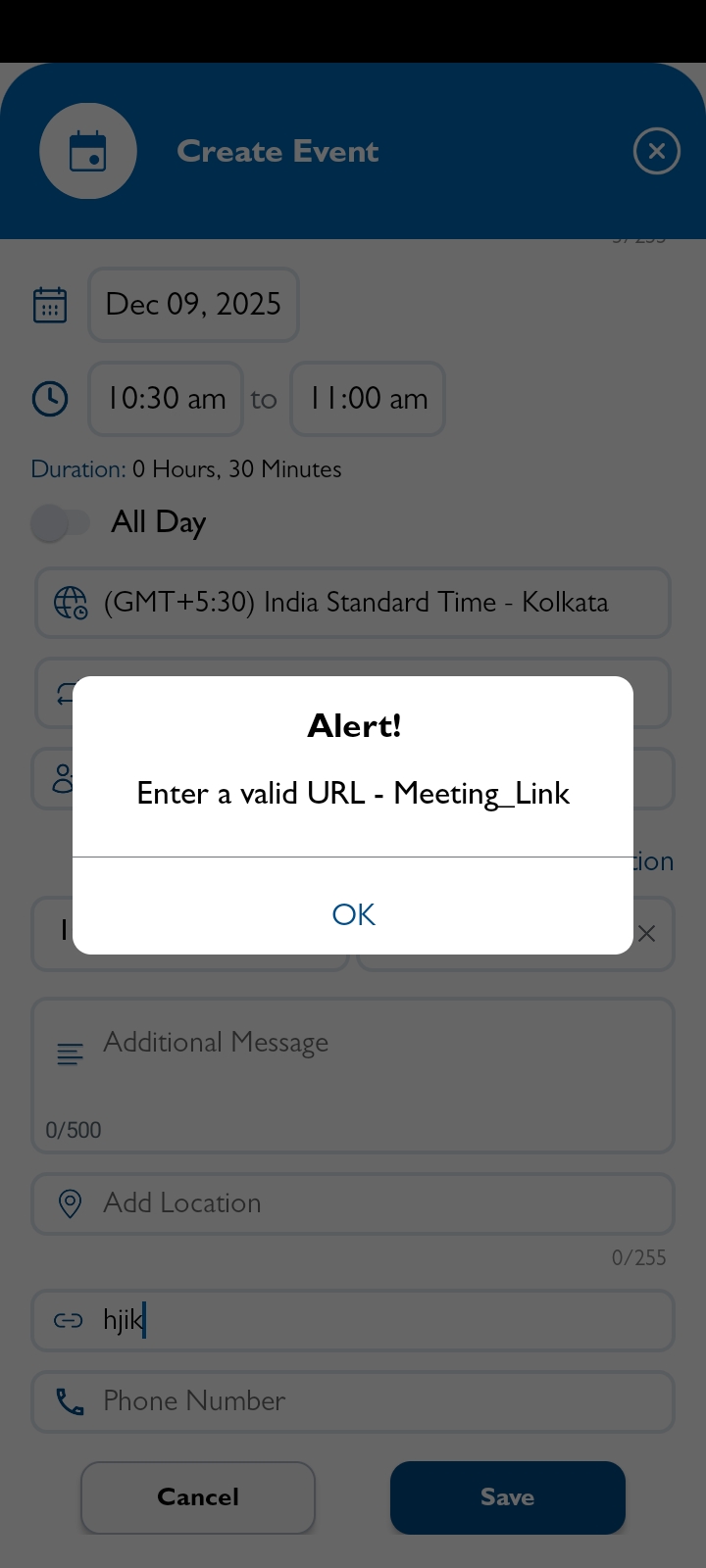
- Update the alert message for an valid meeting link. [Refer iOS]
Files
No data to display
Actions