Actions
Bug #6362
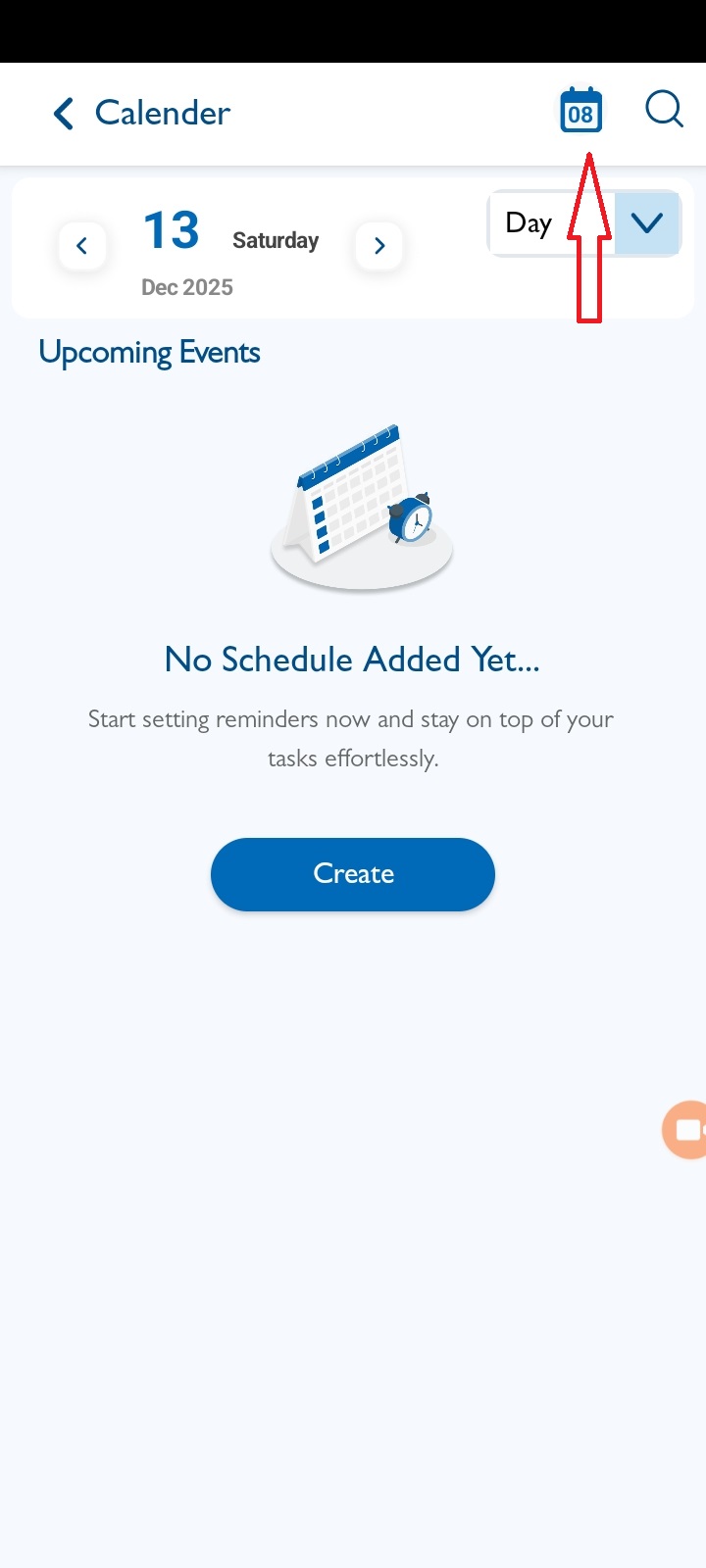
openView Calendar : When clicks on a date near the search bar, the calendar should navigate to that specific date. Currently, it does not navigate.
Start date:
12/08/2025
Due date:
% Done:
0%
Estimated time:
Description
Steps to Reproduce:
- Login to Vitagist.
- Click on the Calendar icon at the top-right corner.
- Use the left or right arrows to navigate to a different date.
- Click on a date near the search bar.
Expected Result: The calendar should navigate to the selected date.
Actual Result: The calendar does not navigate to the selected date.
Files
No data to display
Actions