Actions
Bug #5130
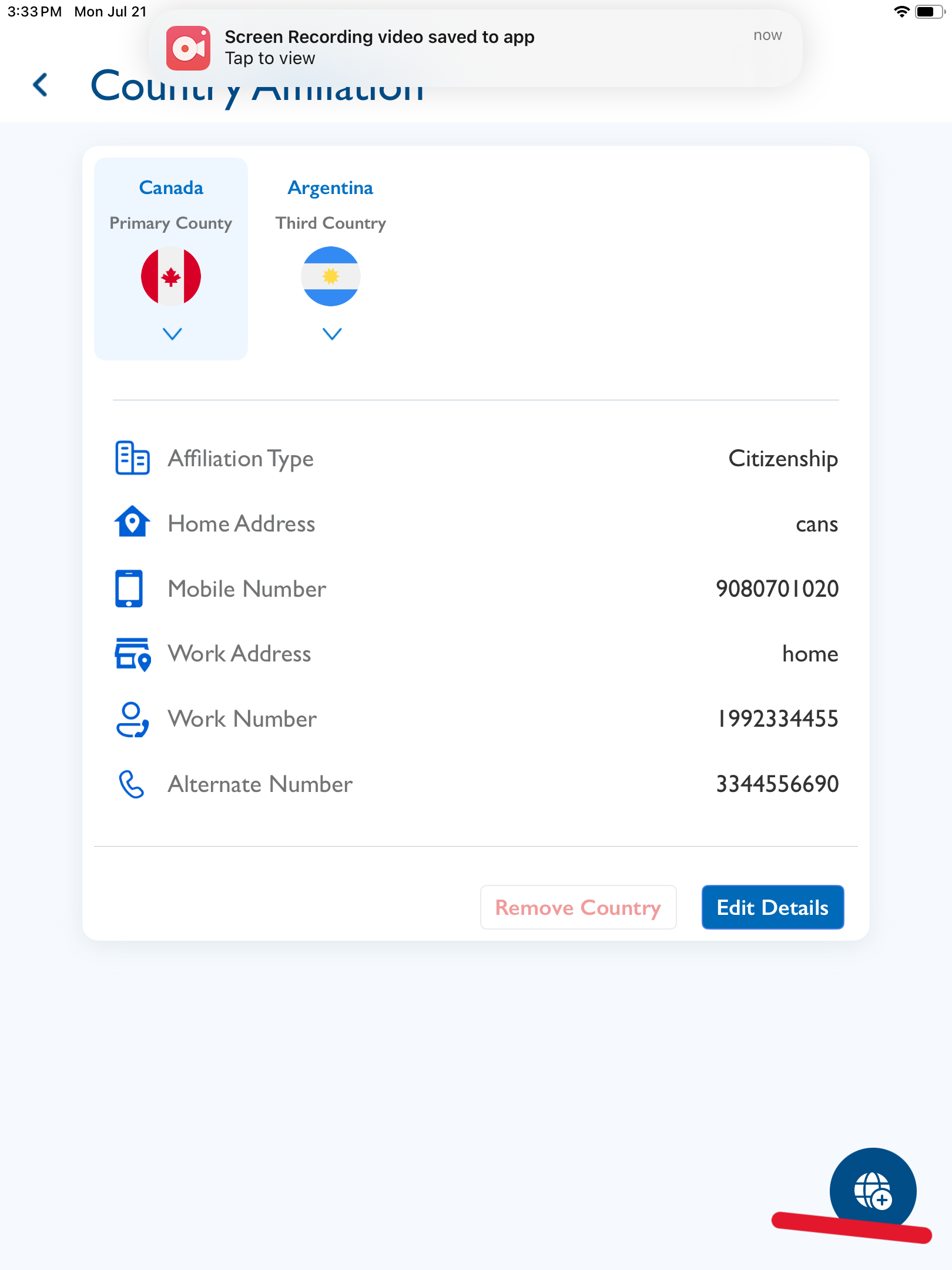
openSettings - Country Affiliation: The "Add New Country" option should only appear after tapping the (+) button.
Status:
Feedback
Priority:
Normal
Assignee:
-
Start date:
07/21/2025
Due date:
% Done:
0%
Estimated time:
Description
Steps to Reproduce:
- Log in to the Vitagist iOS application.
- Tap on Settings (the last icon on the right).
- Navigate to Country Affiliation.
- Locate the (+) button in the bottom-right corner.
- Tap the (+) button — only then should the "Add New Country" option be displayed.
Files
Actions