Actions
Bug #4789
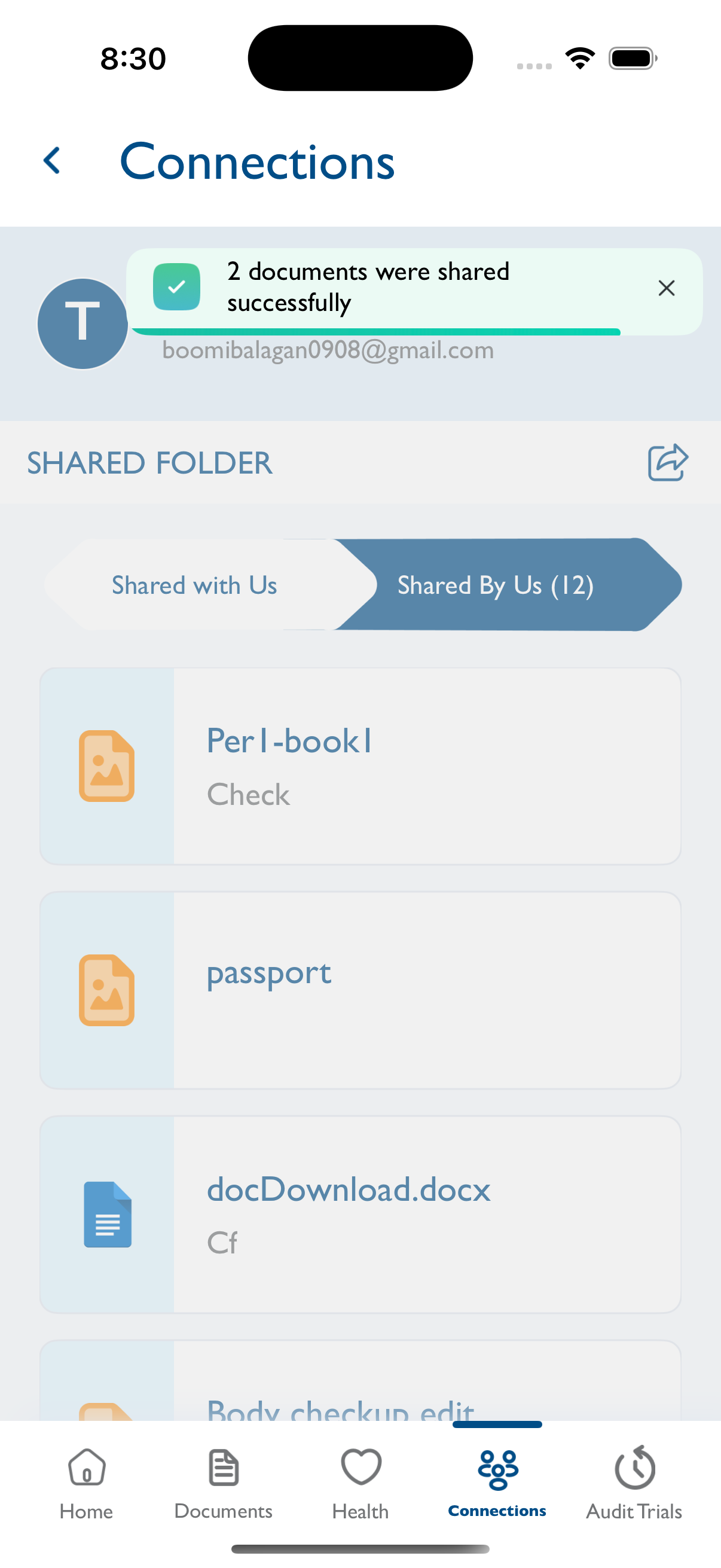
closedConnections - Share: Update toast message to show the count of documents shared.
Status:
Closed
Priority:
Normal
Assignee:
-
Start date:
06/06/2025
Due date:
% Done:
0%
Estimated time:
Description
Steps to Reproduce:
1. Log in to the Vitagist app.
2. Navigate to the Connections module.
3. Select any client and tap on Share.
4. Select a category.
5. Choose multiple documents, then click Next and Share.
Expected Result: A toast message should appear showing the number of documents shared, e.g., “2 documents were shared successfully.”
Files

Actions