Actions
Bug #3501
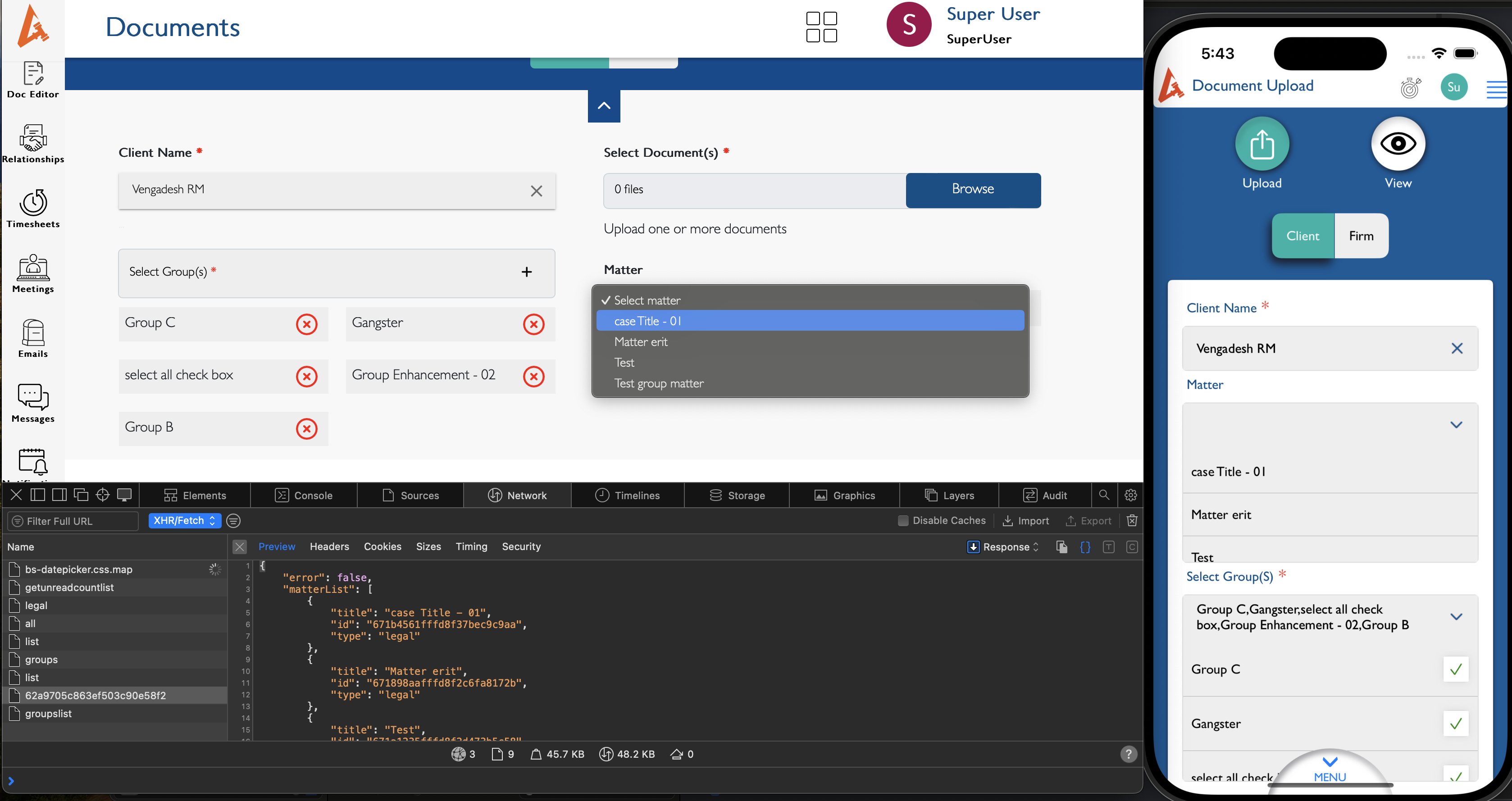
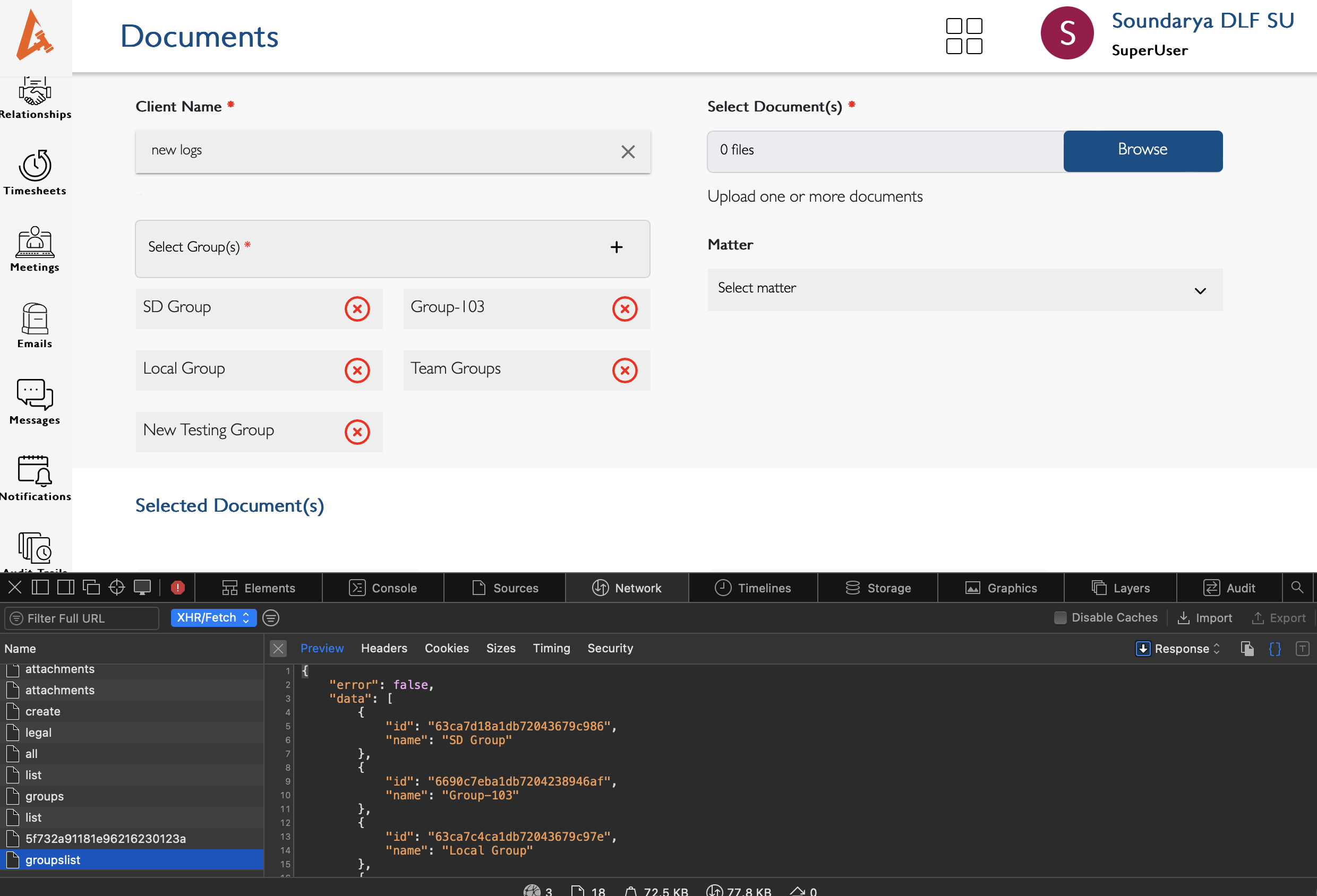
closedDocument - Upload [Client] : When selecting the Client and Matter, the Matter belonging to the Client and its associated groups should be displayed.
Status:
Closed
Priority:
Normal
Assignee:
-
Start date:
10/28/2024
Due date:
% Done:
0%
Estimated time:
Description
Steps:
1. Log in to Lauditor.
2. Go to the Menu and select 'Document.'
3. Click on 'Upload.'
4. Click on Client Tab
5. Select the client and matter.
Note : The Matter belonging to the Client and its associated groups should be displayed but currently Client belongs to the groups are appear.
Link - https://drive.google.com/file/d/1yFireIduRPsLq_aVXFkG_ZzK89IFVsp4/view?usp=drive_link
Files
Updated by kumar r almost 2 years ago
- File Screenshot 2024-10-28 at 5.43.42 PM.png Screenshot 2024-10-28 at 5.43.42 PM.png added
- File Screenshot 2024-10-28 at 5.43.12 PM.png Screenshot 2024-10-28 at 5.43.12 PM.png added
- Status changed from New to Feedback
- Assignee set to Anonymous
Client based matter and group list get from api as per the test both stage and dev2 using same set api and flow to listing the drop down. If need to change the list check with api team.
Updated by Neela Chinnappa over 1 year ago
- File bandicam 2025-01-22 11-00-26-892.mp4 bandicam 2025-01-22 11-00-26-892.mp4 added
- Status changed from Feedback to New
- Assignee changed from Anonymous to kumar r
Above scenario is working in web. Api list is updated in web.
Not working in iOS Lauditor
Updated by kumar r over 1 year ago
- File clint-mtr-grp.mp4 clint-mtr-grp.mp4 added
- Status changed from New to Resolved
- Assignee changed from kumar r to Anonymous
Updated.
Actions