Actions
Bug #6807
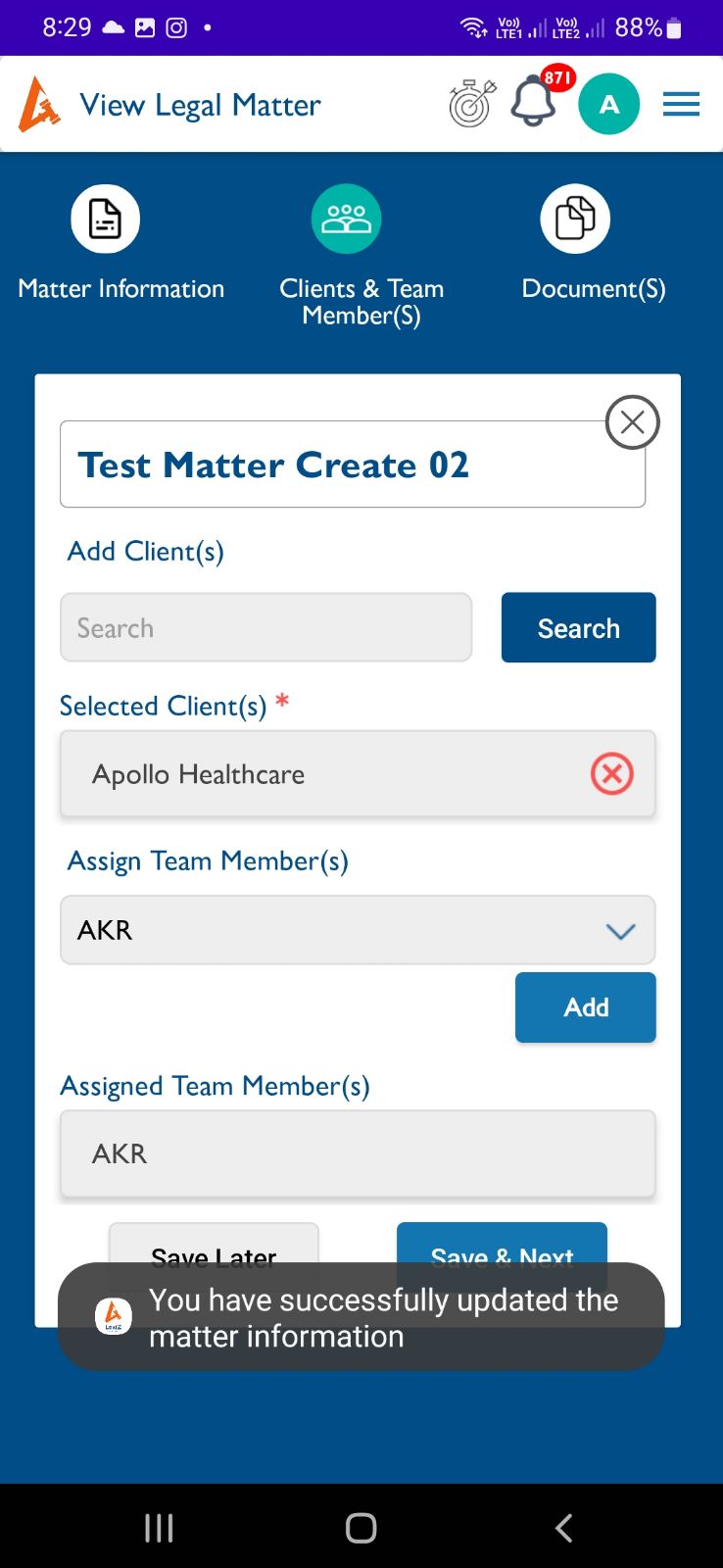
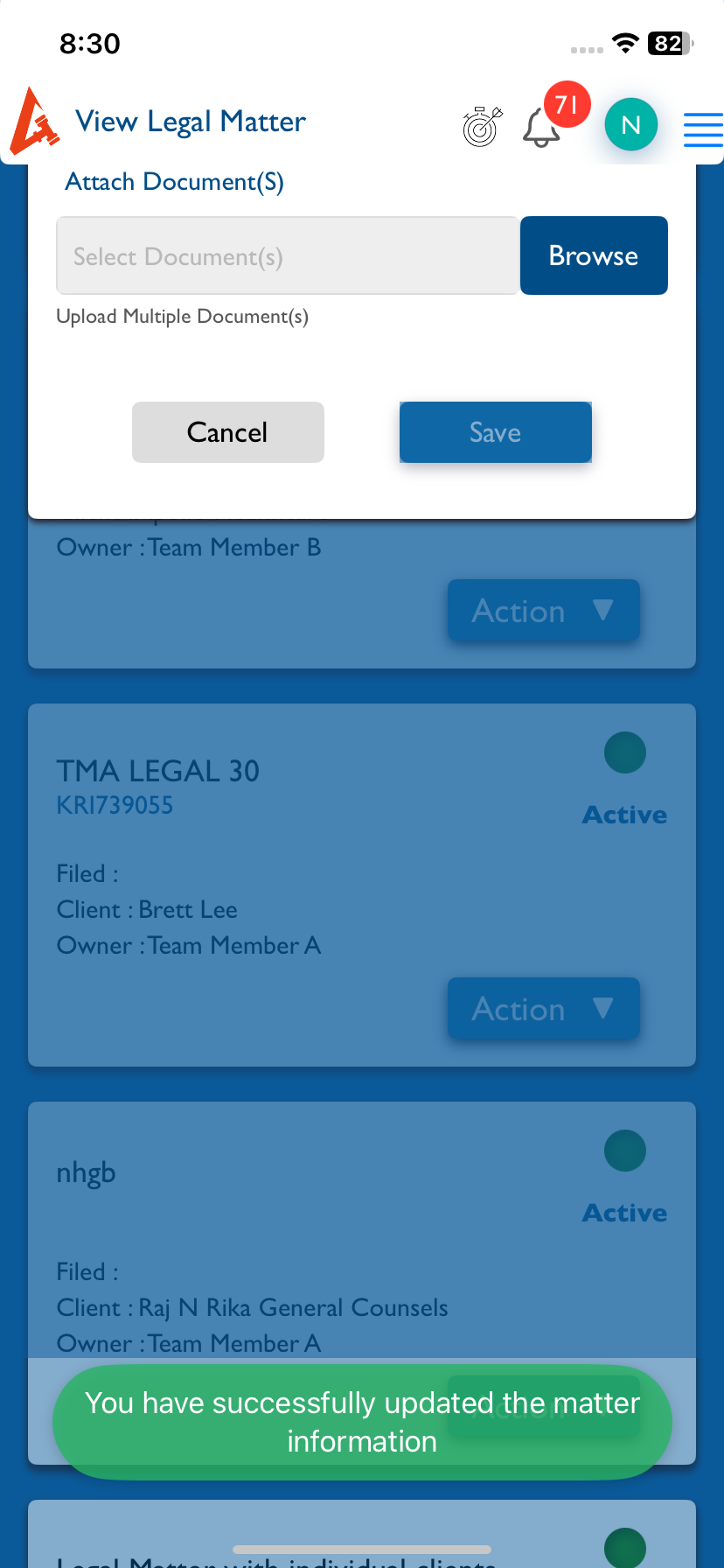
openMatter (View):- After updating the matter details, an success message will appear, that message color should match as per iOS.
Start date:
02/02/2026
Due date:
% Done:
0%
Estimated time:
Description
Steps:-
1.Login with LexiZ
2.Go to the Matters module
3.Click on View matter
4.Select any one of the matter edit and save it
5.After updating the matter details, an success message will appear
6. The toast message color should match as per iOS.
Please refer the Attach
Files
Updated by Arun Sundar 7 months ago
- Status changed from New to Feedback
- Assignee changed from Arun Sundar to akhila bs
In Android this is the Default Toast, We cant change this Toast UI.
Actions