Actions
Bug #6594
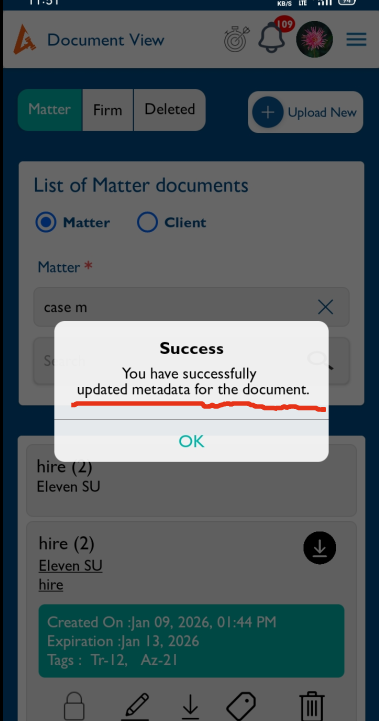
openWhen updating the tags the success popup text needs to be updated
Start date:
01/12/2026
Due date:
% Done:
0%
Estimated time:
Description
Steps:
- Login to Lexiz
- Select Document Module- Document view
- Select Matter/Client/Firm
- Select a Document
- Click on the Update Tag icon
- Add the tag and tag type
- Click save
Expected Result:
The success popup should display “Tags updated successfully”
Actual Result :
The success popup displays: “you have successfully updated the metadata for the document”
Files
No data to display
Actions