Actions
Bug #6568
openDocuments (Upload): The Upload and Cancel buttons should appear only after selecting a Client/Matter and a file.
Start date:
01/09/2026
Due date:
% Done:
0%
Estimated time:
Description
Steps:-
1.Login with LexiZ
2.Go to the Documents Module
3.Select Client/Matter/Firm
4.After select the client the upload and cancel button will appear
5.it's should be displayed after the file selection as per iOS
Please refer the Attachment.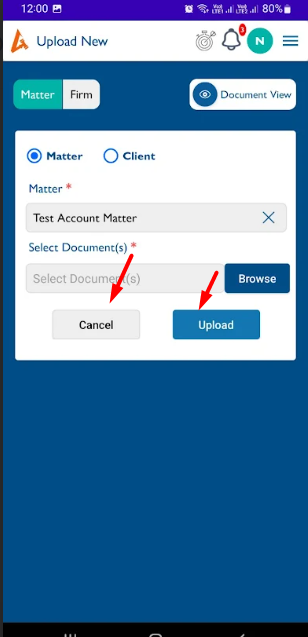
Files
No data to display
Actions