Actions
Bug #6542
closedDocument:Incorrect Toast Message on Enable/Disable Download
Start date:
01/06/2026
Due date:
% Done:
0%
Estimated time:
Description
Steps:
- Login to Lexiz
- Select Document Module
- Select Matter/client/Firm
- Select a document from the list of documents shown
- Click the download icon
- Click yes to enable/disable download option
Expected Result:
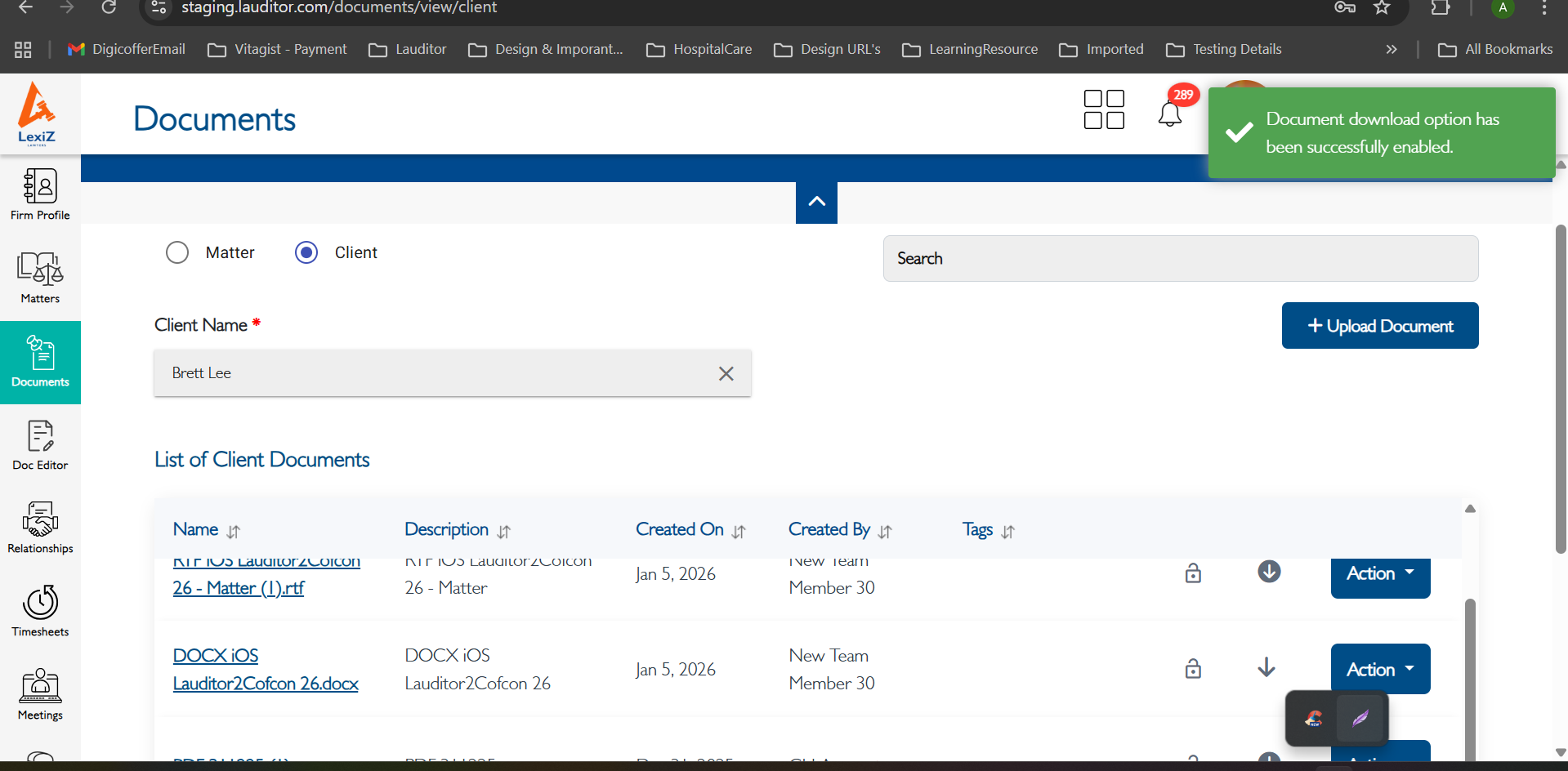
The toast message should display:”Document option is successfully enabled/disabled”.
Actual Result:
The toast message displays:”Updated successfully”.
please refer the attachment
Files
Updated by muskan mathur 17 days ago
- Assignee changed from muskan mathur to Dhineshkumar Muthukumaran
Updated by Dhineshkumar Muthukumaran 9 days ago
- Status changed from New to Fixed - Pushed to Staging
- Assignee changed from Dhineshkumar Muthukumaran to Nandhini M
Updated by Anantha kumar 3 days ago
- Status changed from Fixed - Pushed to Staging to Closed
Actions