Actions
Bug #6536
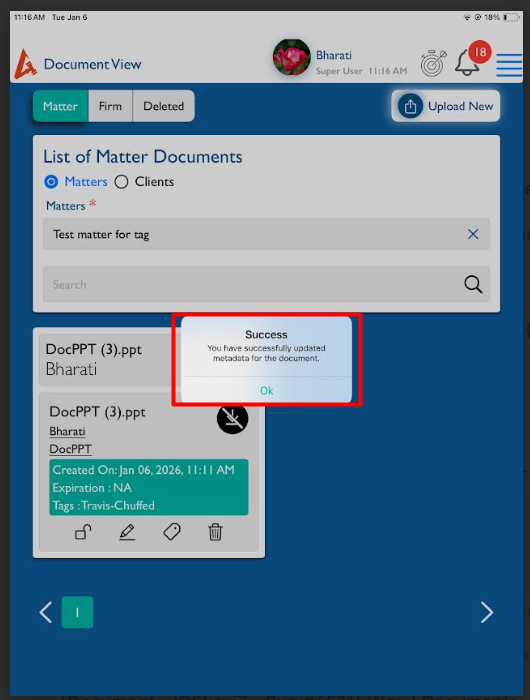
openView Documents - Update tag - When updating the tags, success popup text needs to be updated
Start date:
01/06/2026
Due date:
% Done:
0%
Estimated time:
Description
1. Login the LexiZ
2. Click on Documents module - view documents
3. Select Matter / Client / Firm
4. Select document
5. Click on update tag icon
6. Add the tag and tag type
7. Click on save
Issue Observed: Success poup text needs to updated as web
Expectation : 'Tag updated successfully' should appear.
Files
No data to display
Actions