Actions
Bug #6435
openView Document: Validation Message Not Shown When Matter Is Not Selected
Start date:
12/24/2025
Due date:
% Done:
0%
Estimated time:
Description
Steps:
- Login to Lexiz.
- Click the hamburger menu on the right side.
- Click on Documents.
- Click on the Matter tab.
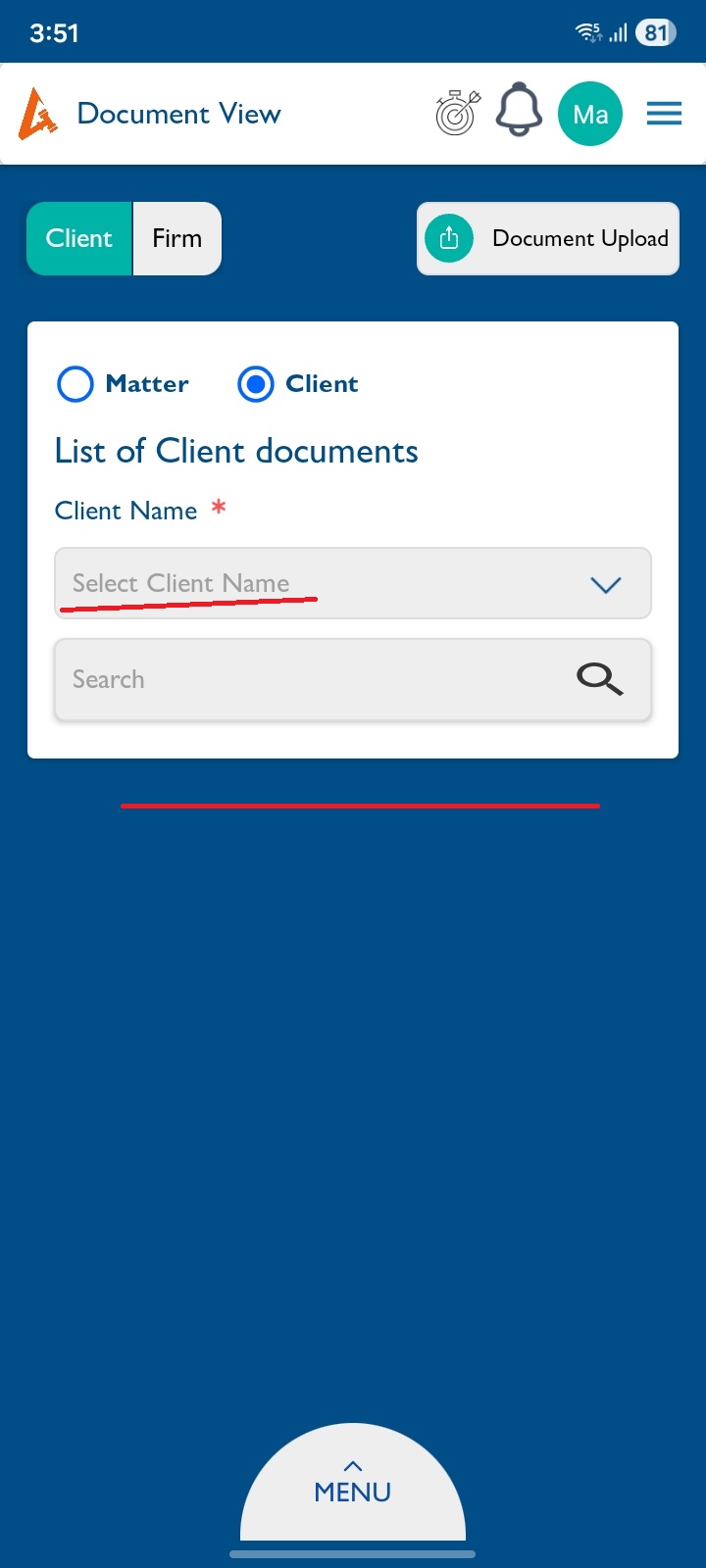
- Do not select any matter from the dropdown.
Issue:
No message is displayed when the matter is not selected.
Expected Result:
The message “Please select matter” should be displayed below the dropdown.
Note:
This issue is applicable to Matter, Client, and Firm.
Files
Updated by Arun Sundar 8 months ago
- Status changed from New to Feedback
- Assignee changed from Arun Sundar to Anantha kumar
Already the Matter, Clients,Groups is showing Mandatory * Symbol.So, showing the one more Text below the dropdown will not looks good for Mobile UI.
Actions