Actions
Bug #1584
openView Matters [ General Matters ] - - Update Groups / Delete - Select the Groups - Save - Yes - Confirmation popup / Success popup - Alignments , Colors , Size are not as per design
Status:
New
Priority:
Low
Assignee:
-
Start date:
12/14/2022
Due date:
% Done:
0%
Estimated time:
Description
Click on Matters
Click on General Matters
Click on View
Click on Action
Click on Update Groups/Delete
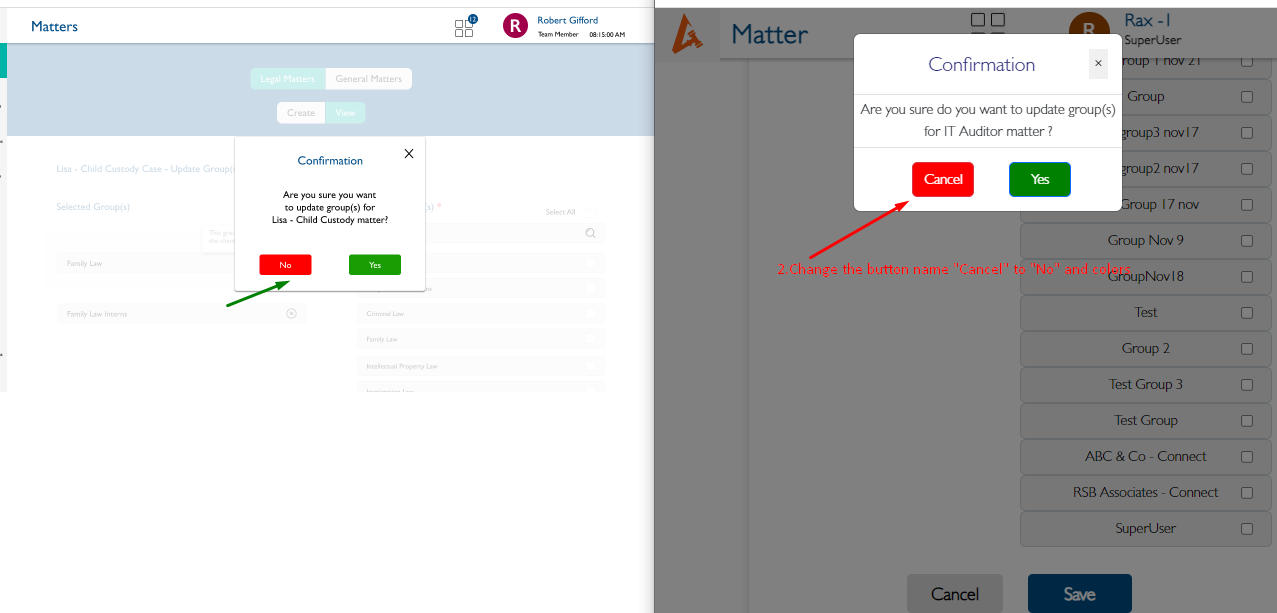
- Confirmation popup
1.Alignment,Colors and Box Size should not appear as per design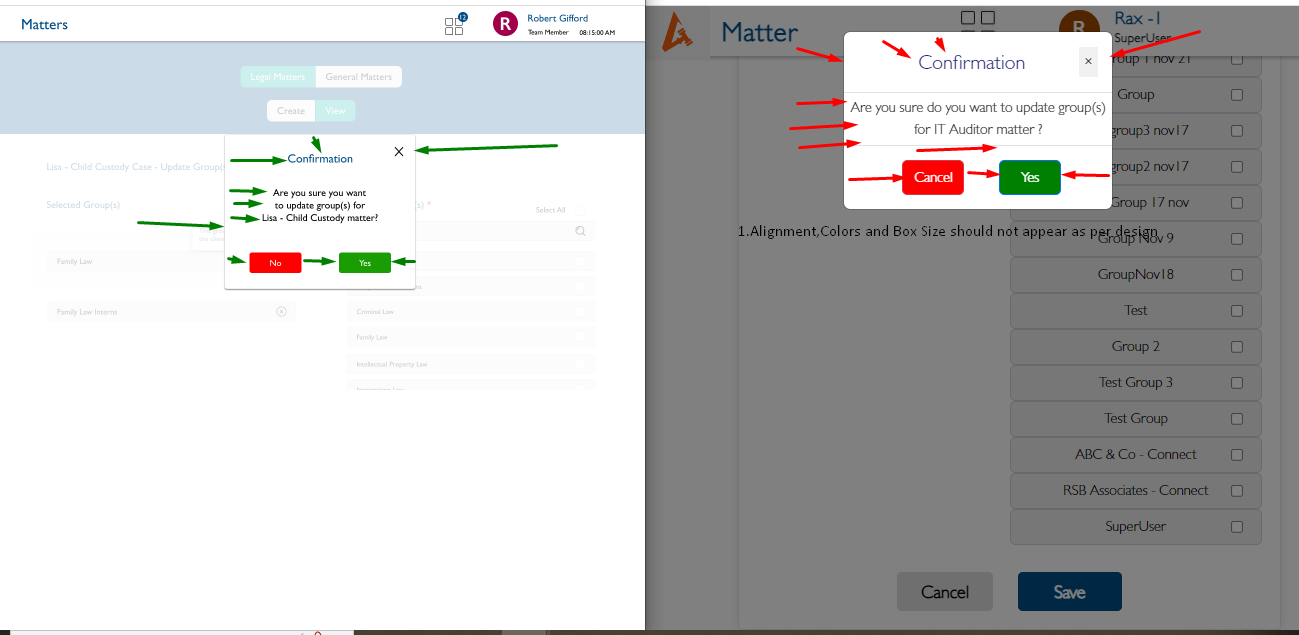
2.Change the button name "Cancel" to "No" and colors also as per design

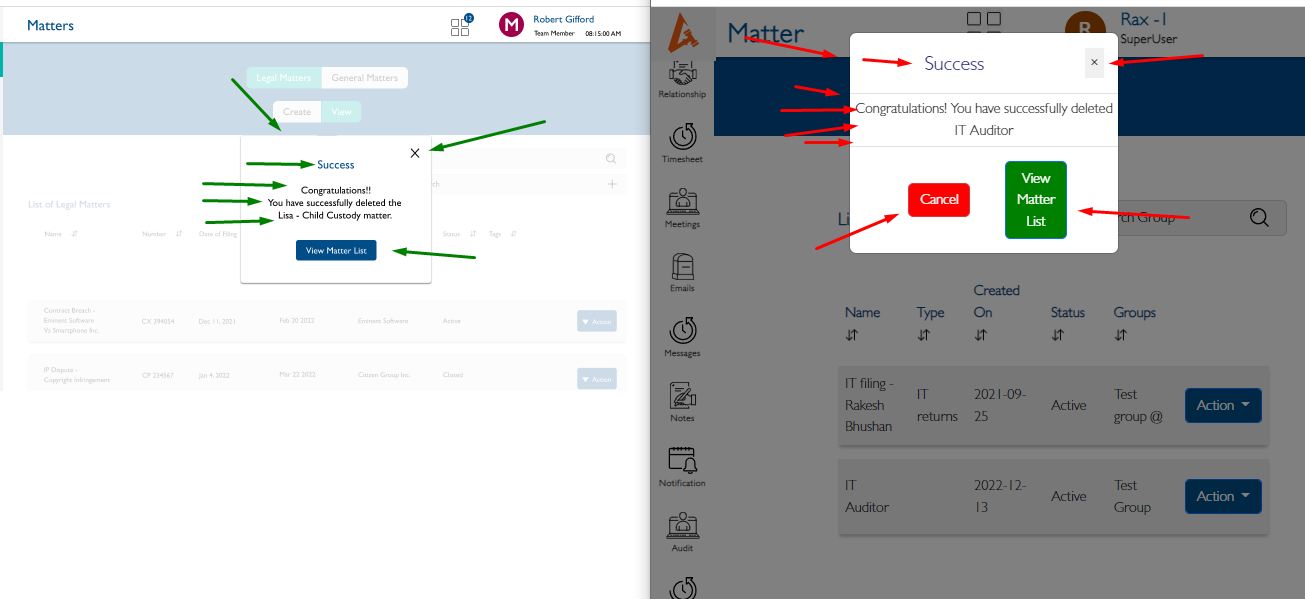
- Success popup
1.Alignment,Colors and Box Size should not appear as per design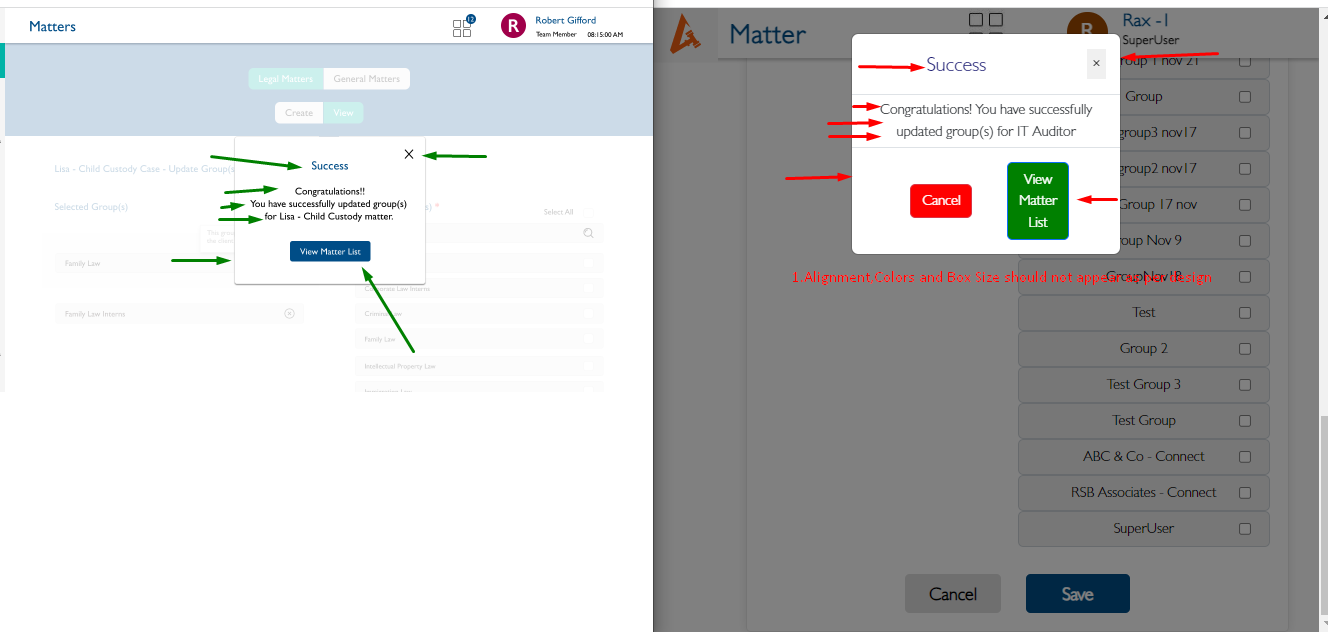
2.Remove the cancel button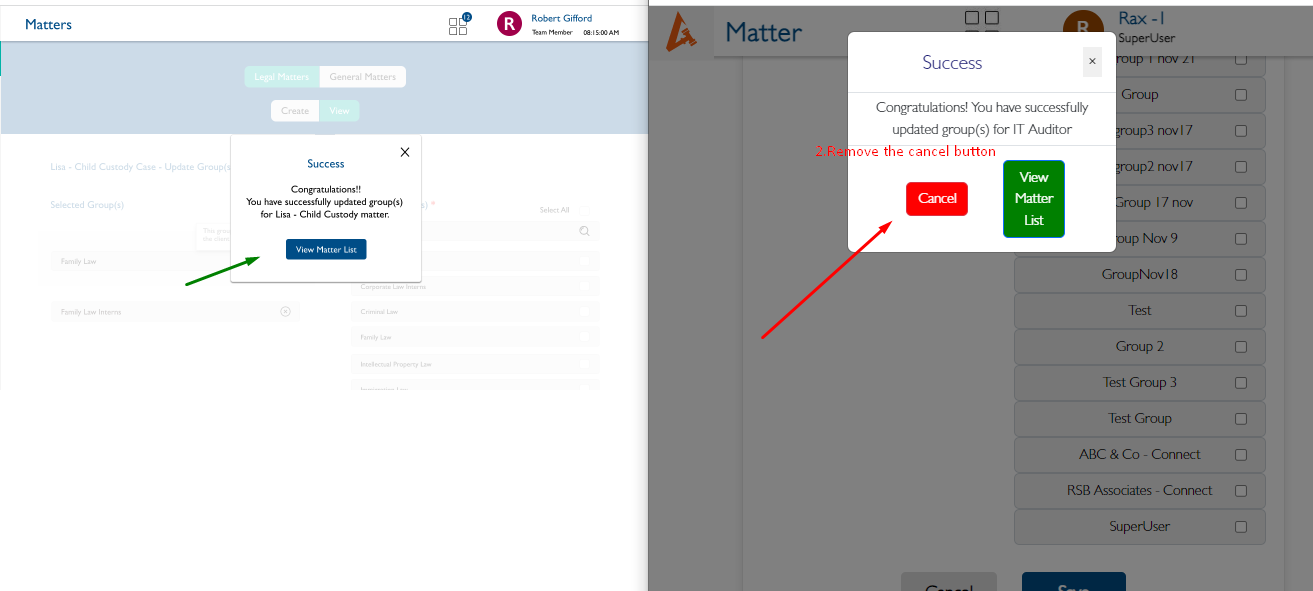
---> Same Issue happened on Delete Groups also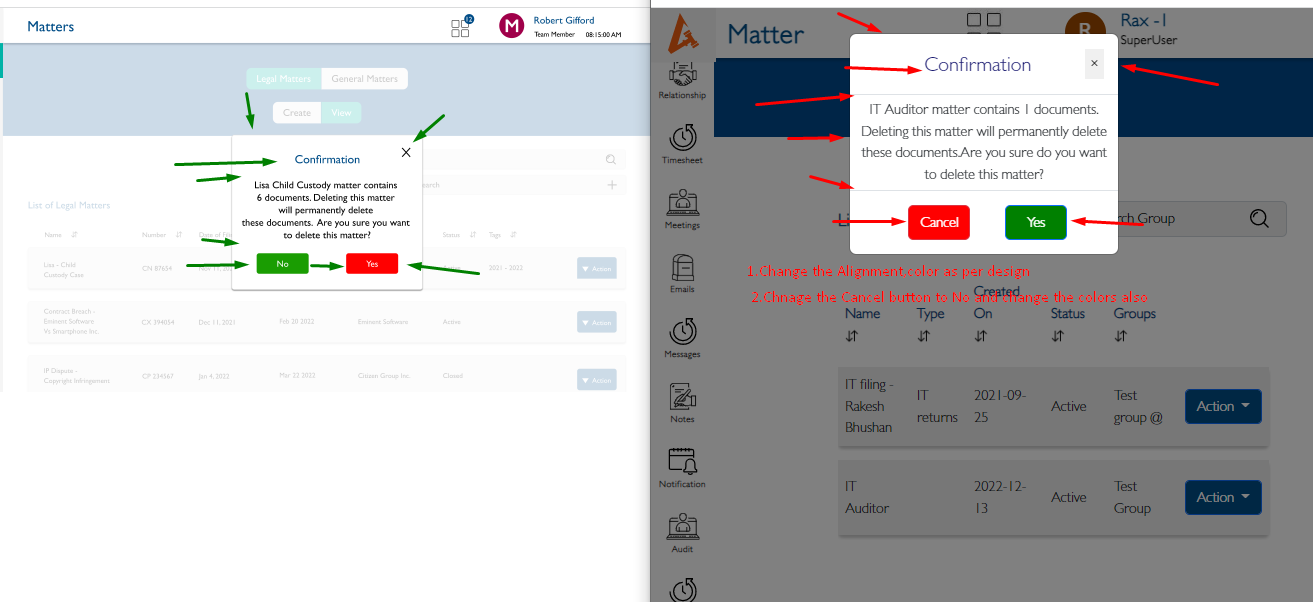
Files
Updated by akhila bs over 3 years ago
- Subject changed from Matters - General Matters - Action - Update Groups / Delete - Select the Groups - Save - Yes - Confirmation popup / Success popup - Alignments , Colors , Size are not as per design to View Matters [ General Matters ] - - Update Groups / Delete - Select the Groups - Save - Yes - Confirmation popup / Success popup - Alignments , Colors , Size are not as per design
Actions