Actions
Bug #1525
openView Matter[Legal/general] - Update Groups - Alignments and text and colors are not as per design
Status:
New
Priority:
Low
Assignee:
-
Start date:
12/08/2022
Due date:
% Done:
0%
Estimated time:
Description
Click on Matters
Click on Legal / General Matters
Click on View
Click on Action
Click on Update Groups
Same issue happened in General Matters also
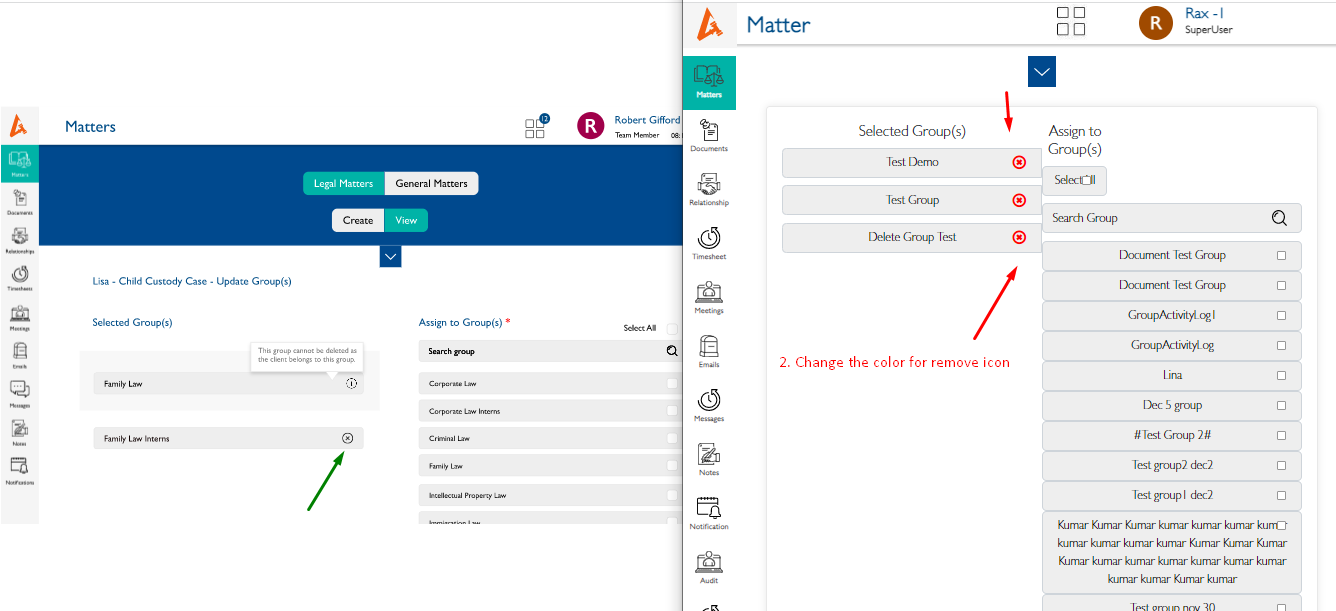
1. Alignments are not as per design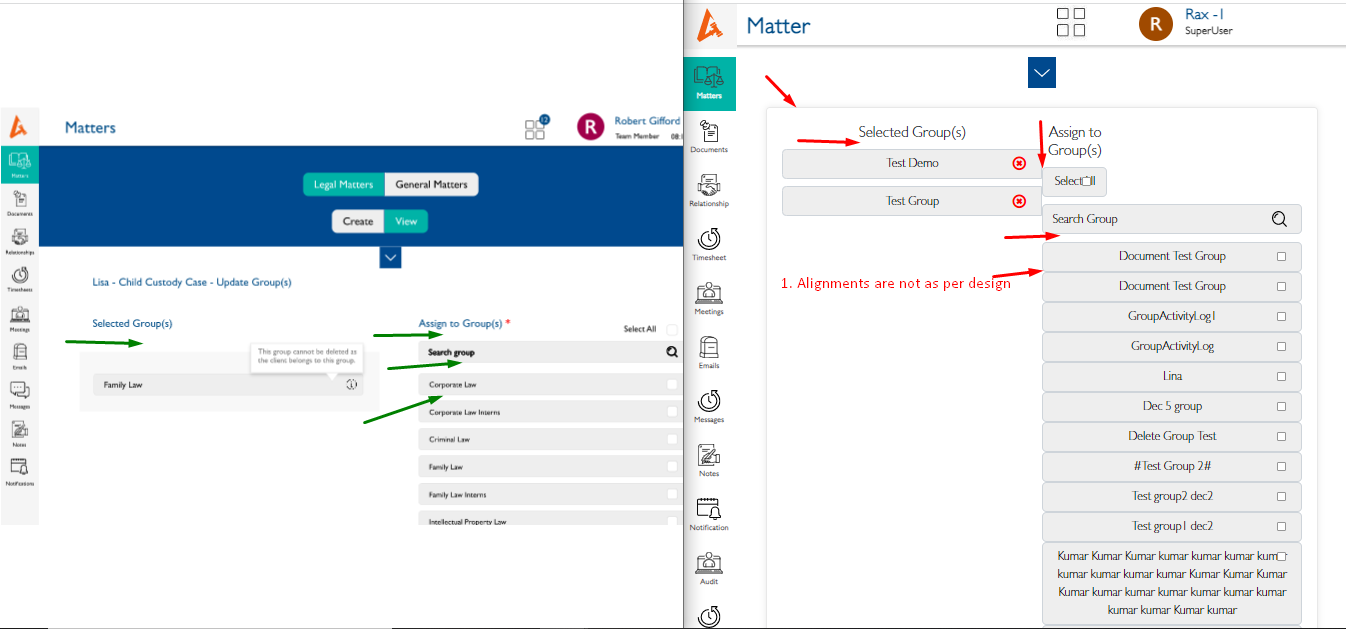
2. Select all change the place as per design.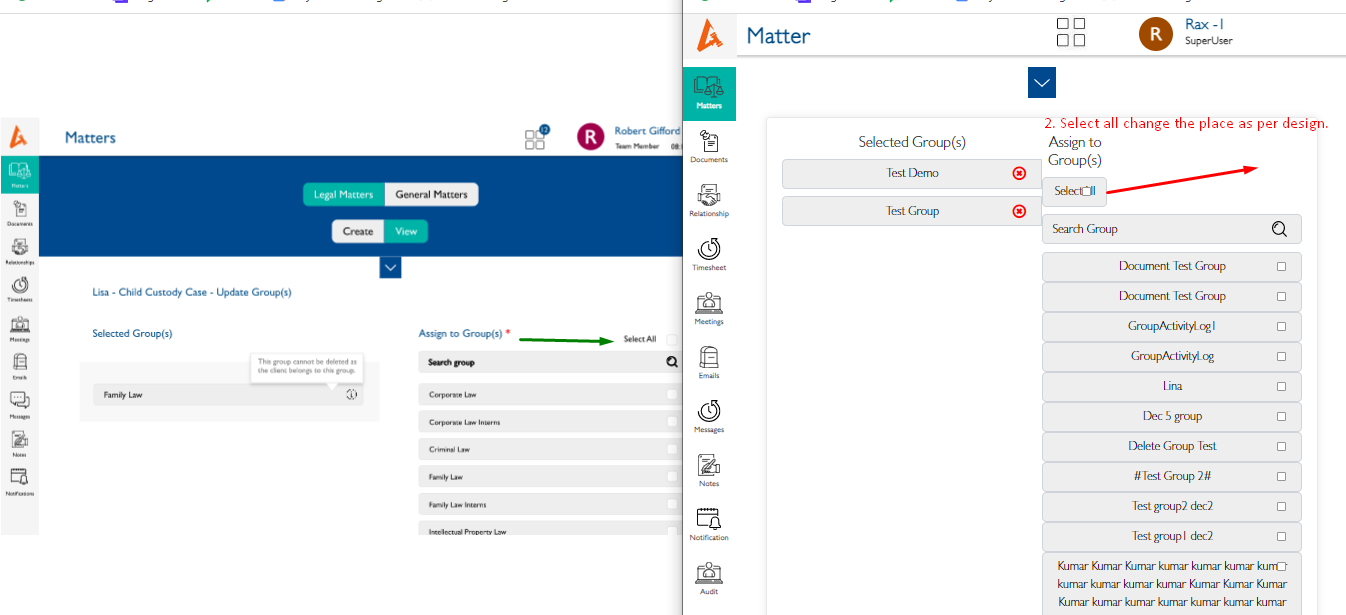
3. Color change as per design.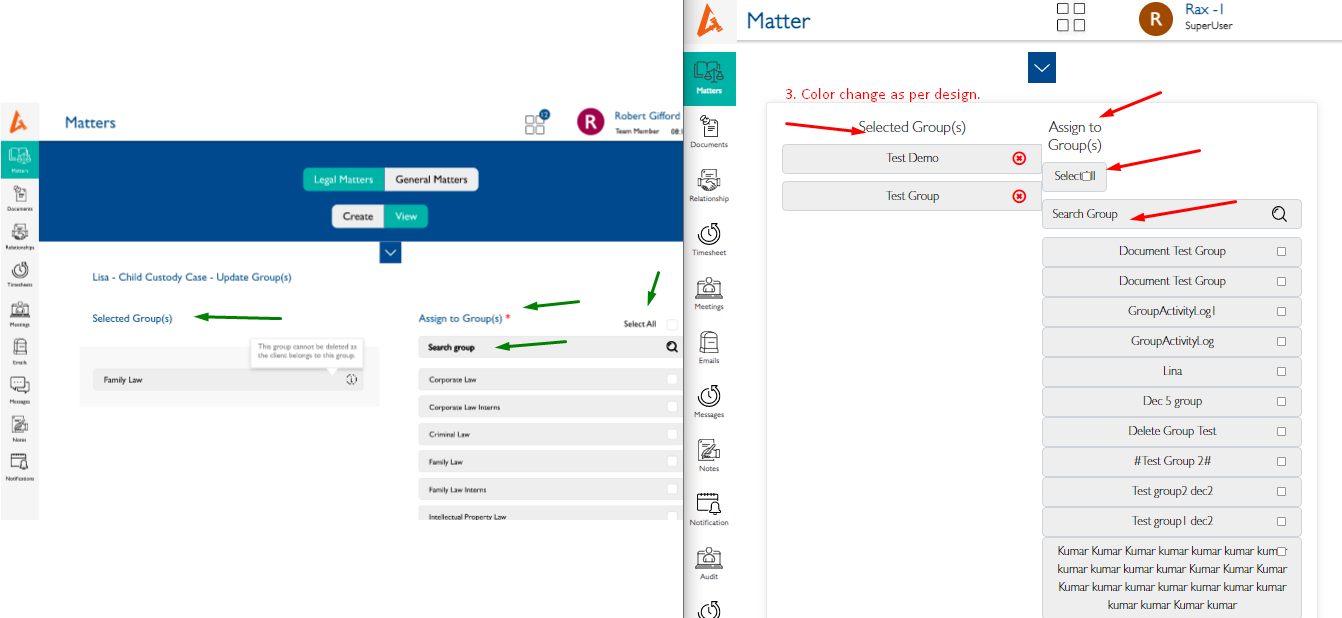
4. Selected should be Highlight.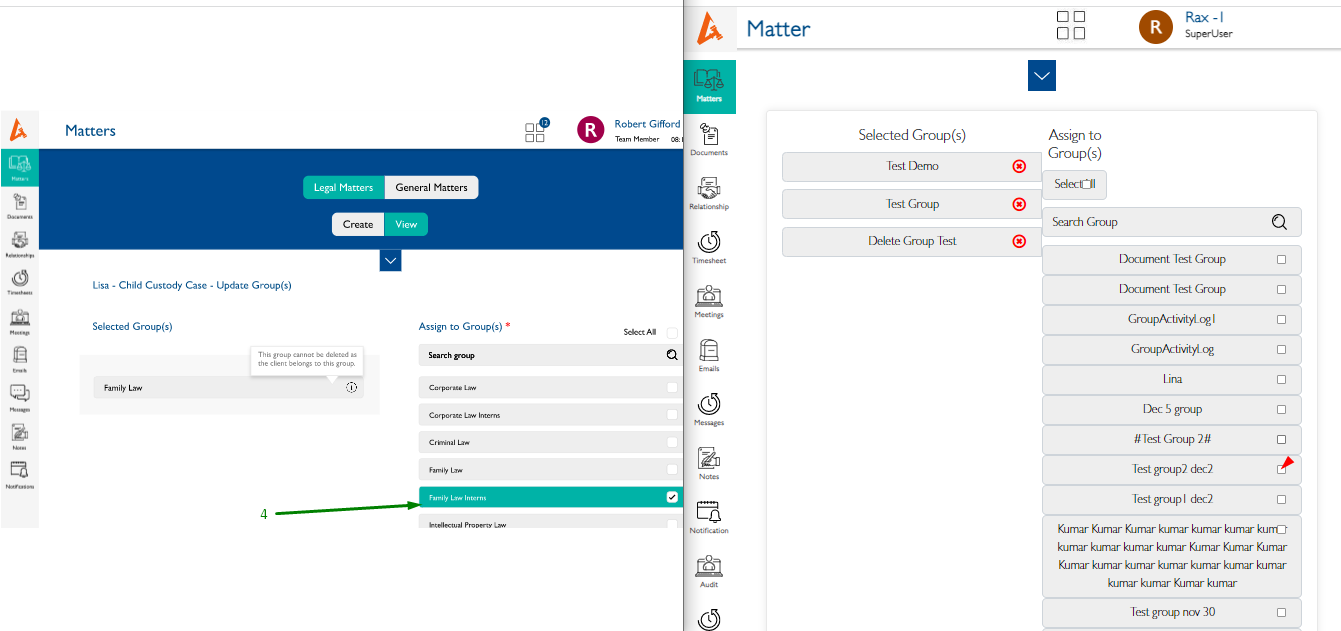
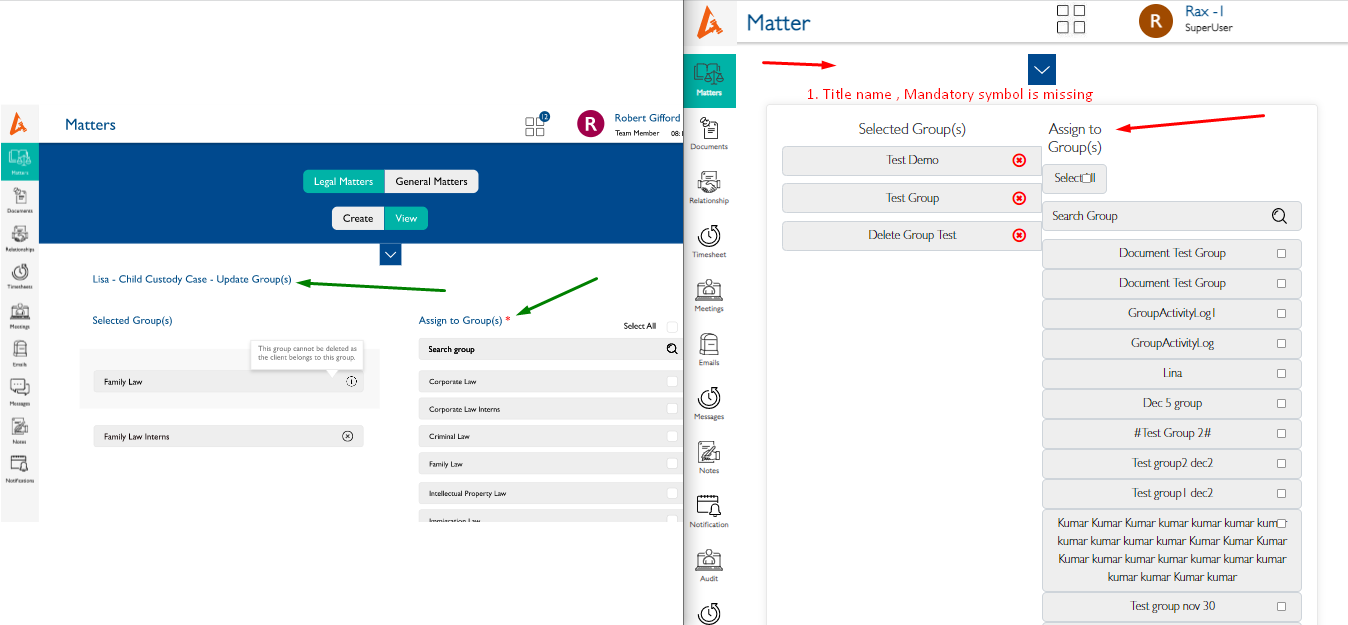
5.Title name , Mandatory symbol is missing
6.Change the color for remove icon
Files
Updated by Anonymous over 3 years ago
- Subject changed from Matters - Legal - Action - Update Groups - Alignments , Colors are not as per design. to Matters - Legal / General Matters - Action - Update Groups - Alignments , Colors are not as per design.
- Description updated (diff)
Updated by Anonymous over 3 years ago
- File clipboard-202212081559-gys5f.png clipboard-202212081559-gys5f.png added
- File clipboard-202212081559-fw8gg.png clipboard-202212081559-fw8gg.png added
- Subject changed from Matters - Legal / General Matters - Action - Update Groups - Alignments , Colors are not as per design. to Matters - Legal / General Matters - Action - Update Groups - Alignments and text and colors are not as per design
- Description updated (diff)
Updated by akhila bs over 3 years ago
- Subject changed from Matters - Legal / General Matters - Action - Update Groups - Alignments and text and colors are not as per design to View Matter[Legal/general] - Update Groups - Alignments and text and colors are not as per design
Actions